


A few years ago, understanding AI concepts was enough to stay relevant. Today, that is no longer true.
Companies are no longer looking for people who can explain AI.
They are hiring people who can build AI systems, deploy AI agents, and scale real-world applications.
And here’s the uncomfortable truth:
If you are not building AI applications…
someone else already is, and they are replacing traditional developers faster than expected.
This is exactly where AI-103: Develop AI Apps and Agents on Azure comes in.
It is not about theory.
It is about execution.
And if you want to move from learning AI → building AI,
this certification becomes a serious turning point.
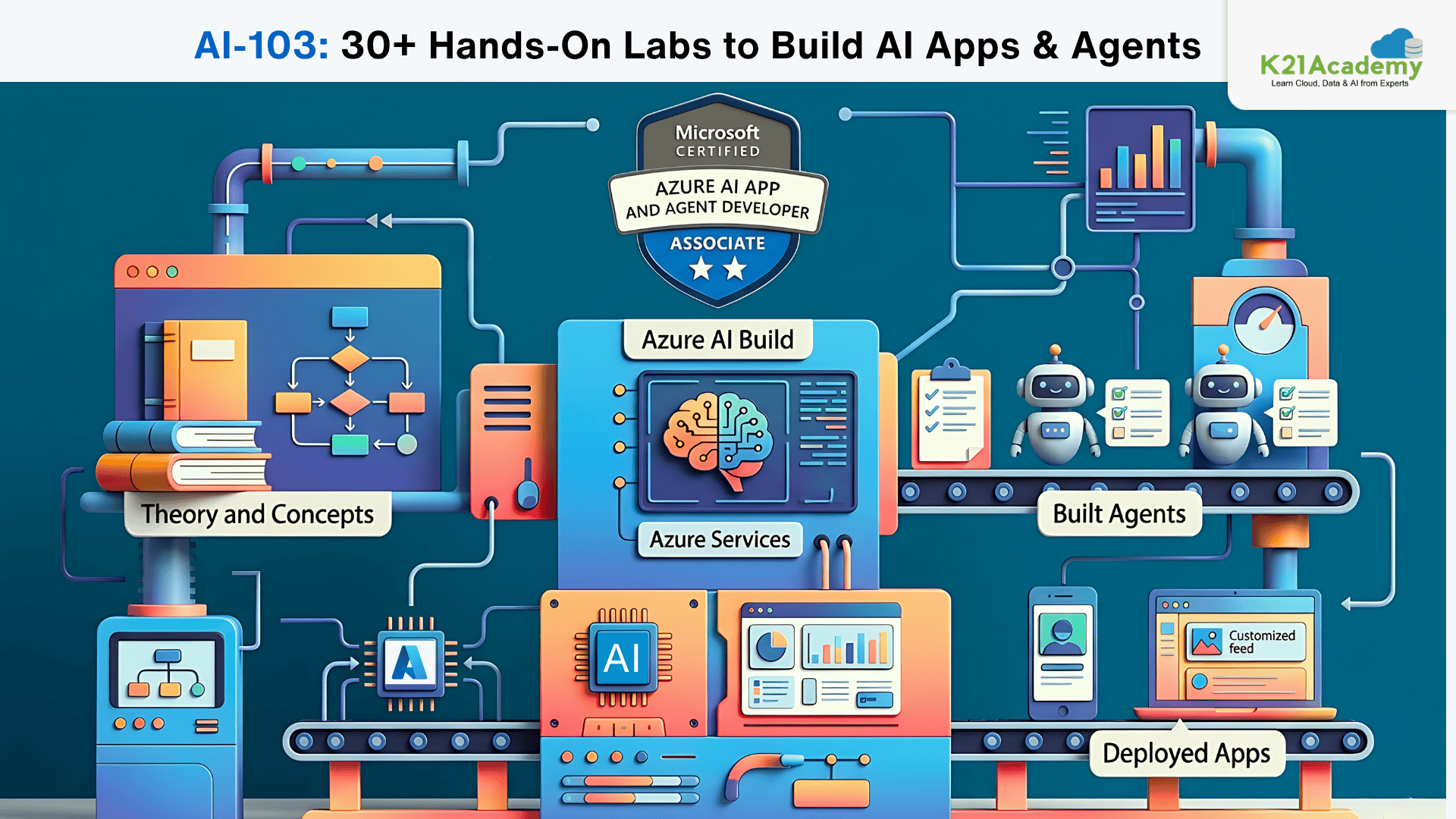
Here you will find a collection of 30+ hands-on labs which will teach you things step by step, develop your skills and be one of the main factors for your success in the AI-103: Develop AI Apps and Agents on Azure exam.
To start with you should briefly understand what this certification entails and what it offers you.
AI-103 Certification Overview
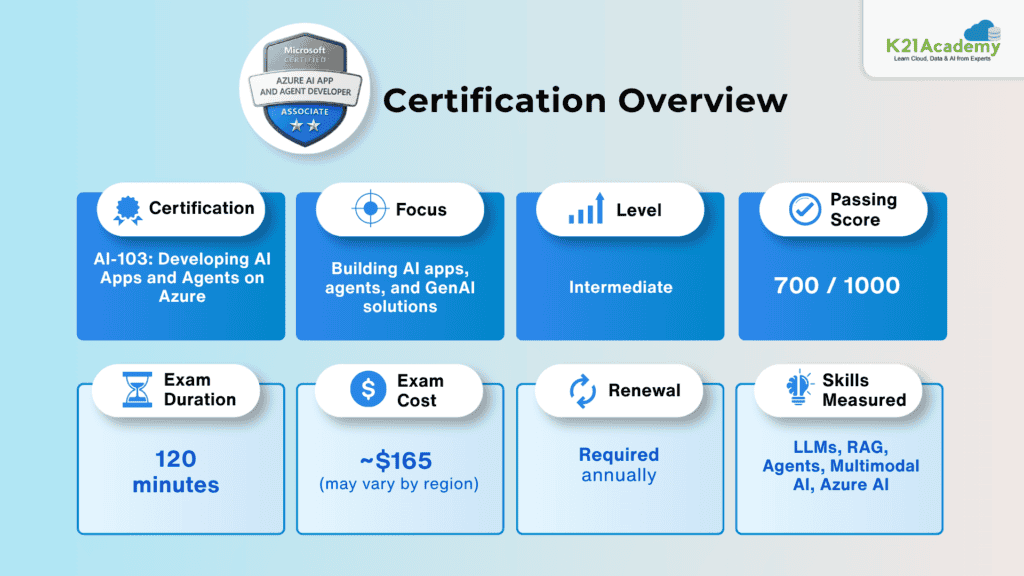
What is AI-103: Develop AI Apps and Agents on Azure ?
AI-103: Develop AI Apps and Agents on Azure is a practical, developer-focused certification designed for professionals who want to build real-world AI applications using Microsoft Azure and modern AI frameworks.
Unlike beginner certifications, AI-103: Develop AI Apps and Agents on Azure does not focus on definitions or concepts. Instead, it focuses on:
- Building Generative AI applications
- Designing AI agents and workflows
- Implementing RAG (Retrieval-Augmented Generation) pipelines
- Working with multimodal AI agents(text, image, speech, video)
- Deploying production-ready AI systems
In simple terms:
AI-901 teaches you what AI is
AI-103 teaches you how to build AI systems
This certification acts as the bridge between:
- Learning Azure AI fundamentals
AND - Becoming an AI Engineer who can ship real applications
Check out this Microsoft study guide.
Why Most Engineers Struggle with AI-103: Develop AI Apps and Agents on Azure ?
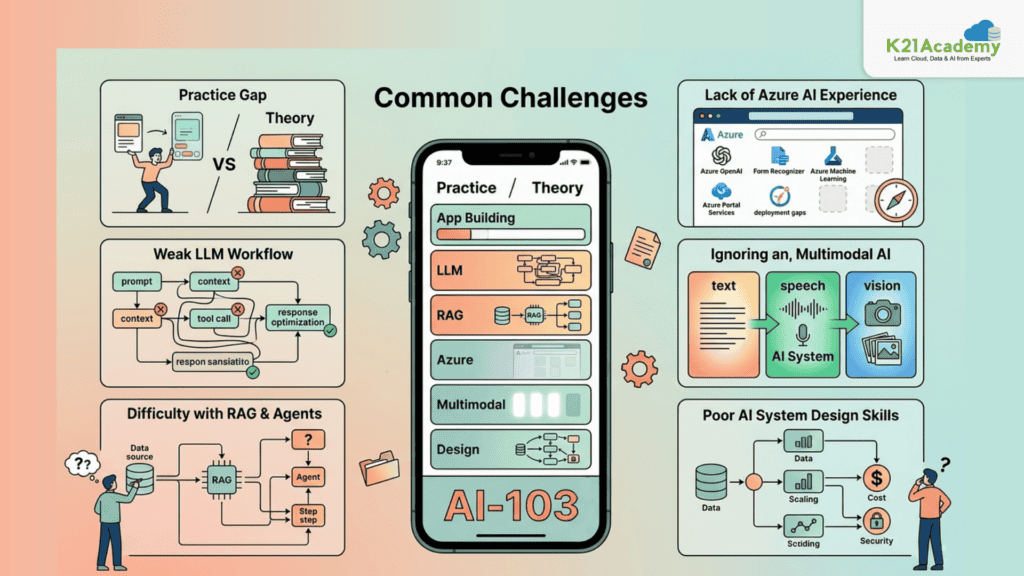
AI-103: Develop AI Apps and Agents on Azure is not difficult because of theory, it is difficult because it demands real-world thinking.
Here’s where most candidates struggle:
1. Lack of Hands-On Experience
Many candidates rely only on theory, but AI-103: Develop AI Apps and Agents on Azure expects:
- Building apps
- Using APIs
- Handling real AI & ML workflows
2. Weak Understanding of LLM Workflows
Understanding LLMs is not enough. You must know:
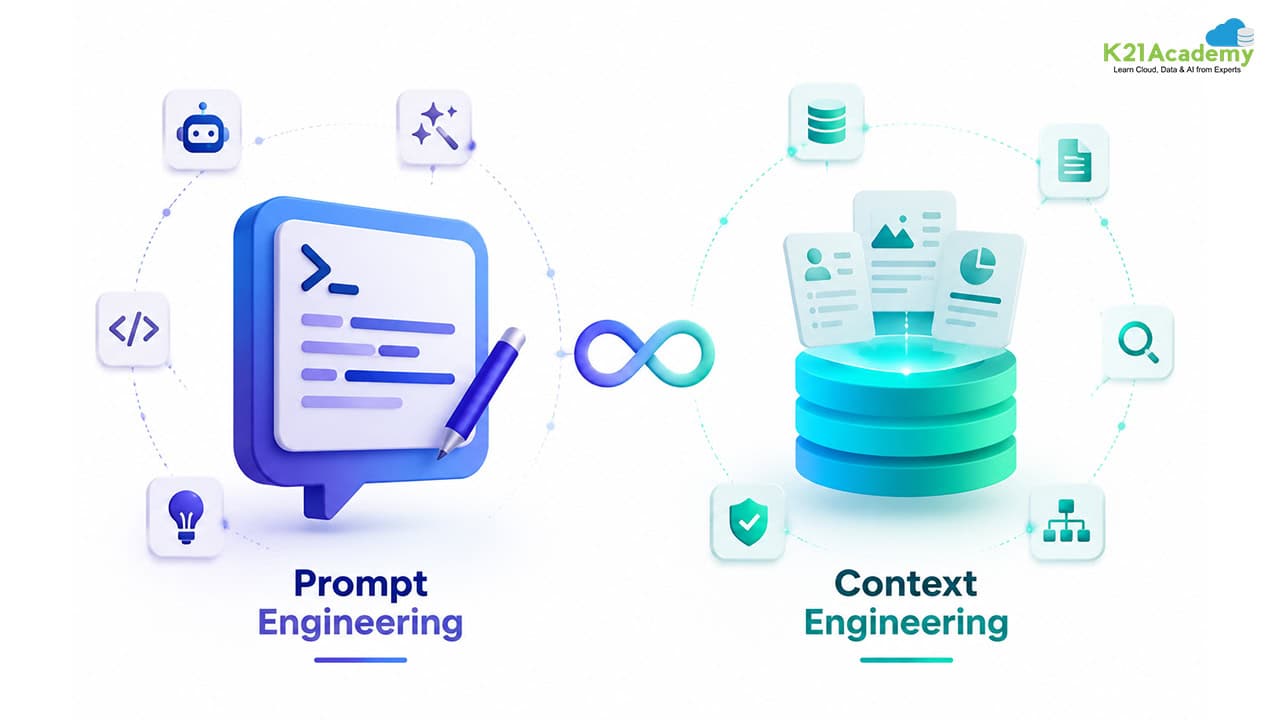
- Prompt engineering
- Context handling
- Tool calling
- Response optimization
3. Confusion Around RAG & Agents
RAG and AI agents are core topics, yet many candidates:
- Don’t understand architecture
- Cannot implement pipelines
- Struggle with real use cases
4. No Experience with Azure AI Services
Candidates often fail due to:
- Lack of Azure exposure
- No deployment practice
- Weak understanding of services like Foundry
5. Ignoring Multimodal AI
AI-103 includes:
- Speech
- Vision
- Text
Many candidates focus only on text-based AI.
6. No Understanding of AI System Design
The exam tests:
- Architecture decisions
- Cost optimization
- Scalability Not just coding.
Related Readings: Claude Code vs GitHub Copilot vs Cursor: Which AI Coding Assistant Should You Learn?
Who Should Take AI-103: Develop AI Apps and Agents on Azure ?
AI-103: Develop AI Apps and Agents on Azure is ideal for professionals who are ready to move beyond theory and start building real AI systems.
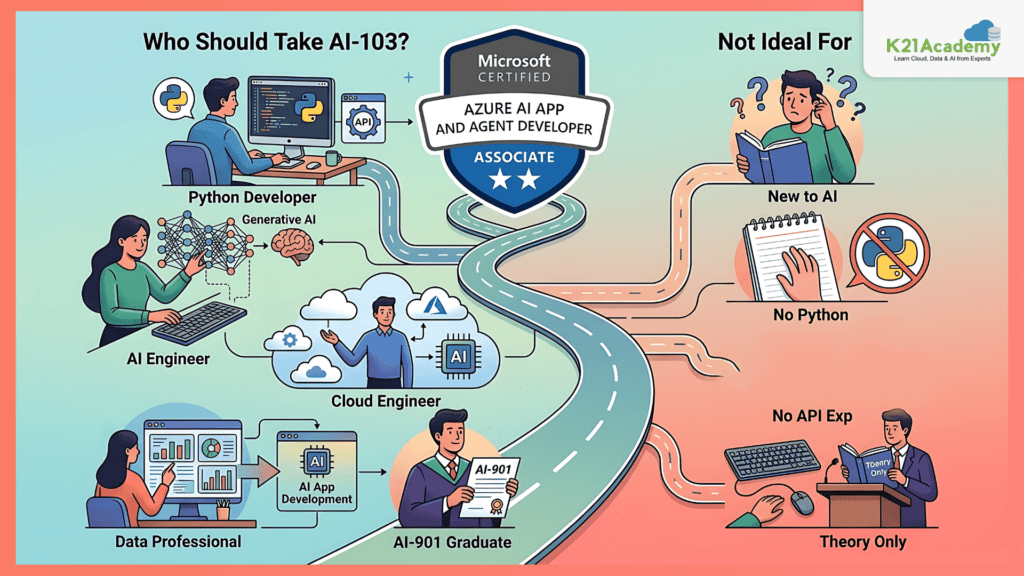
If you are someone who works with development, cloud, or data systems, this certification can directly accelerate your career.
- Developers who are already working with Python, APIs, or backend systems will find AI-103 highly relevant because it aligns with real application development workflows. It helps them transition into building AI-powered applications instead of traditional software.
- AI Engineers and aspiring AI professionals will benefit the most, as this certification focuses heavily on generative AI, agent-based systems, and modern AI architectures used in production environments.
- Cloud engineers who are familiar with platforms like Azure and want to move into AI will also find this certification valuable, as it connects cloud infrastructure with AI services and deployment pipelines.
- Even data professionals who want to shift into Generative AI and AI applications can use AI-103 as a stepping stone to move into more advanced, application-focused roles.
Finally, anyone who has already completed AI-901 and wants to go deeper into practical AI implementation should strongly consider AI-103 as the next step.
Not Ideal For
AI-103: Develop AI Apps and Agents on Azure may not be the right choice if:
- You are completely new to AI
- You don’t know basic Python
- You have never worked with APIs
- You are only interested in theory
- You are not ready for hands-on labs
In such cases, starting with AI-901 is a better option.
Related Readings: Top 10 Claude Code Use Cases Every Developer Should Know
AI-103 vs AI-901 (Detailed Comparison)
| Feature | AI-901 | AI-103 |
|---|---|---|
| Level | Beginner | Intermediate |
| Focus | AI concepts | Building AI systems |
| Coding Required | No | Yes |
| Hands-on | Minimal | Heavy |
| Topics | Basics of AI | LLMs, RAG, Agents |
| Tools | Conceptual | Azure, APIs, SDKs |
| Career Outcome | Awareness | Job-ready skills |
Key Differences Explained
- AI-901 is about understanding AI
- AI-103 is about implementing AI
- AI-901 is theory-heavy
- AI-103 is project-heavy
- AI-901 prepares you for learning
- AI-103 prepares you for real jobs
Related Readings: AI-901 in 2026: Master Azure AI Fundamentals with 13+ Hands-On Labs
Which Should You Take First?
This depends on your current background not a fixed path.
If you are a complete beginner
Start with AI-901 to build fundamentals.
If you already understand AI basics
You can directly move to AI-103
If you are a developer (Python/API experience)
You can skip AI-901 and go directly to AI-103
If you are transitioning into AI roles
Do:
AI-901 → AI-103
If your goal is job-ready AI skills
AI-103 should be your priority
If you want a strong foundation + practical skills
Best path:
AI-901 → AI-103 → Advanced certifications
Transition Insight
Think of it like this:
- AI-901 = Learning the language of AI
- AI-103 = Building products using that language
Top AI-103: Develop AI Apps and Agents on Azure Hands-On Labs
Hands-on labs are the core of AI-103: Develop AI Apps and Agents on Azure preparation.
These labs simulate real-world AI engineering scenarios including LLMs, RAG, AI agents, multimodal AI, and enterprise deployments.
By completing all 31 labs, you will move from basic AI understanding → building production-level AI systems.

Lab 1. Prepare for an AI Development Project
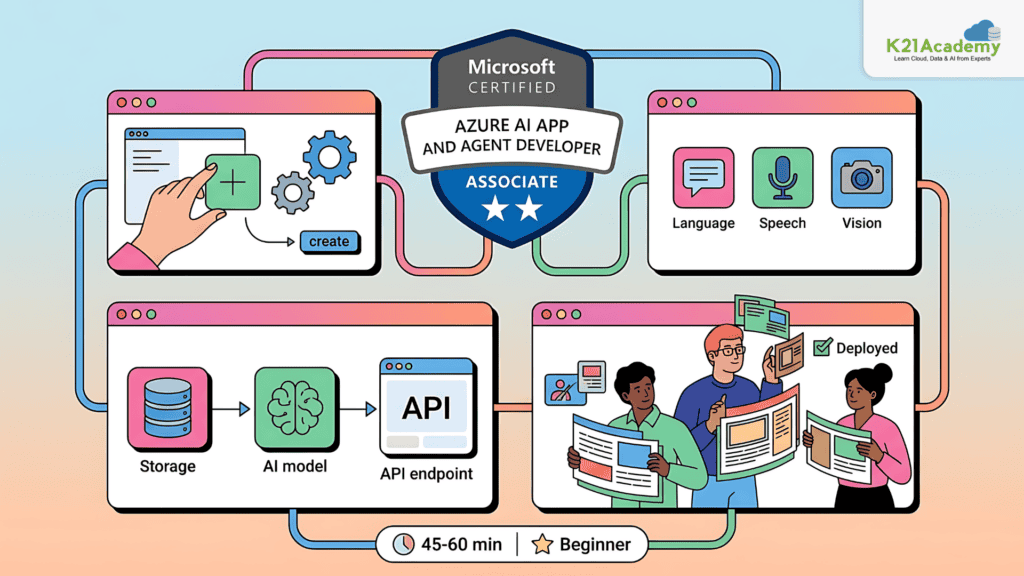
Building AI solutions is not just about coding , it starts with proper planning, selecting the right services, and understanding how different components work together. In this lab, you’ll prepare for an AI development project by setting up the environment and exploring how Azure AI services are structured.
Key Concepts
· Azure AI Services: Cloud-based services that provide prebuilt AI capabilities for developers
· Resource Setup: Creating and configuring Azure resources required for AI applications
· AI Solution Architecture: Understanding how different services like models, APIs, and storage interact
· Development Workflow: Steps involved in building, testing, and deploying AI applications
Azure Environment Setup
In this lab, you will set up your Azure environment by creating the required resources and exploring the Azure portal. You will understand how AI services are organized and how they integrate into real-world applications. By the end of this lab, you’ll have a strong foundation for building and deploying AI solutions on Azure.
Estimated Time: 45–60 minutes
Difficulty Level: Beginner
Exam Relevance Note: Critical for architecture and Azure setup questions
Outcome: You will be able to set up and understand Azure AI environments for real-world solutions
Lab 2. Explore and Compare Models
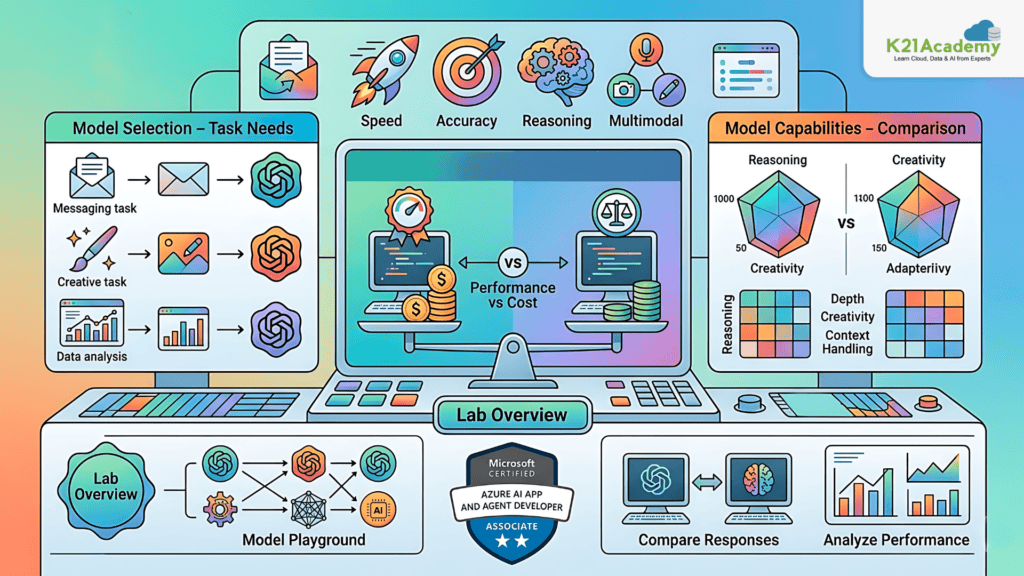
Different AI models have different strengths , some are faster, some are more accurate, and others support multimodal capabilities. In this lab, you’ll explore and compare models to understand which one fits your use case.
Key Concepts
· Model Selection: Choosing the right model based on task requirements
· Performance vs Cost: Balancing accuracy, speed, and pricing
· Model Capabilities: Understanding differences in reasoning, creativity, and context handling
· Evaluation: Comparing outputs across models
Model Playground
In this lab, you will use a playground environment to test multiple models with the same prompts. You will observe differences in responses, performance, and cost efficiency. By the end, you’ll be able to select the most suitable model for your AI application.
Estimated Time: 40–50 minutes
Difficulty Level: Beginner
Exam Relevance Note: Frequently tested in model selection scenarios
Outcome: You will confidently choose the right AI model based on real requirements
Related Readings: Azure AI/ML Certifications: Step-by-Step Guide to Succeed in 2026
Lab 3. Create a Generative AI Chat App
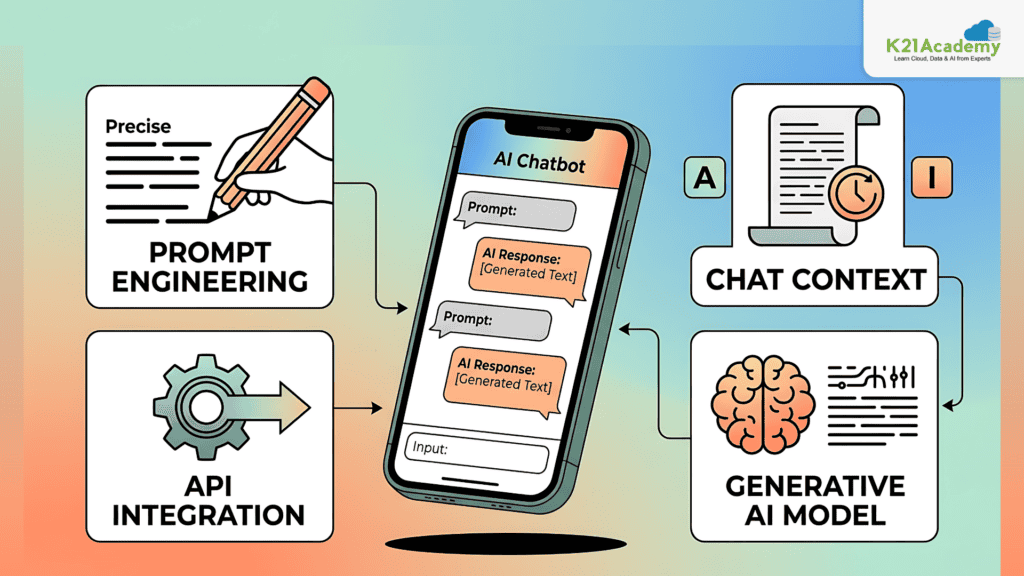
Generative AI chat applications are one of the most common real-world use cases. In this lab, you’ll build a chat application that can understand user input and generate meaningful responses.
Key Concepts
· Generative AI: Models that generate human-like responses
· Prompt Engineering: Designing effective prompts for better outputs
· Chat Context: Maintaining conversation history across interactions
· API Integration: Connecting applications to AI models
Chat Application
In this lab, you will build a chat application using Azure AI services. You will send prompts to the model, handle responses, and maintain conversation context. By the end, you’ll understand how real-world chat applications are developed.
Estimated Time: 60–75 minutes
Difficulty Level: Beginner–Intermediate
Exam Relevance Note: Core topic (Generative AI + apps)
Outcome: You will build your first real AI-powered chat application
Lab 4. Create a Generative AI Chat App that Uses Tools
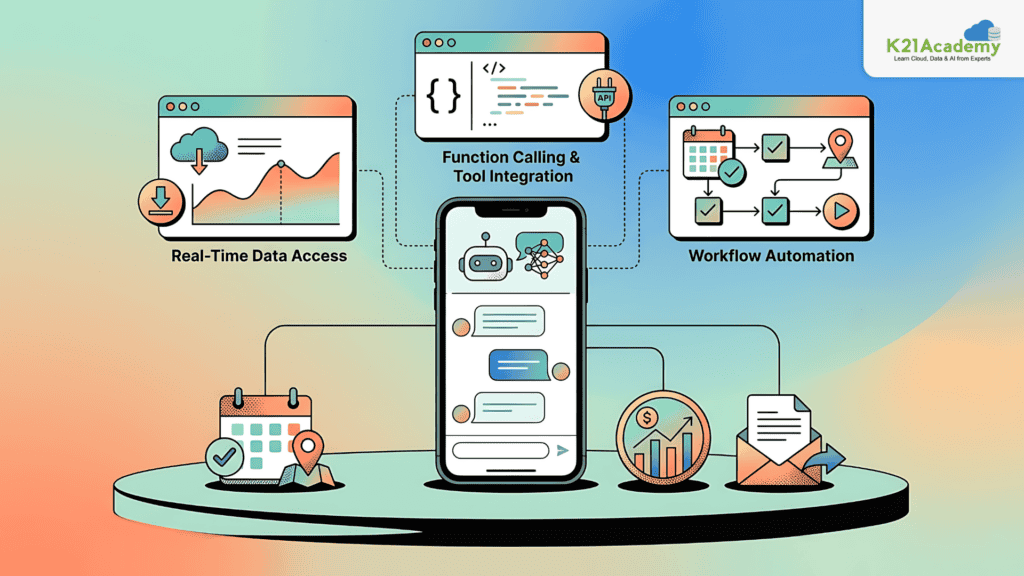
Modern AI applications go beyond simple conversations , they can interact with external tools and APIs. In this lab, you’ll enhance your chat application with tool integration.
Key Concepts
· Function Calling: Allowing AI to trigger external functions
· Tool Integration: Connecting APIs and services to AI
· Real-time Data Access: Fetching live information
· Workflow Automation: Enabling AI-driven actions
Tool-Enabled Chat App
In this lab, you will extend your chatbot to use external tools such as APIs. This allows the AI to perform tasks like retrieving data or executing actions, making the application more powerful and practical.
Estimated Time: 60 minutes
Difficulty Level: Intermediate
Exam Relevance Note: Important for agent/tool-based questions
Outcome: You will build AI apps that can take real-world actions
Related Readings: Azure AI Foundry vs. Azure Machine Learning: Key Differences Explained by K21 Academy
Lab 5. Fine-tune a Language Model
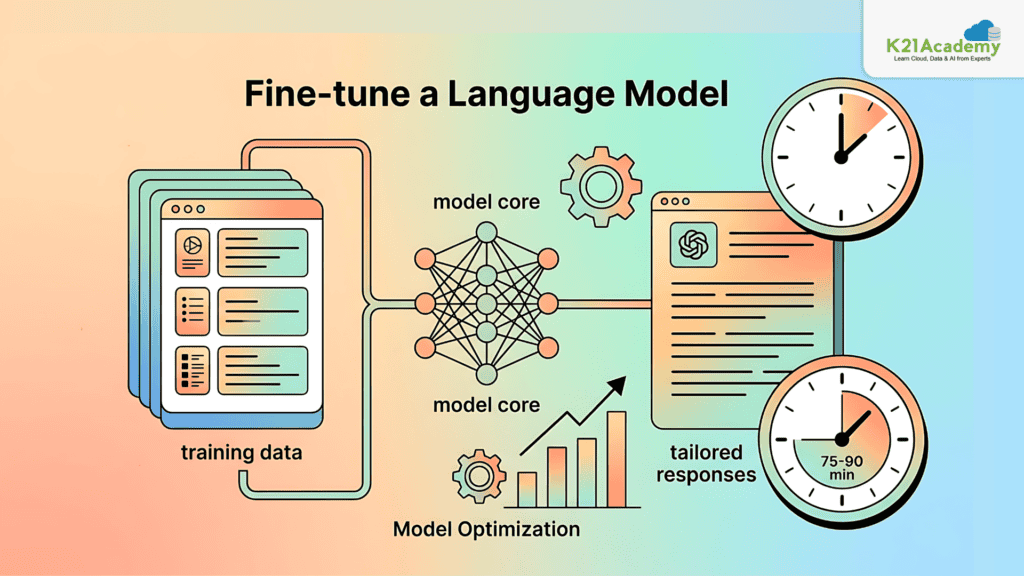
Prebuilt models are powerful, but sometimes you need customization. In this lab, you’ll fine-tune a language model to improve performance for specific use cases.
Key Concepts
· Fine-tuning: Training models on custom datasets
· Data Preparation: Structuring training data
· Model Optimization: Improving accuracy and relevance
· Custom Behavior: Tailoring responses for business needs
Model Customization
In this lab, you will fine-tune a model using your own dataset and observe how it improves response quality. By the end, you’ll understand how to customize AI models for specific scenarios.
Estimated Time: 75–90 minutes
Difficulty Level: Intermediate
Exam Relevance Note: Tested in model optimization scenarios
Outcome: You will customize AI models for domain-specific applications
Related Readings:- Learn about conversational bot
Lab 6. Apply Guardrails to Prevent Harmful Content
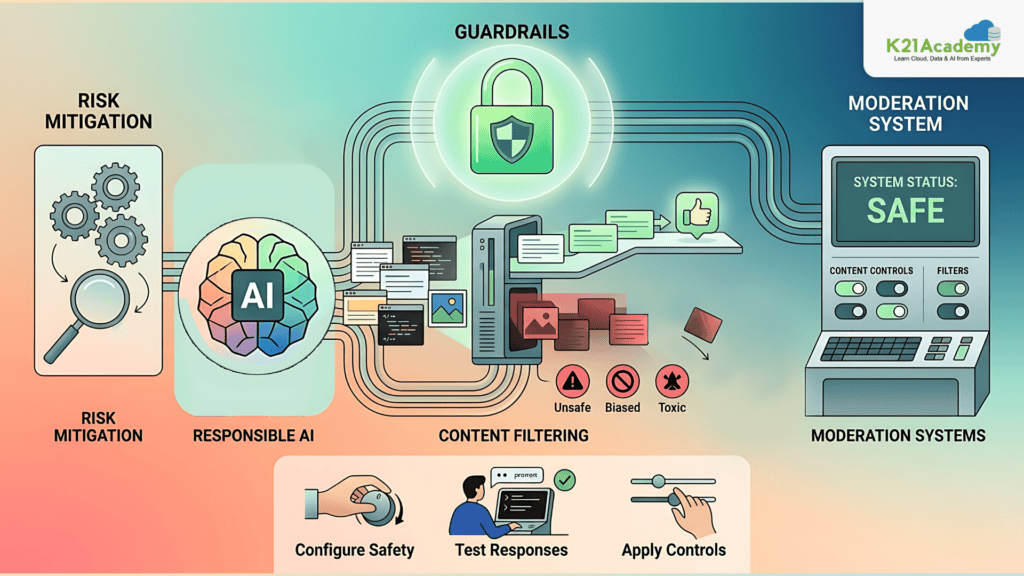
AI systems must be safe and responsible. In this lab, you’ll implement guardrails to control AI output and prevent harmful or inappropriate responses.
Key Concepts
· Content Filtering: Blocking unsafe outputs
· Responsible AI: Ensuring fairness and safety
· Moderation Systems: Monitoring AI behavior
· Risk Mitigation
Safety Configuration
In this lab, you will configure safety mechanisms to ensure your AI application generates appropriate responses. You will test how the system handles sensitive prompts and apply controls to prevent misuse.
Estimated Time: 40–50 minutes
Difficulty Level: Beginner–Intermediate
Exam Relevance Note: Very important for Responsible AI
Outcome: You will implement safe and reliable AI systems
Lab 7. Build AI Agents with Portal and VS Code
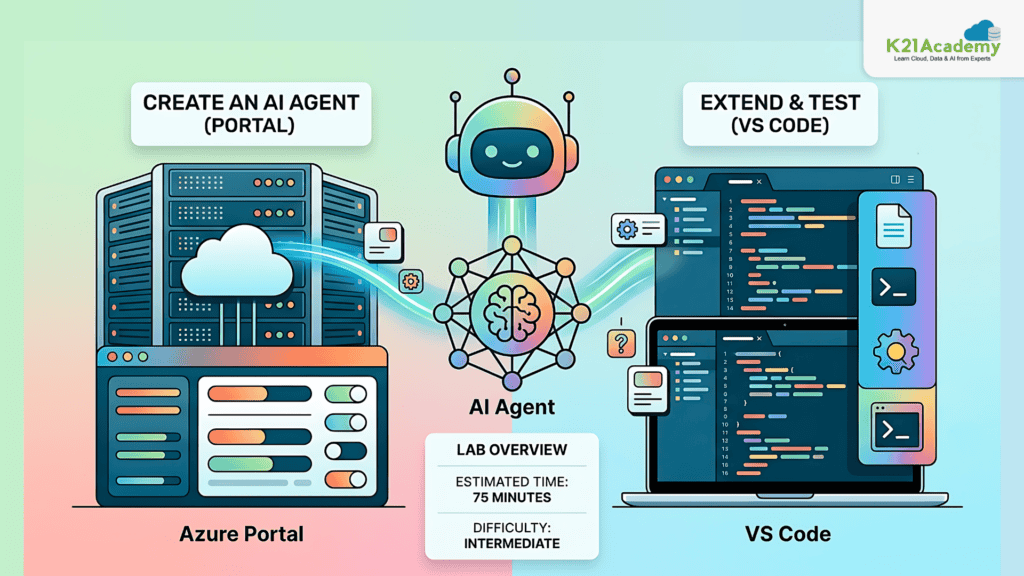
AI agents are intelligent systems that can understand user input, make decisions, and perform actions based on instructions and available tools. In this lab, you’ll build an AI agent using both the Azure portal and Visual Studio Code to understand how agents are developed and managed in real-world scenarios.
Key Concepts
· AI Agents: Intelligent systems that combine models, instructions, and tools to perform tasks autonomously
· Azure Portal: A web-based interface for creating, managing, and monitoring AI resources
· VS Code Integration: A development environment used to write, test, and debug AI applications
· Agent Configuration: Defining how an agent behaves, responds, and interacts with users
Agent Development
In this lab, you will create an AI agent using the Azure portal and extend it using Visual Studio Code. You will configure its behavior, test interactions, and understand how it processes user inputs. By the end, you’ll have a clear understanding of how AI agents are built and deployed in real-world applications.
Estimated Time: 75 minutes
Difficulty Level: Intermediate
Exam Relevance Note: Core AI-103 concept (Agents)
Outcome: You will build and configure AI agents
Related Readings:- The Future of AI Agents
Lab 8. Use a Custom Function in an AI Agent
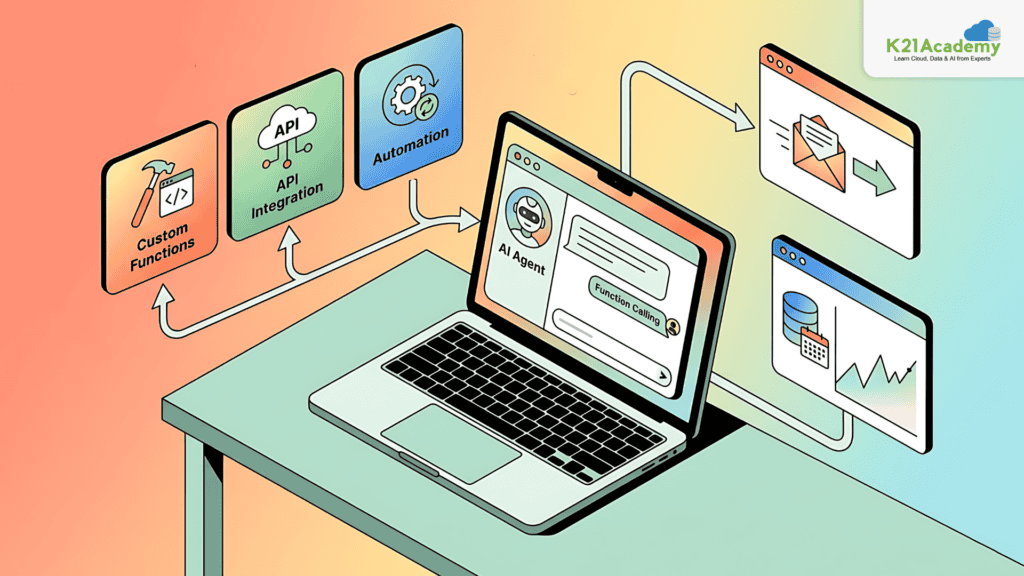
AI agents become significantly more powerful when they can perform actions instead of just generating responses. In this lab, you’ll enhance an AI agent by adding custom functions that allow it to interact with external systems.
Key Concepts
· Custom Functions: Developer-defined operations that extend the capabilities of an AI agent
· API Integration: Connecting AI agents to external services and data sources
· Function Calling: Enabling the AI to trigger specific functions based on user input
· Automation: Allowing AI to execute tasks without manual intervention
Agent Enhancement
In this lab, you will integrate custom functions into your AI agent, enabling it to perform tasks such as retrieving data or executing operations. You will observe how the agent decides when to call a function and how it combines AI-generated responses with real-world actions.
Estimated Time: 60 minutes
Difficulty Level: Intermediate
Exam Relevance Note: Important for tool-calling and automation scenarios
Outcome: You will extend AI agents with real-world capabilities
Related Readings: Generative AI vs Agentic AI: Key Differences
Lab 9. Develop an AI Agent with Model Context Protocol (MCP) Tools
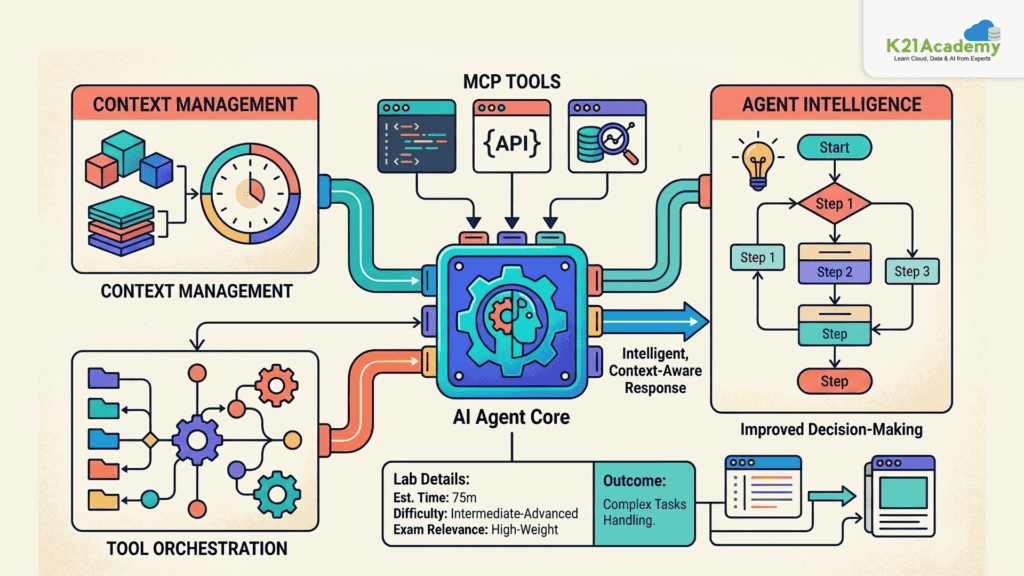
Modern AI agents rely on standardized protocols to interact with tools and maintain context across interactions. In this lab, you’ll develop an AI agent using Model Context Protocol (MCP) tools to handle more advanced scenarios.
Key Concepts
· Model Context Protocol (MCP): A standardized way for AI agents to interact with external tools and services
· Context Management: Maintaining conversation history and task-related data across interactions
· Tool Orchestration: Coordinating multiple tools within a single workflow
· Agent Intelligence: Enhancing decision-making through structured tool usage
Advanced Agent
In this lab, you will build an AI agent that uses MCP tools to perform complex operations. You will explore how the agent manages context, selects appropriate tools, and delivers more intelligent and structured responses.
Estimated Time: 75 minutes
Difficulty Level: Intermediate-Advanced
Exam Relevance Note: High-weight topic (MCP + agent orchestration)
Outcome: You will build intelligent, context-aware AI agents
Lab 10. Integrate an AI Agent with Foundry IQ
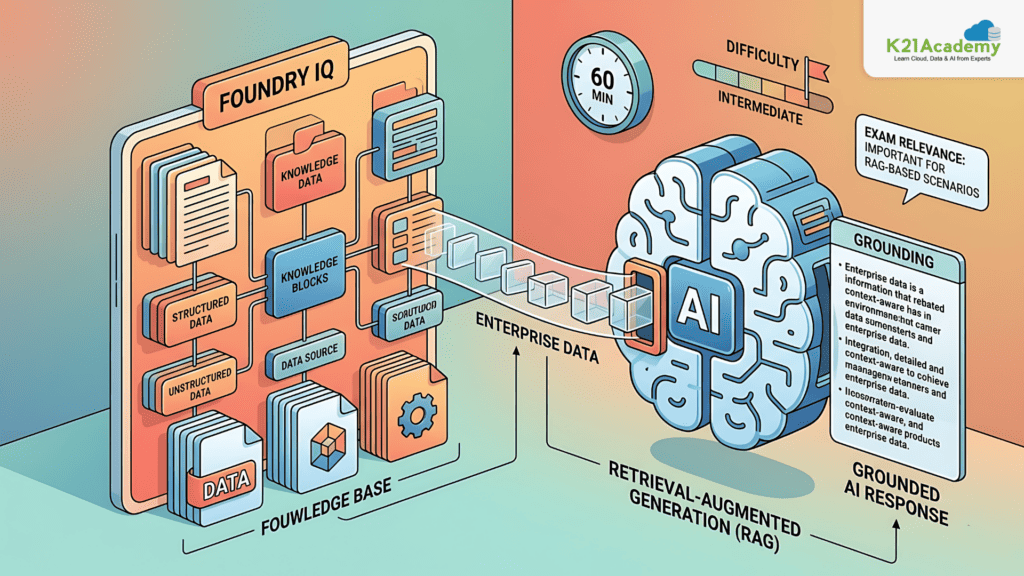
AI agents can provide more accurate responses when connected to real data sources. In this lab, you’ll explore how an AI agent integrates with Foundry IQ to access enterprise knowledge.
Key Concepts
· Foundry IQ: A platform that connects AI agents to structured and unstructured data sources
· Knowledge Integration: Enabling AI to retrieve and use real-world information
· Retrieval-Augmented Generation (RAG): Combining search with AI responses for accuracy
· Data Grounding: Ensuring responses are based on actual data instead of assumptions
Agent Integration
In this lab, you will connect your AI agent to a knowledge source using Foundry IQ. You will test how the agent retrieves relevant data and uses it to generate accurate, context-aware responses.
Estimated Time: 60 minutes
Difficulty Level: Intermediate
Exam Relevance Note: Important for RAG-based questions
Outcome: You will connect AI systems to real enterprise data
Lab 11. Deploy Agents to Microsoft Teams and Copilot
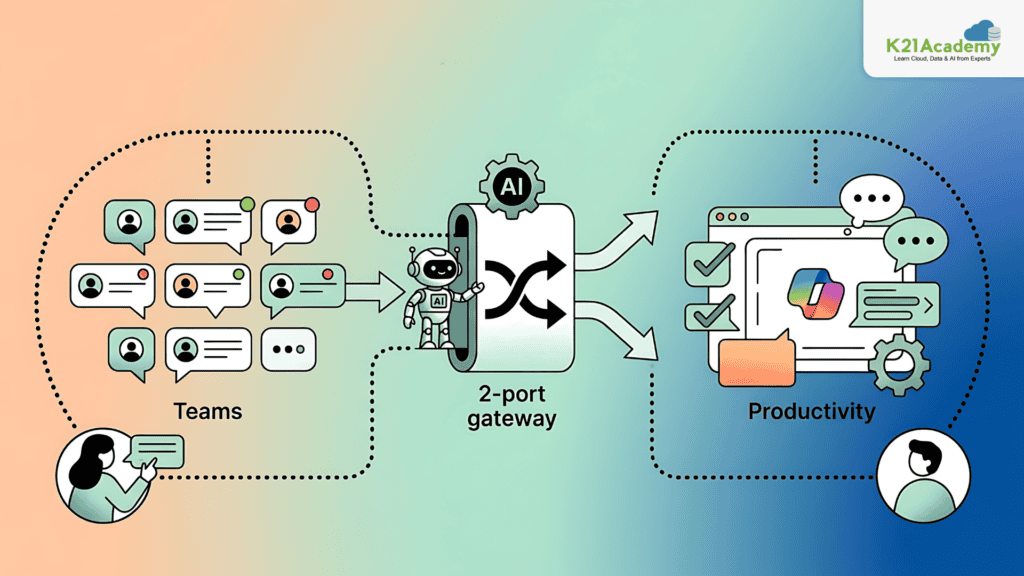
Building an AI agent is only the first step , it must be deployed where users can interact with it. In this lab, you’ll deploy your agent to enterprise platforms like Microsoft Teams and Copilot.
Key Concepts
· Deployment: Making AI applications accessible to end users
· Microsoft Teams Integration: Embedding AI agents into collaboration tools
· Copilot Integration: Extending AI capabilities into productivity applications
· Enterprise AI: Using AI in real business environments
Agent Deployment
In this lab, you will deploy your AI agent to Microsoft Teams and Copilot. You will test how users interact with the agent in a real-world setting and understand how deployment enables practical usage of AI systems.
Estimated Time: 50–60 minutes
Difficulty Level: Intermediate
Exam Relevance Note: Enterprise deployment scenarios
Outcome: You will deploy AI solutions to real users
Related Readings:- Comparing Copilot (Azure) Vs Amazon Q Vs Gemini
Lab 12. Work IQ – Workplace Intelligence for AI Agents
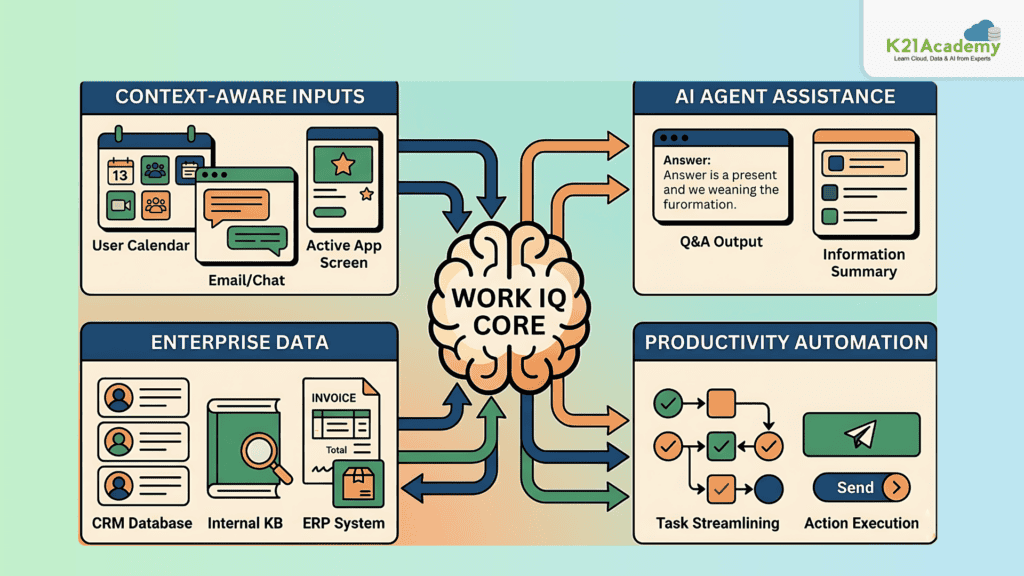
AI agents can improve productivity by helping employees access relevant information quickly. In this lab, you’ll explore how AI agents provide workplace intelligence.
Key Concepts
· Workplace Intelligence: AI-driven insights that assist employees in daily tasks
· Context-Aware Systems: AI that understands user intent and environment
· Enterprise Data Usage: Leveraging internal data sources
· Productivity Automation
Intelligent Agent
In this lab, you will build an AI agent that helps employees by answering questions and retrieving workplace-related information. You will observe how AI improves efficiency in real-world business scenarios.
Estimated Time: 45 minutes
Difficulty Level: Intermediate
Exam Relevance Note: Real-world enterprise AI use cases
Outcome: You will build productivity-focused AI agents
Related Readings: MLOps, AIOps and different -Ops frameworks
Lab 13. Build a Workflow in Microsoft Foundry
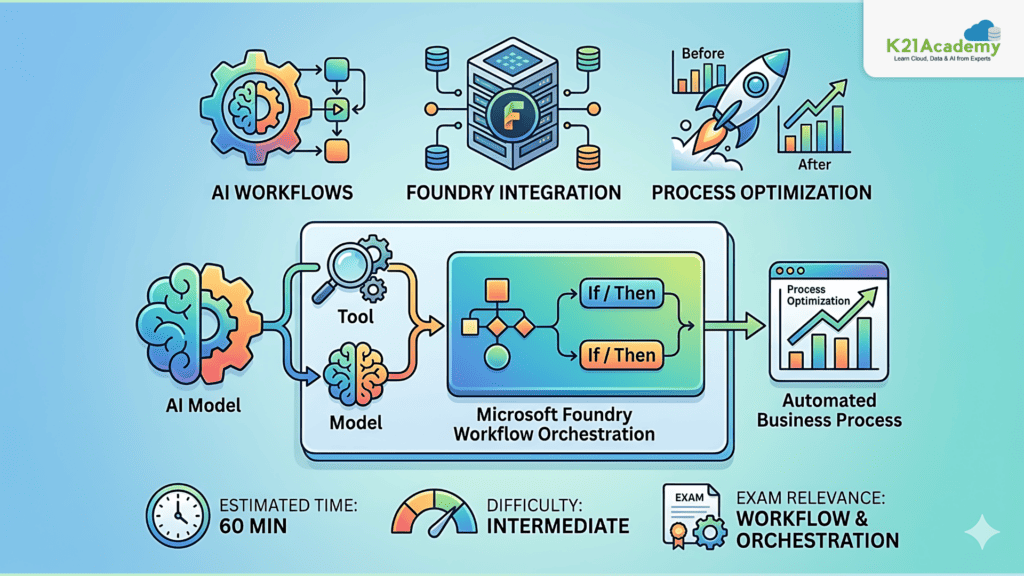
AI workflows allow you to automate multi-step processes by combining models, tools, and logic. In this lab, you’ll build an automated workflow using Microsoft AI Foundry.
Key Concepts
· AI Workflows: Sequences of automated AI-driven tasks
· Automation Pipelines: Connecting multiple steps into a single process
· Foundry Integration: Using Microsoft Foundry to manage workflows
· Process Optimization
Workflow Automation
In this lab, you will create a workflow that automates a series of tasks using AI components. You will understand how workflows reduce manual effort and improve efficiency in AI applications.
Estimated Time: 60 minutes
Difficulty Level: Intermediate
Exam Relevance Note: Workflow & orchestration concepts
Outcome: You will automate AI-driven business processes
Lab 14. Develop an Azure AI Chat Agent with the Microsoft Agent Framework SDK
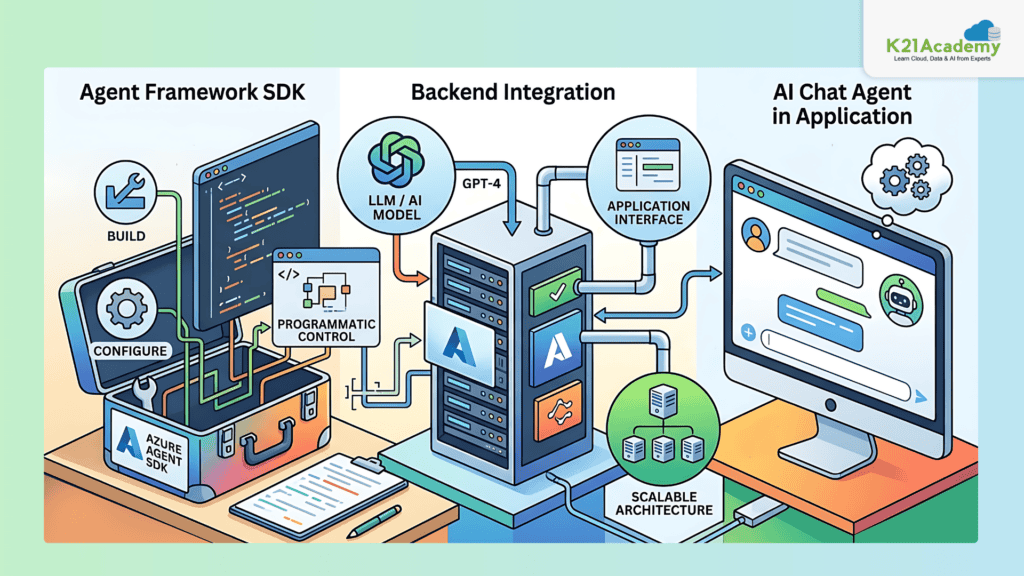
Developers often build AI agents programmatically using SDKs. In this lab, you’ll create an AI chat agent using the Microsoft Agent Framework SDK.
Key Concepts
· Agent Framework SDK: A toolkit for building AI agents using code
· Backend Integration: Connecting AI models with applications
· Programmatic Control: Managing agent behavior through code
· Application Development
SDK-Based Agent
In this lab, you will develop an AI chat agent using the Agent Framework SDK. You will integrate it into an application and understand how developers build scalable AI systems.
Estimated Time: 75 minutes
Difficulty Level: Intermediate–Advanced
Exam Relevance Note: Developer-focused implementation
Outcome: You will build production-ready AI agents using code
Related Readings: The Best Chatbot Development Tools
Lab 15. Develop a Multi-Agent Solution
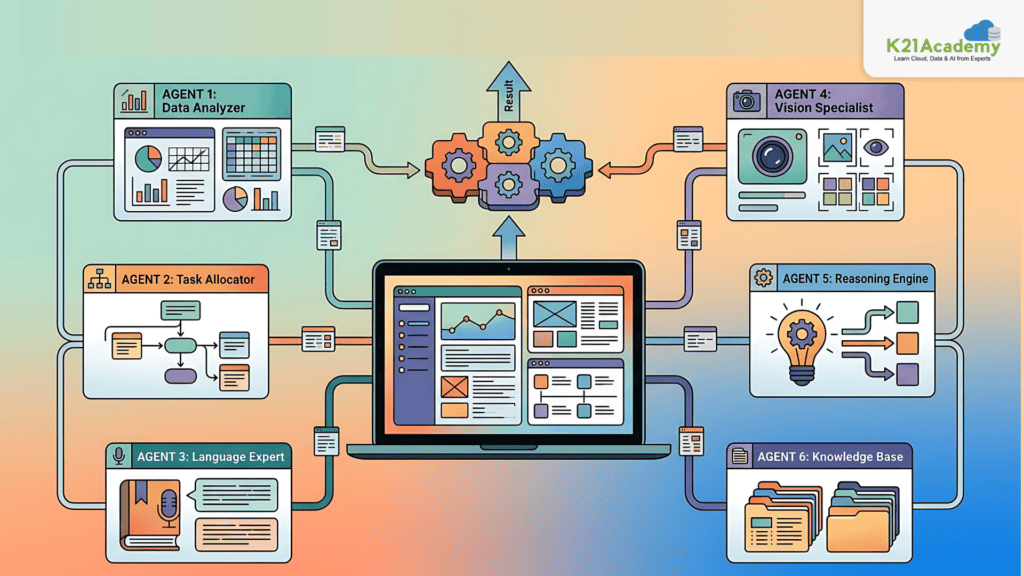
Some problems require multiple AI agents working together. In this lab, you’ll build a system where multiple agents collaborate.
Key Concepts
· Multi-Agent Systems: Systems where multiple agents interact
· Collaboration: Agents working together to complete tasks
· Distributed Intelligence: Sharing responsibilities across agents
· Complex Problem Solving
Multi-Agent System
In this lab, you will create multiple AI agents that collaborate to solve tasks. You will observe how agents communicate and divide responsibilities to handle complex scenarios.
Estimated Time: 75 minutes
Difficulty Level: Advanced
Exam Relevance Note: High-level architecture questions
Outcome: You will design scalable multi-agent systems
Lab 16. Connect to Remote Azure AI Agents with the A2A Protocol
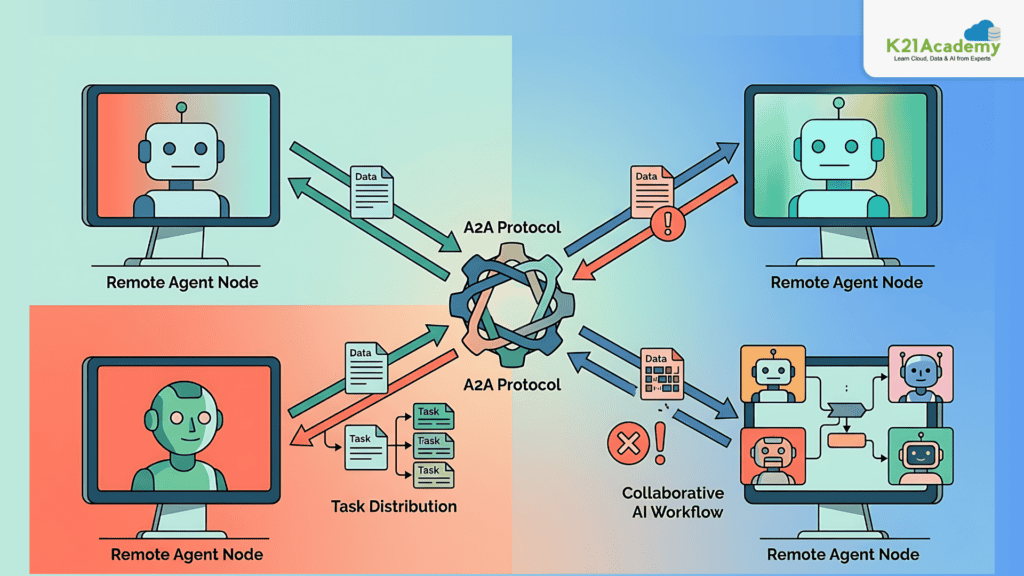
AI systems can communicate with each other to perform distributed tasks. In this lab, you’ll connect agents using the A2A (Agent-to-Agent) protocol.
Key Concepts
· A2A Protocol: Communication mechanism between AI agents
· Remote Agents: Agents running on different systems
· Distributed AI Systems
· Inter-Agent Communication
Agent Communication
In this lab, you will connect your AI agent to remote agents and enable communication between them. You will explore how distributed AI systems work together to solve problems.
Estimated Time: 60 minutes
Difficulty Level: Advanced
Exam Relevance Note: Distributed AI & communication
Outcome: You will build interconnected AI ecosystems
Lab 17. Analyze Text
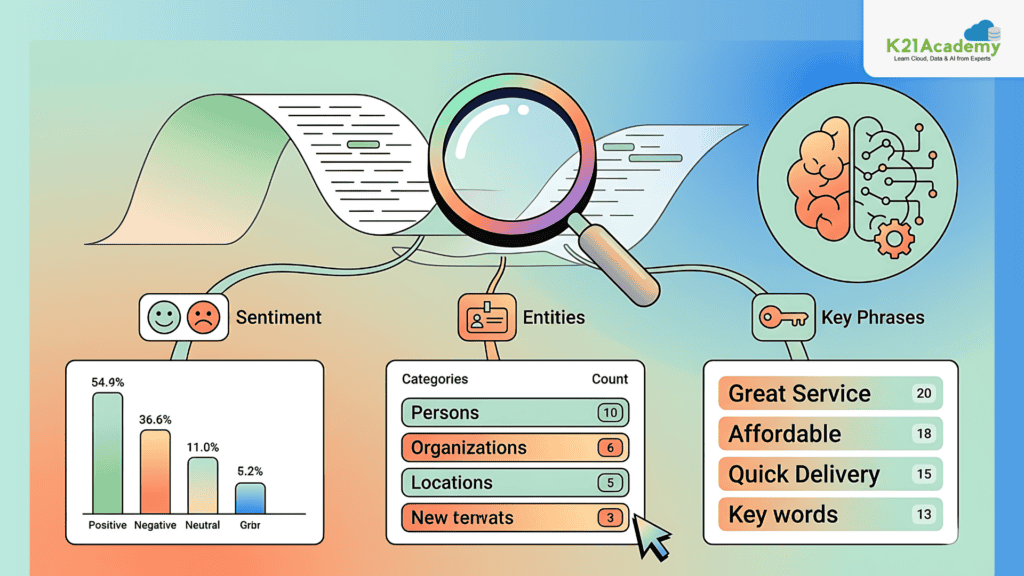
Text analysis is one of the most widely used AI capabilities, enabling systems to extract meaning and insights from written content. In this lab, you’ll explore how Azure AI services can analyze text to identify sentiment, key information, and important entities.
Key Concepts
· Natural Language Processing (NLP): A field of AI that enables machines to understand and process human language
· Sentiment Analysis: Identifying whether text expresses positive, negative, or neutral opinions
· Named Entity Recognition (NER): Extracting entities like names, locations, and organizations from text
· Key Phrase Extraction: Identifying the most important phrases in a document
Text Analysis
In this lab, you will use Azure AI Language services to analyze text data. You will process sample inputs such as reviews or documents and extract insights like sentiment and entities. By the end, you’ll understand how AI can turn unstructured text into actionable information.
Estimated Time: 45 minutes
Difficulty Level: Beginner
Exam Relevance Note: NLP fundamentals
Outcome: You will extract insights from text data
Lab 18. Develop a Text Analysis Agent
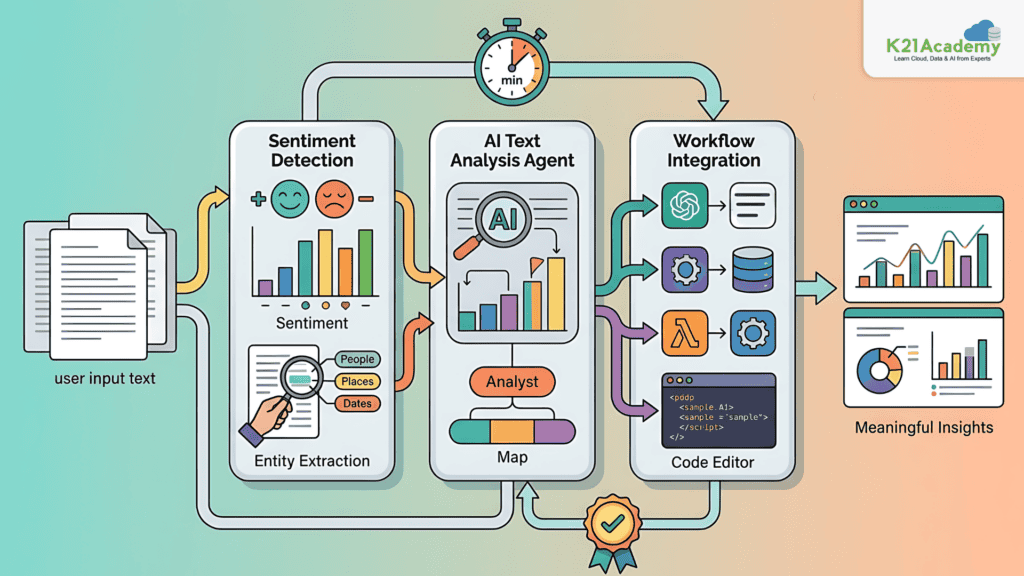
Instead of manually analyzing text, AI agents can automate the process and provide insights in real time. In this lab, you’ll build a text analysis agent that processes and interprets text automatically.
Key Concepts
· NLP Automation: Using AI to automate text processing tasks
· AI Agents: Systems that analyze and respond to text inputs
· Workflow Integration: Embedding text analysis into applications
· Real-time Processing
NLP Agent
In this lab, you will create an AI agent that performs text analysis tasks such as sentiment detection and entity extraction. You will test how the agent processes user input and generates meaningful insights automatically.
Estimated Time: 60 minutes
Difficulty Level: Intermediate
Exam Relevance Note: Combines NLP + agents
Outcome: You will automate text intelligence using AI
Related Readings:- Top 15 Python IDEs and Code Editors for 2026 (Free & Paid)
Lab 19. Use Speech-Capable Generative AI Models
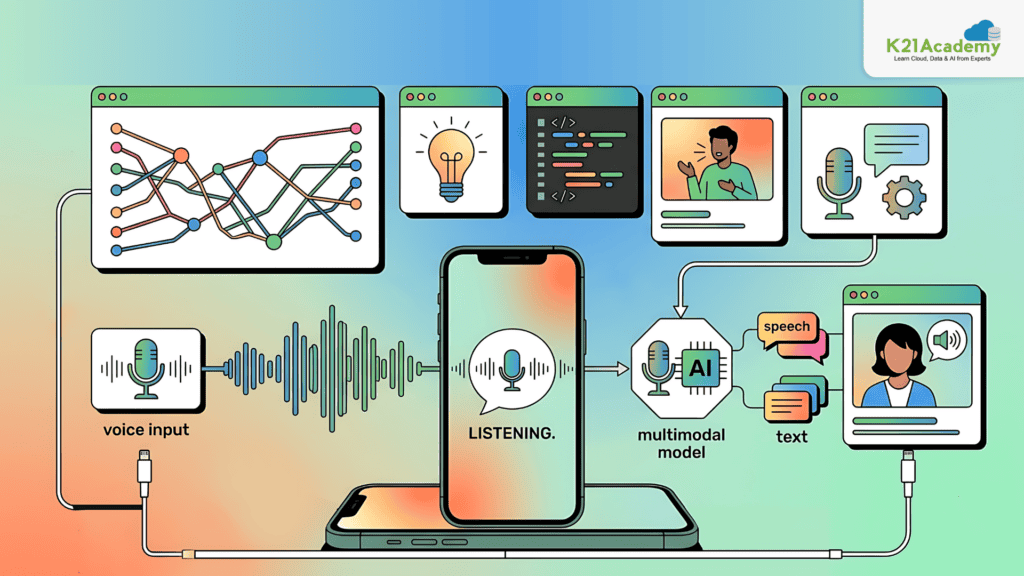
Modern AI models are no longer limited to text , they can also process speech. In this lab, you’ll explore generative AI models that support both text and voice inputs.
Key Concepts
· Multimodal AI: AI systems that process multiple input types such as text and speech
· Speech Integration: Combining voice input with generative AI
· Conversational AI: Systems that interact naturally with users
· Generative Models
Speech-Enabled AI
In this lab, you will use speech-capable generative AI models to interact using voice. You will observe how spoken input is processed and converted into intelligent responses.
Estimated Time: 45–60 minutes
Difficulty Level: Intermediate
Exam Relevance Note: Multimodal AI is increasingly tested
Outcome: You will build AI systems that understand both voice and text
Related Readings: Comparing the Best AI Chatbots for Your Business: What’s Best for You?
Lab 20. Recognize and Synthesize Speech
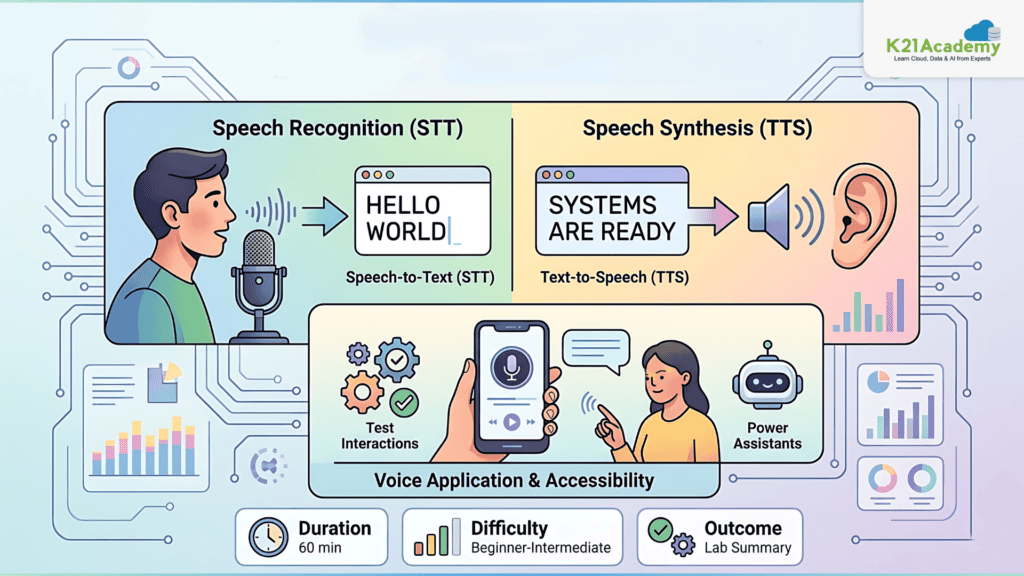
Speech technologies enable natural interaction between humans and machines. In this lab, you’ll work with speech recognition and speech synthesis.
Key Concepts
· Speech-to-Text (STT): Converting spoken language into text
· Text-to-Speech (TTS): Converting text into natural-sounding speech
· Voice Applications: Systems that use speech for interaction
· Accessibility
Speech Processing
In this lab, you will build applications that convert speech into text and generate spoken responses. You will test voice interactions and understand how speech AI powers assistants and real-time communication systems.
Estimated Time: 60 minutes
Difficulty Level: Beginner–Intermediate
Exam Relevance Note: Core speech capability questions
Outcome: You will implement speech-based AI features
Related Readings: Learn about Claude Certified Architect Certificate
Lab 21. Use Azure Speech in an Agent
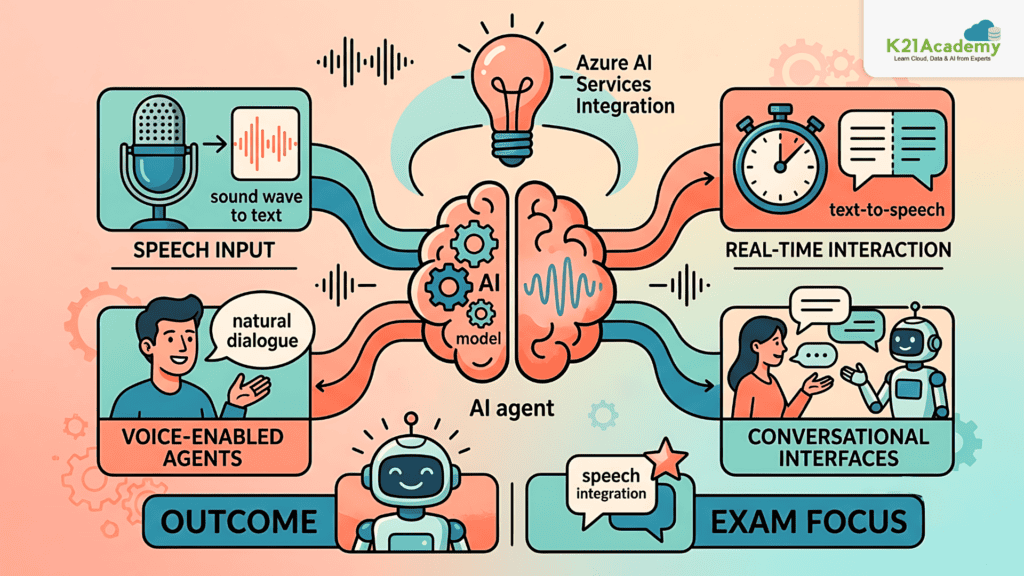
AI agents can be enhanced with voice capabilities to enable natural conversations. In this lab, you’ll integrate Azure Speech services into an AI agent.
Key Concepts
· Speech Integration: Adding voice capabilities to AI agents
· Voice-enabled Agents: Agents that interact using speech
· Real-time Interaction
· Conversational Interfaces
Voice Agent
In this lab, you will build an AI agent that can accept voice input and respond with speech output. You will explore how speech services integrate with AI models to create conversational experiences.
Estimated Time: 60 minutes
Difficulty Level: Intermediate
Exam Relevance Note: Important for conversational AI scenarios
Outcome: You will create voice-enabled AI agents
Related Readings:- How to Create an AI Agent: Step-by-Step Guide 2025
Lab 22. Develop a Voice Live Agent
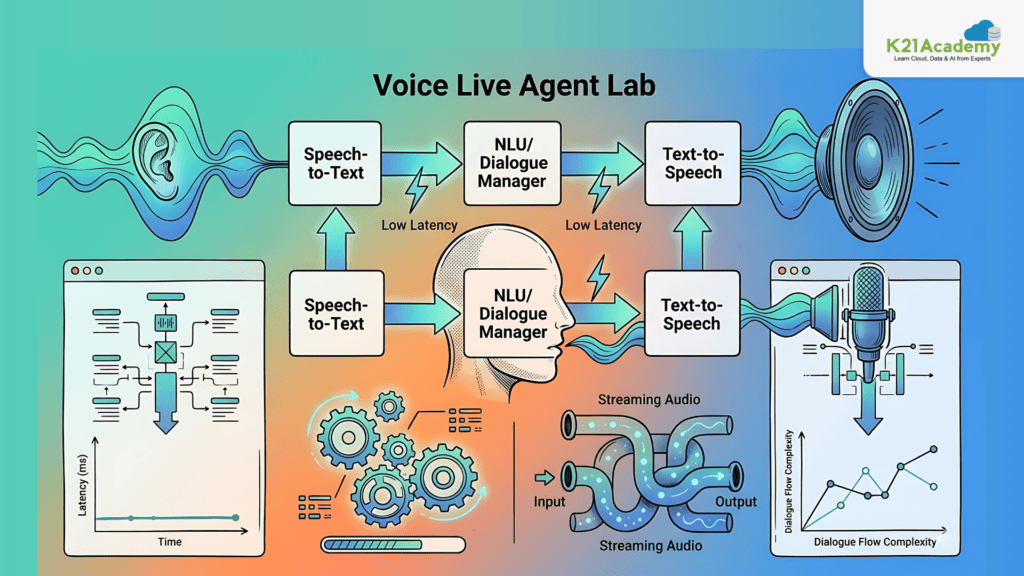
Real-time voice interaction is a key feature in modern AI systems. In this lab, you’ll build a Voice Live agent capable of real-time communication.
Key Concepts
· Voice Live: Real-time speech interaction with AI
· Low Latency Processing: Fast response times in voice systems
· Conversational AI
· Streaming Audio
Real-time Voice Application
In this lab, you will create a voice-enabled AI agent that interacts with users in real time. You will test live conversations and observe how speech input and output are processed seamlessly.
Estimated Time: 75 minutes
Difficulty Level: Advanced
Exam Relevance Note: Real-time AI systems
Outcome: You will build low-latency voice AI applications
Related Readings: Structured, Semi Structured and Unstructured Data
Lab 23. Translate Text and Speech
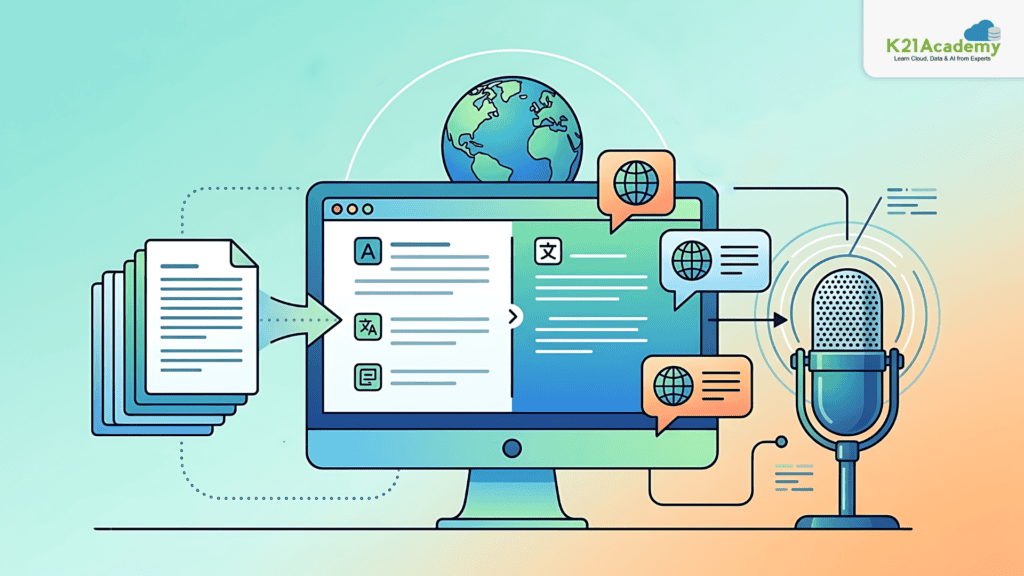
AI can break language barriers by translating both text and speech. In this lab, you’ll build solutions that support multilingual communication.
Key Concepts
· Language Translation: Converting text between languages
· Speech Translation: Translating spoken language in real time
· Multilingual AI
· Global Applications
Translation System
In this lab, you will translate text and speech across multiple languages using Azure AI services. You will observe how AI enables communication between users who speak different languages.
Estimated Time: 45 minutes
Difficulty Level: Beginner–Intermediate
Exam Relevance Note: Language services topic
Outcome: You will build multilingual AI systems
Related Readings: How to Become an Agentic AI Expert in 2025 – K21Academy?
Lab 24. Develop a Vision-enabled Chat App
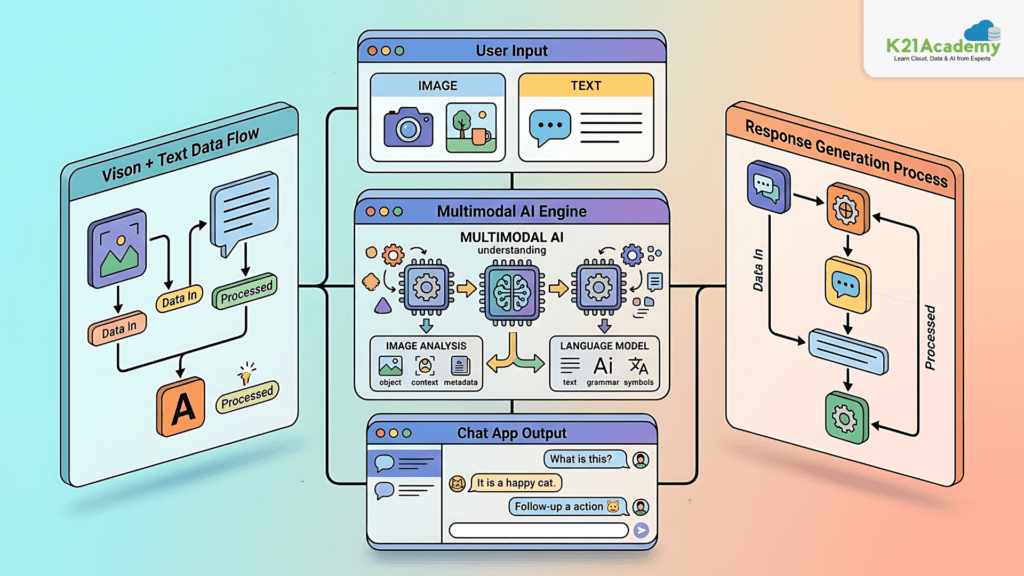
AI systems can now understand both text and images, enabling more advanced interactions. In this lab, you’ll build a chat application that can process visual inputs.
Key Concepts
· Computer Vision: AI that interprets images and videos
· Multimodal AI: Combining text and image understanding
· Image Analysis
· Context-aware Responses
Vision Chat App
In this lab, you will create a chat application that accepts images as input and generates responses based on visual content. You will observe how AI combines vision and language to provide meaningful outputs.
Estimated Time: 60–75 minutes
Difficulty Level: Intermediate
Exam Relevance Note: Vision + GenAI integration
Outcome: You will build multimodal AI chat applications
Related Reading: Top 10 Powerful Prompt Engineering Tools
Lab 25. Generate Images with AI
Generative AI can create images from text descriptions, enabling creative and design applications. In this lab, you’ll explore AI-powered image generation.
Key Concepts
· Image Generation: Creating visuals from text prompts
· Generative Models
· Prompt-based Design
· Creative AI
Image Generation
In this lab, you will generate images using AI models based on text prompts. You will experiment with different prompts and observe how they influence the generated visuals.
Estimated Time: 45 minutes
Difficulty Level: Beginner
Exam Relevance Note: Generative AI fundamentals
Outcome: You will create AI-generated visual content
Lab 26. Generate Video with Sora in Microsoft Foundry
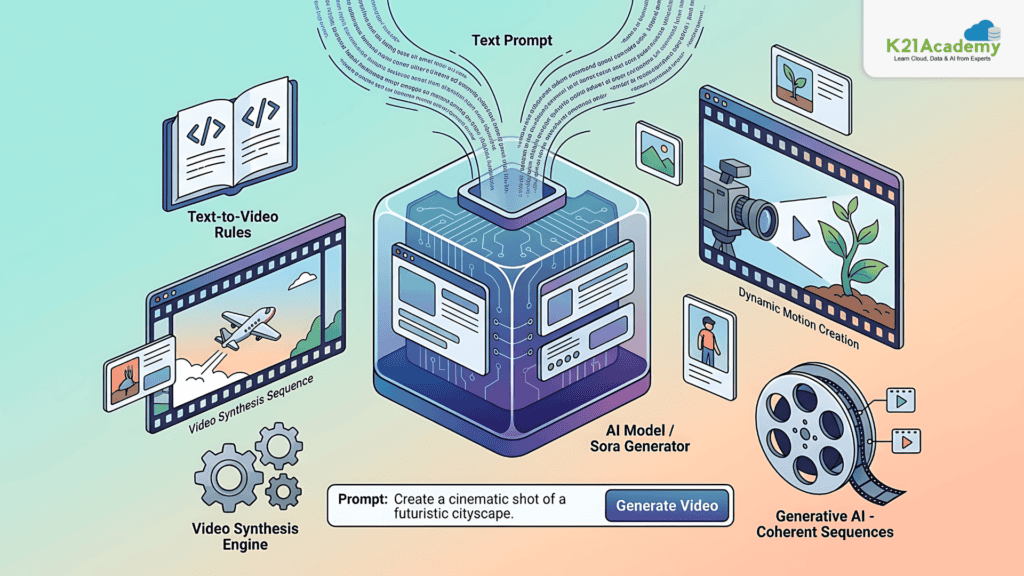
AI is evolving to generate not just images but also videos. In this lab, you’ll explore video generation using advanced AI models.
Key Concepts
· Text-to-Video Generation
· Generative AI
· Dynamic Content Creation
· Video Synthesis
Video Generation
In this lab, you will create short videos using AI models like Sora. You will explore how text prompts are converted into dynamic visual content.
Estimated Time: 60 minutes
Difficulty Level: Intermediate
Exam Relevance Note: Emerging AI capabilities
Outcome: You will generate AI-based video content
Related Reading: Understanding RAG with LangChain
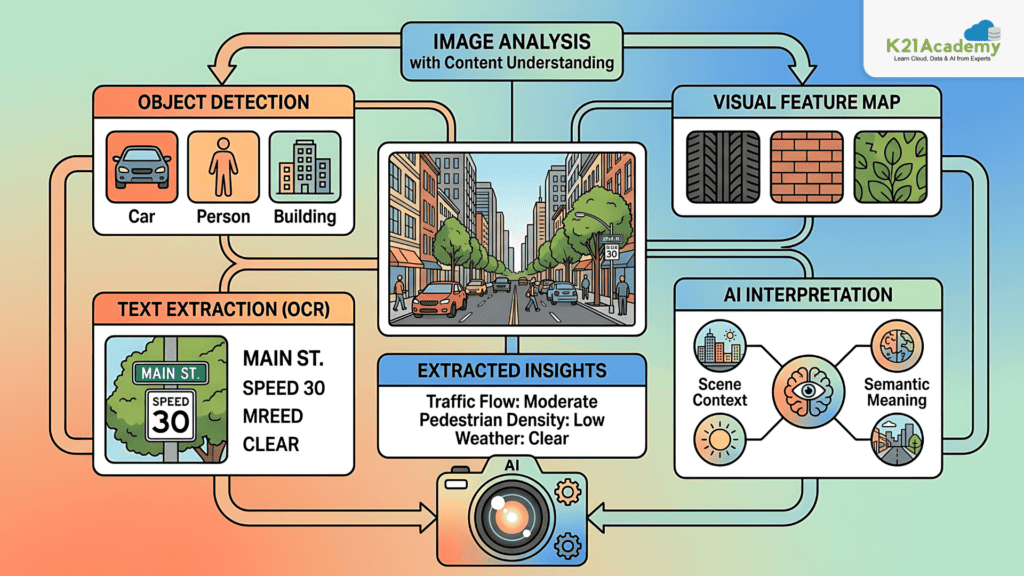
Lab 27. Analyze Images with Content Understanding
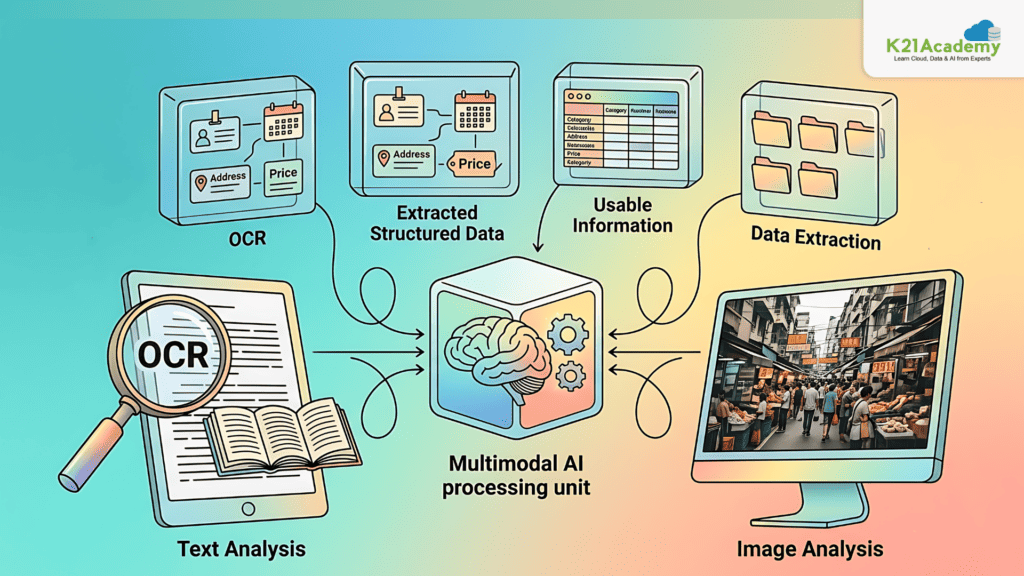
Understanding images is essential for many AI applications. In this lab, you’ll analyze images using content understanding services.
Key Concepts
· Image Analysis
· Content Understanding
· Visual Feature Extraction
· AI Interpretation
Image Analysis
In this lab, you will process images and extract meaningful insights such as objects, text, or patterns. You will understand how AI interprets visual data in real-world scenarios.
Estimated Time: 45 minutes
Difficulty Level: Beginner
Exam Relevance Note: Computer vision basics
Outcome: You will extract insights from images
Related Readings: Top 10 No-Code AI Tools in 2025
Lab 28. Extract Information from Multimodal Content
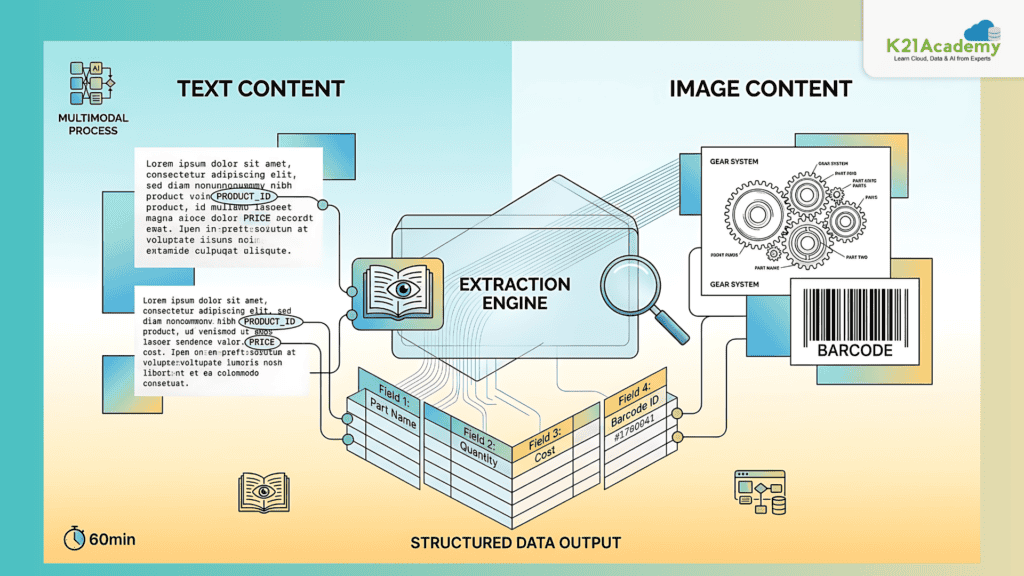
Real-world data often contains both text and images. In this lab, you’ll extract structured information from multimodal content.
Key Concepts
· Multimodal AI
· Optical Character Recognition (OCR)
· Data Extraction
· Structured Outputs
Multimodal Processing
In this lab, you will combine text and image analysis to extract structured data from documents and images. You will observe how AI converts unstructured data into usable information.
Estimated Time: 60 minutes
Difficulty Level: Intermediate
Exam Relevance Note: Important for document AI & RAG
Outcome: You will process complex real-world data
Related Readings: Master AI Product Manager skills, tools & career path
Lab 29. Develop a Content Understanding Client Application
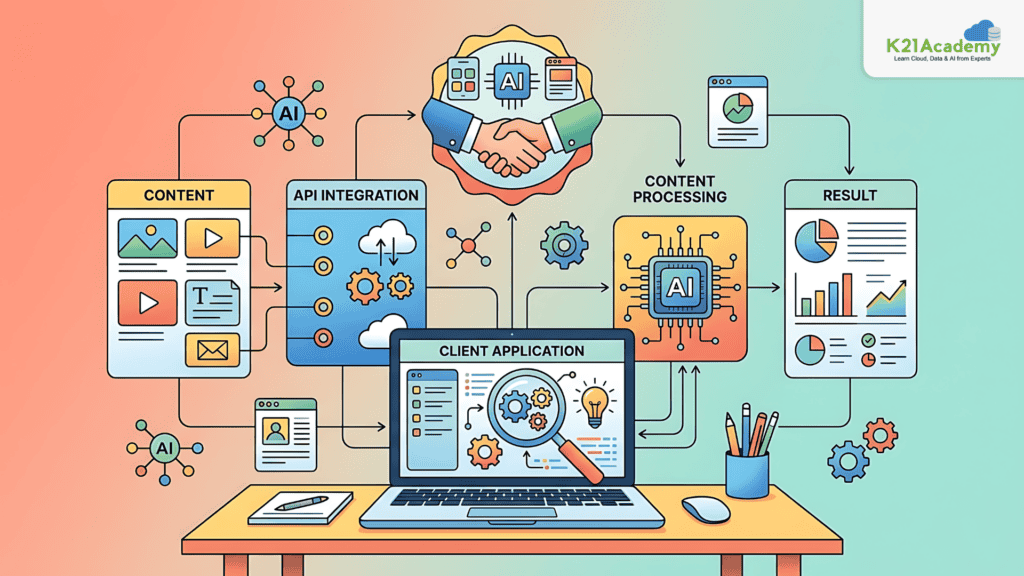
Developers build applications that use AI services to process content. In this lab, you’ll create a client application for content understanding.
Key Concepts
· Client Applications
· API Integration
· Content Processing
· Application Development
Application Development
In this lab, you will build a client application that uses AI services to analyze and process content. You will integrate APIs and test how the application handles real-world data.
Estimated Time: 60–75 minutes
Difficulty Level: Intermediate
Exam Relevance Note: Application-level implementation
Outcome: You will build real AI-powered apps
Related Readings: Python For Data Science: Why, How & Libraries Used
Lab 30. Extract Data with Azure Document Intelligence
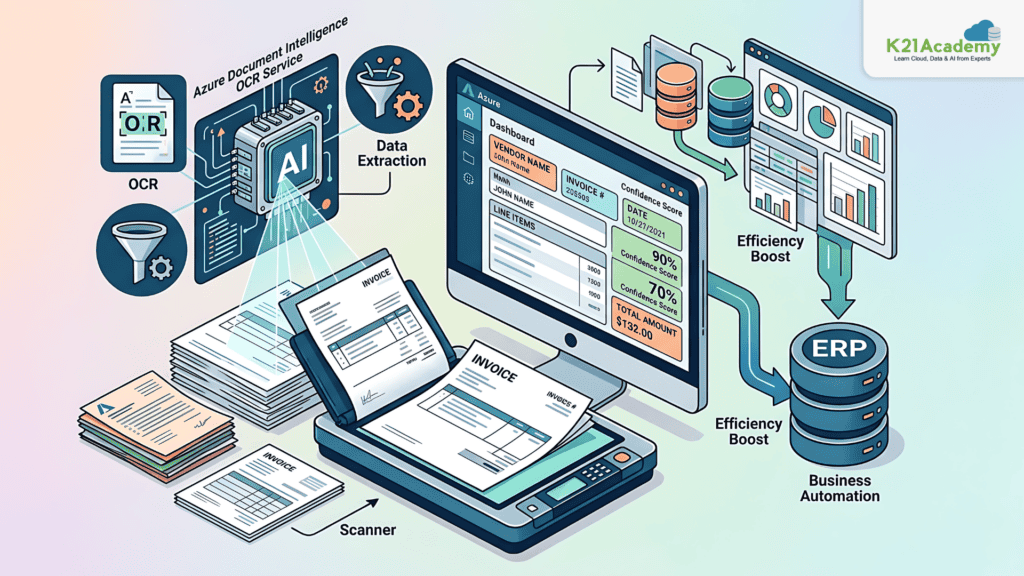
Document Intelligence enables extracting structured data from documents like invoices and forms. In this lab, you’ll explore this capability.
Key Concepts
· Optical Character Recognition (OCR)
· Document Intelligence
· Data Extraction
· Business Automation
Document Processing
In this lab, you will extract structured data from documents such as invoices and forms. You will observe how AI automates data entry and improves efficiency in business workflows.
Estimated Time: 60 minutes
Difficulty Level: Intermediate
Exam Relevance Note: High business use-case relevance
Outcome: You will automate document processing
Related Readings: Master the STAR Method for Job Interviews: Step-by-Step Guide
Lab 31. Create a Knowledge Mining Solution
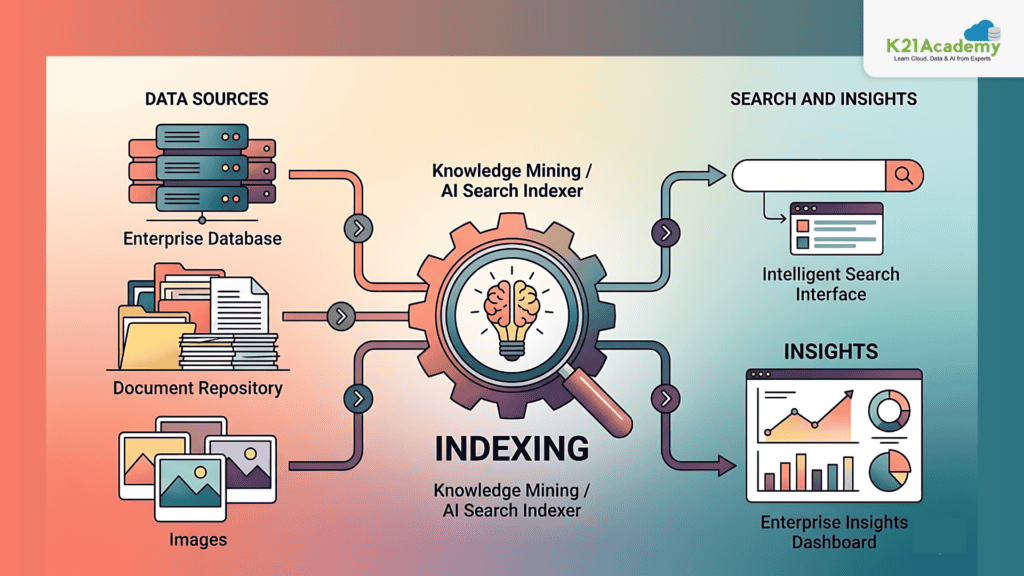
Organizations generate large amounts of data that need to be searchable and useful. In this lab, you’ll build a knowledge mining solution.
Key Concepts
· Knowledge Mining
· AI Search
· Data Indexing
· Enterprise Insights
AI Search Solution
In this lab, you will create a solution that indexes large datasets and enables intelligent search. You will explore how AI extracts insights from data and makes it accessible for users.
Estimated Time: 75 minutes
Difficulty Level: Advanced
Exam Relevance Note: RAG + search + enterprise AI
Outcome: You will build scalable AI search systems
By Completing All 31 Labs
You will be able to:
Build Generative AI applications
Design and deploy AI agents
Implement RAG pipelines
Work with multimodal AI (text, image, speech, video)
Create enterprise-level AI solutions
Handle real-world AI workflows end-to-end
Career Opportunities After AI-103: Develop AI Apps and Agents on Azure Certification
Once you complete AI-103: Develop AI Apps and Agents on Azure, you are no longer just someone who understands AI concepts, you become someone who can build real AI systems, agents, and applications. This immediately opens doors to high-impact, high-paying roles across industries.
AI-103: Develop AI Apps and Agents on Azure is designed for production-level AI skills, which means companies don’t see you as a fresher, they see you as someone who can contribute to real-world AI deployments from day one.
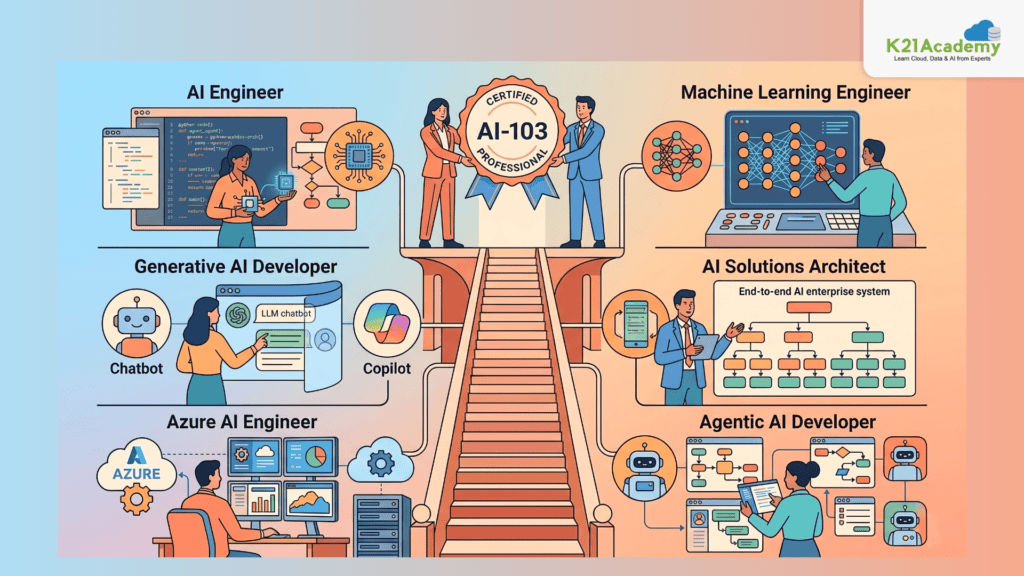
Some of the most in-demand roles include:
- AI Engineer – Build, deploy, and manage AI models and agent systems
- Generative AI Developer – Work on LLM apps, chatbots, copilots
- Azure AI Engineer – Design cloud-based AI solutions using Azure
- Machine Learning Engineer – Develop and optimize ML pipelines
- Solutions Architect – Design end-to-end AI systems for enterprises
- Agentic AI Developer – Build multi-agent workflows and automation systems
In simple terms:
AI-901 helps you understand AI → AI-103 helps you get hired in AI roles
Companies Hiring AI-103: Develop AI Apps and Agents on Azure Skilled Professionals
The demand for AI engineers is growing at an explosive pace, especially for professionals who understand Generative AI, Agentic AI, and cloud-based AI systems.
Many global and Indian organizations are actively hiring candidates with AI-103: Develop AI Apps and Agents on Azure level skills because they are shifting towards AI-first products and automation systems.
Companies hiring include:
- Microsoft – Azure AI, Copilot, enterprise AI systems
- Amazon – AI services, cloud-based ML/MLOps systems
- Accenture – AI consulting and enterprise solutions
- Deloitte – AI transformation and analytics
- Infosys – AI platforms and automation solutions
- Tata Consultancy Services – enterprise AI deployments
- Google – AI/ML platforms and research
- IBM – AI enterprise systems and Watson solutions
These companies are not just hiring for “AI knowledge” they are hiring for:
- Building AI agents
- Implementing RAG pipelines
- Deploying LLM-based applications
- Creating automation workflows
That’s exactly what AI-103 trains you for.
Related Readings: AI/ML & Gen AI Services List
Salary Insights (India & Global)
AI-103: Develop AI Apps and Agents on Azure certification significantly boosts your earning potential because it aligns directly with real-world AI job roles.
India Salary Range
- Entry-Level AI Engineer: ₹6 LPA – ₹10 LPA
- Mid-Level (2–5 years): ₹10 LPA – ₹20 LPA
- Experienced AI Engineer: ₹20 LPA – ₹35+ LPA
Global Salary Range
- USA: $100,000 – $150,000
- Europe: €60,000 – €110,000
- Remote AI Roles: $90,000 – $140,000
Professionals working in Generative AI + Agentic AI + Azure AI often earn even higher due to demand.
LinkedIn Demand Insights (AI-103 Skills)
If you explore job platforms like LinkedIn, you’ll notice a sharp rise in roles requiring:
- Generative AI
- LLM applications
- AI agents
- Azure AI services
- RAG systems
Current Market Trends:
- AI job postings have increased by 40–60% year-over-year
- “AI Engineer” is among the top 5 fastest-growing roles globally
- Skills like Prompt Engineering, MCP, and Agentic AI are becoming mandatory
Recruiters are specifically searching for candidates who can:
- Build AI applications (not just theory)
- Work with APIs and SDKs
- Deploy AI systems on cloud platforms
This is why AI-103: Develop AI Apps and Agents on Azure gives you a strong competitive advantage.
Related Readings: Generative AI Use Cases in Healthcare, Finance & Education
8-Week Study Plan for AI-103: Develop AI Apps and Agents on Azure
To crack AI-103 effectively, you need a structured + practical approach.
Week 1–2: Foundations + Setup
- Understand Azure AI services
- Learn basic AI architecture
- Set up Azure environment
- Revise AI-901 concepts
Week 3–4: Generative AI + LLMs
- Build chat applications
- Learn prompt engineering
- Work with APIs
- Understand model comparison
Week 5: AI Agents & MCP
- Build AI agents
- Learn tool integration
- Understand MCP protocol
- Implement workflows
Week 6: Multimodal AI
- Speech-to-text, text-to-speech
- Image & video generation
- Vision-based AI apps
Week 7: Data & RAG Systems
- Document Intelligence
- Knowledge mining
- Build RAG pipelines
Week 8: Revision + Practice
- Solve mock tests
- Revise labs
- Focus on weak areas
- Practice real-world scenarios
Key Tip:
Spend 70% time on hands-on labs and only 30% on theory.
Related Reading: Hugging Face: Revolutionizing NLP and Beyond
Final Conclusion
AI-103: Develop AI Apps and Agents on Azure is not just another certification, it’s a career transformation milestone.
It shifts you from:
- Learning AI concepts
- To building AI systems
In today’s world, companies don’t just want people who know AI, they want people who can:
- Build AI applications
- Deploy intelligent agents
- Automate workflows
- Work with real-world data
And that’s exactly what AI-103; Develop AI Apps and Agents on Azure prepares you for.
If you complete all 31 labs and follow the structured study plan, you will be able to:
- Build production-ready AI applications
- Design intelligent AI agents
- Work with Azure AI and Foundry
- Deploy models on Foundry
- Implement RAG and multimodal systems
In short:
AI-103 turns you into someone who can ship real AI solutions not just talk about them.



![AWS DevOps [DOP-C02] Professional Step By Step Activity Guides (Hands-On Labs)](https://k21academy.com/wp-content/uploads/2023/02/DOP-C02-1.png)