




Python still holds a strong position in programming, and by 2026 the introduction of AI-driven coding assistants has revolutionized the way developers code.
If the variety of Python IDEs and code editors has left you puzzled, then this up-to-date list of the best Python IDEs will definitely guide you toward the right choice.
Quick Answer: If you are looking for the top Python IDEs in 2026 PyCharm, VS Code, and Cursor are the complete package for development; Sublime Text and Zed are great for quick and simple editing; while Jupyter remains the best for data science and machine learning.
What Is An IDE?
An integrated development environment (IDE) is software for building applications that combines common developer tools into a single graphical user interface (GUI). An Integrated Development Environment is also one of these projects created to bind the tasks of writing, debugging, testing, and executing the code of the software.
An IDE typically consists of:
- Source code editor: A text editor that can assist in writing software code with features such as syntax highlighting, checking for bugs as code is being written.
- Local build automation: Utilities that automate simple, repeatable tasks as part of creating a local build of the software for use by the developer, like compiling computer source code into binary code, packaging binary code, and running automated tests.
- Debugger: A program for testing other programs that can graphically display the location of a bug in the original code.

Features of IDEs
- Uses high-performing libraries or toolkits that enable advanced coding.
- Automated.
- More feature collection.
Related Readings: What is a Large Language Model (LLM)?
What Is A Code Editor?
A code editor is a text editor that highlights the syntax and formats the code. Advanced code editors can develop and modify code. Some common features shared by IDE and code editor is that they enable developers to store and reopen scripts, run code on them, debug, highlight syntax, etc.
Features of Code Editors
- libraries and toolkits are less as compared to IDEs.
- Manual.
- Few features.
IDE vs Code Editor (Quick Comparison)
| Feature | IDE | Code Editor |
|---|---|---|
| Functionality | Full development suite | Basic editing |
| Debugging | Built-in | Requires plugins |
| Performance | Heavier | Lightweight |
| Customization | Moderate | High |
| Use Case | Large projects | Quick edits & scripting |
| Examples | PyCharm, VS Code | Sublime, Vim, Zed |
In 2026, tools like VS Code and Cursor blur the line between IDE and editor
How We Chose the Best Python IDEs for 2026
To create this best Python IDE 2026 list, we evaluated tools based on:
- Active development & updates
- Python-specific features
- Community adoption
- AI capabilities
- Pricing (free vs paid)
- Platform compatibility
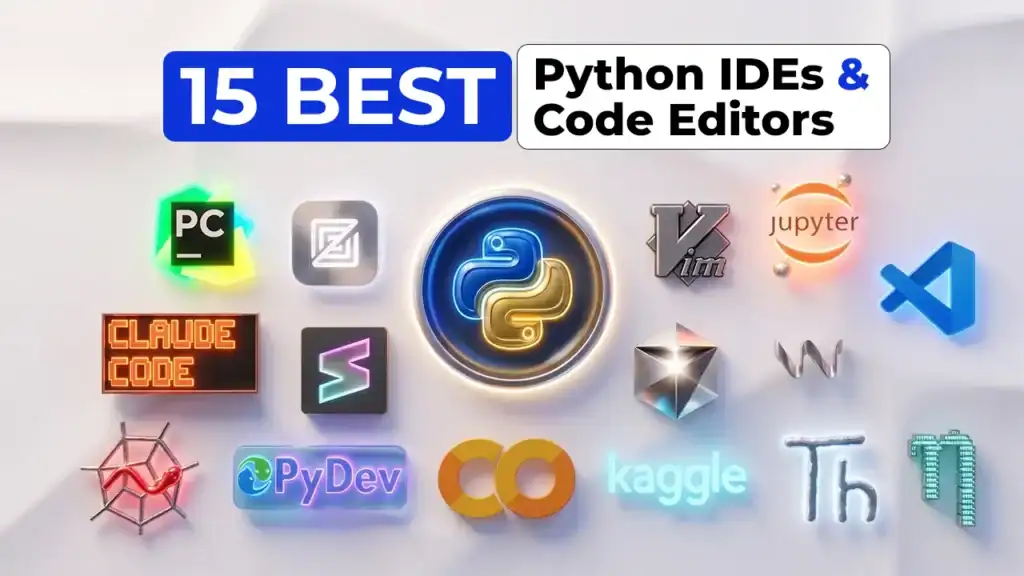
15 Best Python IDEs & Code Editors
To help you choose your Best Python IDEs and code editors, we have compiled a list of some of the popular Python IDEs and code editors:
- PyCharm
- Visual Studio Code
- Sublime Text
- Jupyter Notebook
- Vim
- Spyder
- Thonny
- Pydev
- Cursor
- Windsurf
- Zed
- Claude Code
- GNU Nano
- Google Colab
- Kaggle Notebooks
Related Readings:- Generative AI use cases
Comparison Table: All 15 Python IDEs at a Glance
| IDE Name | Type | Price | Platform | Best For | Rating |
|---|---|---|---|---|---|
| PyCharm | IDE | Free/Paid | All | Professional devs | ⭐⭐⭐⭐⭐ |
| VS Code | IDE/Editor | Free | All | All-purpose | ⭐⭐⭐⭐⭐ |
| Cursor | AI IDE | Paid | All | AI coding | ⭐⭐⭐⭐⭐ |
| Spyder | IDE | Free | All | Data science | ⭐⭐⭐⭐ |
| PyDev | IDE Plugin | Free | All | Eclipse users | ⭐⭐⭐ |
| Sublime Text | Editor | Paid | All | Speed | ⭐⭐⭐⭐ |
| Zed | Editor | Free | macOS/Linux | Modern devs | ⭐⭐⭐⭐ |
| Vim/Neovim | Editor | Free | All | Advanced users | ⭐⭐⭐⭐ |
| Thonny | IDE | Free | All | Beginners | ⭐⭐⭐⭐ |
| GNU Nano | Editor | Free | Linux/macOS | Terminal users | ⭐⭐⭐ |
| JupyterLab | Notebook IDE | Free | All | Data science | ⭐⭐⭐⭐⭐ |
| Google Colab | Cloud IDE | Free/Paid | Web | ML projects | ⭐⭐⭐⭐⭐ |
| Kaggle | Cloud IDE | Free | Web | ML competitions | ⭐⭐⭐⭐ |
| Windsurf | AI IDE | Paid | All | AI workflows | ⭐⭐⭐⭐ |
| Claude Code | AI Assistant | Paid | Terminal | Advanced AI devs | ⭐⭐⭐⭐ |
1.) PyCharm

Developed by JetBrains and released in 2010, PyCharm is a cross-platform IDE that offers a variety of features such as version control, graphical debugger, integrated unit tester, and pairs well for web development and Data Science tasks.
PyCharm is a dedicated Python Integrated Development Environment (IDE) providing a wide range of essential tools for Python developers. With PyCharm’s API, developers can create their custom plugins for adding new features to the IDE.
Platform Compatibility: Windows, macOS, Linux
Advantages:
- Provides framework support.
- Provides a smart platform when it comes to error detection, auto code completion.
- A customizable interface increases productivity.
- Supports cross-platform development. With this, developers can transcribe scripts on diverse platforms.
PyCharm is available in three editions:
- Community (free and open-sourced)
- Professional (paid)
- Edu (free and open-sourced)
 Related Readings: Azure AI/ML Certifications: Step-by-Step Guide to Succeed in 2026
2.) Visual Studio Code
Released in 2015, Visual Studio Code is a lightweight but powerful source code editor which runs on your desktop and is available for Windows, macOS, and Linux.
It comes with built-in support for JavaScript, TypeScript, and Node.js and has a rich ecosystem of extensions for other languages (such as C++, C#, Java, Python, PHP, Go) and runtimes (such as .NET and Unity).
We can add extensions to make a Python development setting. It delivers support for embedded Git control, debugging, syntax highlighting, code refactoring, and snippets.
Platform Compatibility: Windows, macOS, Linux
Use Case: You’re a dedicated developer who changes languages regularly, wants to learn one tool for all your programming needs, and isn’t too interested in visual customizations.
Advantages:
- Good layout and smart interface
- Provides multi-language support and many additional functionalities
- Supports the use of multi-split window and vertical orientation trait.

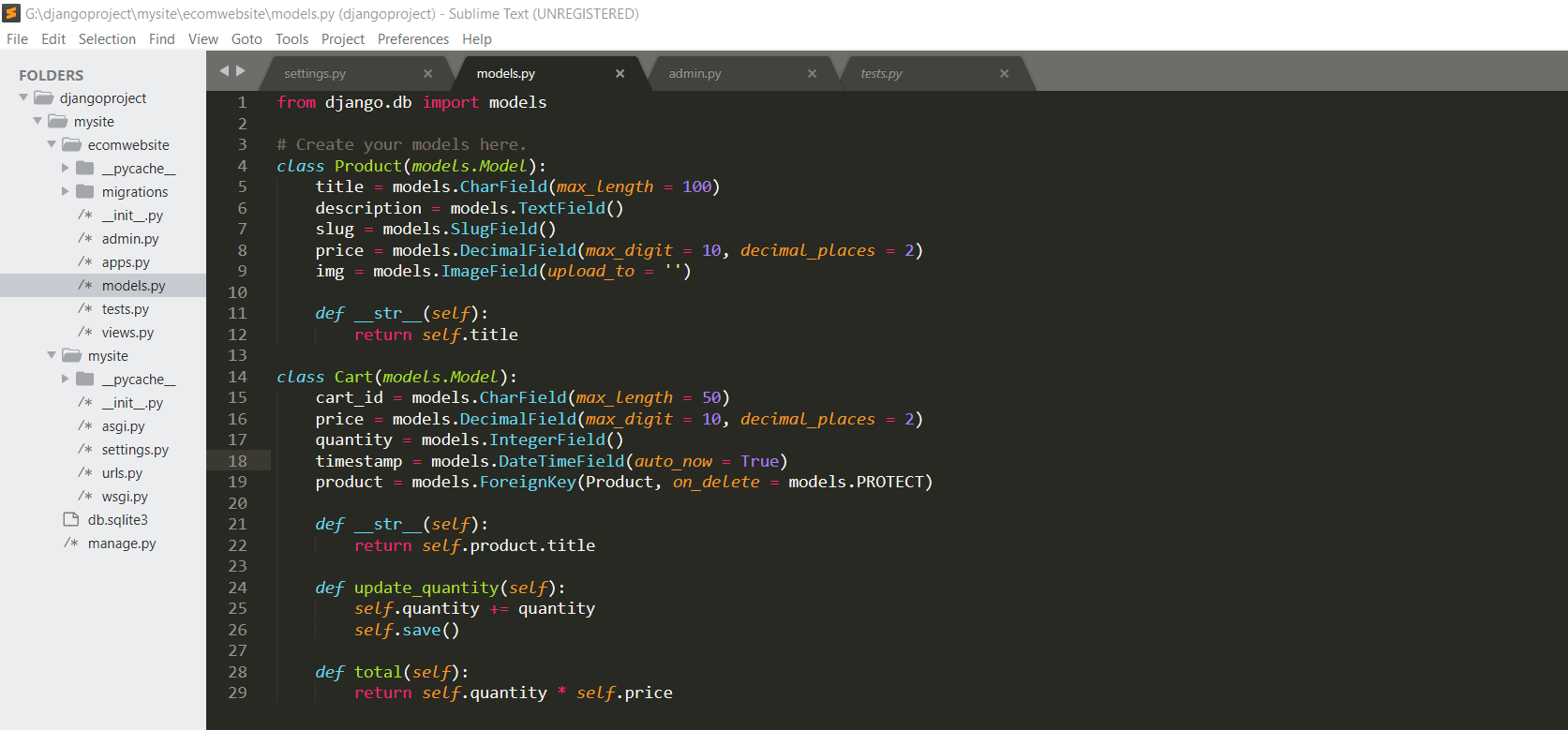
3.) Sublime Text
Written by a Google engineer, Sublime Text is a cross-platform IDE established in Python and C++.
Sublime Text IDE for Python on Windows has elementary inbuilt support for Python. It is rapid and can be easily modified as per your requirement to form a complete development ecosystem. You can set up packages for auto-completion, debugging, and code printing.
It is built in such a way that it supports numerous other mark-up and programming languages. The code editor permits users to add supplementary functions with the assistance of plugins. Sublime Text is the best free Python IDE.

Platform Compatibility: Windows, macOS, Linux
Use Case: You’re a long-time coder who wants a customizable but lightweight tool for all your favorite programming languages and are not afraid to take time to set it up.
Advantages:
- Good compatibility with language grammars
- Permits users to select specific preferences
- GoTo Definition feature to produce an application-wide index
- Dominant cross-platform user interface toolkit
4.) Anaconda & Jupyter
Anaconda is a free and open-source distribution of the Python languages for data science and machine learning-related applications. It can be installed on Windows, Linux, and macOS systems. Conda is an open-source, cross-platform, package management system. It comes with various tools like JupyterLab, Jupyter Notebook, Spyder, Glueviz, Visual Studio Code

Jupyter Notebook is a web-based interactive computational environment for creating Jupyter notebook documents that supports several languages like Python, R, etc., and is largely used for data analysis, data visualization, and more. Also, it is a cloud-based, open-source tool useful for programmers just starting with data science.
Platform Compatibility: Windows, macOS, Linux
Advantages:
- Jupyter supports markdown and allows you to add HTML elements from images to videos.
- It also provides features like data cleaning and transformation, numerical simulation, statistical modeling, and data visualization.
- It generates a rich and interactive outcome
- It helps to edit snippets before having to run them

Related Readings:- Introduction to Artificial Neural Network in Python
5.) Vim

Vim is a highly configurable text editor built to make creating and changing any kind of text very efficient. It is included as “vi” with most UNIX systems and with Apple OS X.
Vim features are:
- persistent, multi-level undo tree
- extensive plugin system
- support for hundreds of programming languages and file formats
- powerful search and replace
- integrates with many tools
Advantage:
- Software is feature-rich and provides a good user experience with community support.
- Recognition and conversion of file formats (UNIX, MS-DOS, or Mac)
6.) Spyder

Spyder is a free and open-source scientific environment written in Python, for Python, and designed by and for scientists, engineers, and data analysts.
It features a unique combination of the advanced editing, analysis, debugging, and profiling functionality of a comprehensive development tool with the data exploration, interactive execution, deep inspection, and beautiful visualization capabilities of a scientific package.
Platform Compatibility: Windows and macOS.
For Linux, we recommend the cross-platform Anaconda distribution, which includes Spyder and many other useful packages for scientific Python.
Use Case: You use Python solely for data science or machine learning and want an IDE with tools tailored to your coding needs.
Advantages:
- Community support
- Rich in development tool features
- Complete documentation
Related Readings:- Natural Language Processing with Python
7.) Thonny

Thonny is an IDE developed for beginners. It provides step-by-step assistance to the programmer.
Some prominent features are:
- Easy to get started
- No-hassle variables
- Simple debugger
- Step through expression evaluation
- Highlights syntax errors
- Beginner-friendly system shell
- Simple & clean pip GUI
Use Case: You’re a newer Python developer that wants more features than is offered by IDLE but don’t want to jump to a more involved IDE yet.
Advantages:
- IDE adapted for beginners’ learning
- Basic and functional user interface
- Does not require a large amount of memory to run

8.) Pydev

PyDev is a Python IDE for Eclipse, which may be used in Python, Jython, and IronPython development. It comes with many frameworks such as Django integration.
Advantages:
- Easy to learn and also includes several features (CPython, Jython, IronPython)
- The Pydev plugin to code in Python on Eclipse
- Code Completion and Code Analysis
9.) Cursor
Cursor is a modern AI-powered code editor built as an AI-first fork of Visual Studio Code. It is designed specifically for developers who want to write, edit, and refactor code using natural language instructions.
Cursor allows you to interact with your entire codebase, enabling features like multi-file editing, intelligent suggestions, and context-aware code generation. It is gaining massive popularity in 2026 for AI-assisted development workflows.
Platform Compatibility: Windows, macOS, Linux
Use Case: You want an AI-native development experience and work heavily with automation, debugging, and rapid coding.
Advantages:
- AI-powered code generation and editing
- Multi-file context awareness
- Fast and modern interface
- Boosts developer productivity significantly
Related Readings:- Machine Learning Algorithms & Use Cases
10.) Windsurf
Windsurf is an emerging AI-powered development environment focused on advanced workflows and automation. It integrates AI deeply into the coding lifecycle, allowing developers to build, debug, and optimize applications faster.
It is particularly useful for developers who want to leverage AI for large-scale projects and automation-heavy environments.
Platform Compatibility: Windows, macOS, Linux
Use Case: You are working on complex projects and want AI-driven workflows to speed up development.
Advantages:
- Strong AI workflow integration
- Helps automate repetitive coding tasks
- Supports large-scale project handling
- Improves development efficiency
11.) Zed
Zed is a modern, high-performance code editor developed by the creators of Atom. It is designed for speed, collaboration, and a smooth coding experience.
Zed focuses on low latency and real-time collaboration, making it a strong alternative to traditional editors in 2026.
Platform Compatibility: macOS, Linux
Use Case: You want a fast, modern editor with collaboration features and minimal setup.
Advantages:
- Extremely fast and lightweight
- Real-time collaboration support
- Clean and modern interface
- Built for performance and scalability
Related Readings:- Python OOPs Concepts, Error And Exception Handling
12.) Claude Code
Claude Code is an AI-powered coding assistant developed for advanced developers who prefer working in terminal-based or integrated environments.
It focuses on deep reasoning, code explanation, debugging, and generating high-quality code. Claude Code is ideal for developers working on complex systems or AI-driven applications.
Platform Compatibility: Terminal-based (cross-platform)
Use Case: You want advanced AI assistance for debugging, architecture, and code understanding.
Advantages:
- Strong reasoning and code understanding
- Excellent for debugging and explanations
- Works well with large codebases
- Ideal for advanced and AI-focused development
13.) GNU Nano
GNU Nano is a simple and beginner-friendly terminal-based text editor commonly used in Linux and Unix systems.
It is lightweight, easy to use, and does not require any complex setup, making it ideal for quick edits and basic coding tasks.
Platform Compatibility: Linux, macOS
Use Case: You need a quick, lightweight editor for terminal-based coding or system tasks.
Advantages:
- Extremely lightweight
- Easy to learn and use
- Pre-installed in many systems
- Perfect for quick edits
14.) Google Colab

Google Colab is a cloud-based Python development environment that allows you to write and execute code directly in your browser.
It is widely used for machine learning, data science, and AI projects because it provides free access to GPUs and TPUs.
Platform Compatibility: Web-based
Use Case: You are working on data science or machine learning projects and want a cloud-based solution.
Advantages:
- No setup required
- Free GPU/TPU support
- Easy sharing and collaboration
- Integrated with Google Drive
15.) Kaggle Notebooks
Kaggle Notebooks is a cloud-based coding environment designed for data science, machine learning, and competitions.
It allows users to run Python code, access datasets, and collaborate with other developers directly within the Kaggle platform.
Platform Compatibility: Web-based
Use Case: You participate in ML competitions or work with datasets and need a collaborative coding environment.
Advantages:
- Free access to datasets
- Built-in machine learning environment
- Supports collaboration
- Easy to use for beginners and professionals
Related Readings:- Data Scientists vs Data Engineers vs Data Analyst
Top Python IDEs (Full Featured): PyCharm, VS Code, Cursor
1. PyCharm (Best Overall Python IDE)
Best For: Large-scale Python development
Pricing: Free + Paid
✔ Smart debugging
✔ Built-in tools
✔ Framework support
✖ Heavy
✖ Paid features locked
2. Visual Studio Code
Best For: Flexibility & free usage
Pricing: Free
✔ Lightweight
✔ Extensions ecosystem
✔ Git integration
✖ Needs setup
✖ Less Python-specific out-of-box
3. Cursor (Best AI-Powered IDE)
Best For: AI-driven development
Pricing: ~$20/month
✔ Multi-file AI edits
✔ Context-aware coding
✔ Fast productivity
✖ Paid
✖ New ecosystem
Top Python Code Editors (Lightweight)
Sublime Text
Fast, minimal, highly customizable.
Zed
Modern editor replacing Atom, built for speed and collaboration.
Vim / Neovim
Powerful keyboard-driven editor for advanced users.
Thonny
Best beginner-friendly Python IDE.
GNU Nano
Simple terminal editor for quick edits.
Related Readings:- Python For Data Science: Why, How & Libraries Used
Best Python IDE for Data Science and Machine Learning
For data science, your needs differ from traditional development.
- Jupyter Notebook / JupyterLab
- VS Code + Jupyter Extension
- PyCharm Professional
- Spyder
Cloud Options:
- Google Colab
- Kaggle Notebooks
Use notebooks for exploration and IDEs for production ML pipelines.
Best AI-Powered Python IDE (Cursor, Windsurf, Copilot)
- Cursor → Best AI-native IDE
- Windsurf → Emerging AI workflow tool
- GitHub Copilot → Integrated with VS Code
- Claude Code → Terminal-based AI coding
AI Features:
- Multi-file refactoring
- Natural language coding
- Code explanation
- Debugging assistance
Related Readings:- An Introduction To Python For Microsoft Azure Data Scientist | DP-100
How to Choose the Right Python IDE for You
- Beginner → Thonny
- Free & Powerful → VS Code
- Professional → PyCharm
- Data Science → Jupyter
-
AI Development → Cursor
- Best Overall: PyCharm
- Best Free IDE: VS Code
- Best AI IDE: Cursor
Conclusion
Choosing the best Python IDE depends on your goals, workflow, and experience level.
But one thing is clear:
In 2026, AI-powered tools like Cursor and Claude Code are shaping the future of development.
If you want to stay ahead, start experimenting with these tools today.
Frequently Asked Questions (FAQs)
VS Code is the best free Python IDE due to its flexibility, extensions, and AI support. PyCharm Community Edition is another strong option.
PyCharm is better for large projects with built-in tools. VS Code is lighter, faster, and more flexible.
Yes, Cursor offers advanced AI features like multi-file editing and automation, making it highly valuable for productivity.
Jupyter Notebook is best for exploration, while VS Code and PyCharm are better for production-level work.
Atom was discontinued in 2022. Zed and VS Code are the best alternatives.
VS Code, PyCharm, and Zed are excellent choices for macOS users.
Yes, with plugins, Vim can function like a full IDE, though it has a steep learning curve.
Cursor leads with AI-native capabilities, followed by GitHub Copilot and Claude Code. Q1. What is the best free Python IDE in 2026?
Q2. Is VS Code or PyCharm better for Python?
Q3. Is Cursor worth it for Python developers?
Q4. Which Python IDE is best for data science?
Q5. What replaced Atom?
Q6. What is the best Python IDE for Mac?
Q7. Can I use Vim for Python development?
Q8. Which Python IDE has the best AI features in 2026?
Next Task For You…
Python’s growth is very promising but now we into the era of claude code. Gaining the right skills through the right platform will get you to the perfect job.