

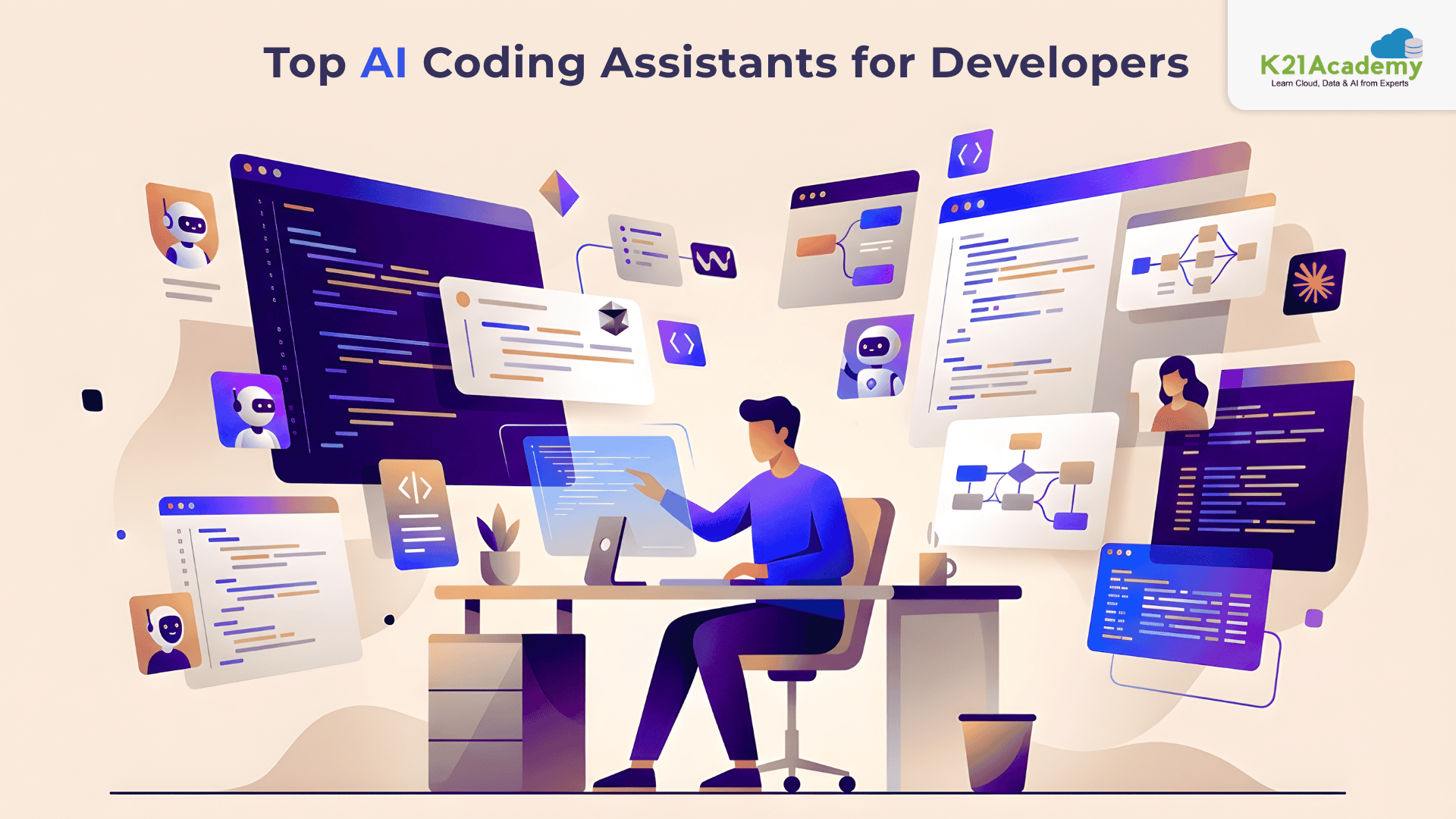




AI coding assistants were mostly intelligent autocomplete tools a few years ago, completing loops, recommending variables, and generating brief code snippets. Beneficial? Indeed, revolutionary, but not quite.
However, in 2026, the top AI coding assistants have developed into sophisticated software engineering collaborators that can comprehend massive codebases, rework programs, troubleshoot production problems, and even help with architectural decisions.
Today, developers are no longer asking:
“Can AI help me code?”
They’re asking:
“Which AI coding assistant actually fits my workflow?”
To help you select the ideal assistance for your coding style and development requirements, we’ll review the best AI coding tools for developers in this article, including Cursor, GitHub Copilot, Claude Code, Windsurf, and more.
The Shift From Autocomplete to AI Engineering Partners
The biggest misconception about modern AI coding assistants is that they still compete only on autocomplete quality. That phase is already over. In 2026, almost every major AI coding tool can:
- generate boilerplate code,
- build CRUD APIs,
- create React components,
- explain algorithms,
- and write unit tests.
Those features are no longer impressive but they’re expected.
What truly separates today’s AI coding tools for developers is something much deeper:
- reasoning ability,
- understanding of large codebases,
- architectural awareness,
- and how seamlessly they fit into real engineering workflows.
Modern AI coding assistants are evolving into full-fledged AI engineering partners. Instead of suggesting just the next line of code, they can now:
- analyze entire repositories,
- understand file relationships,
- refactor multiple modules together,
- debug failures iteratively,
- and even execute development workflows autonomously.
Some tools focus on speed and rapid code generation, while others prioritise deep reasoning and complex system understanding. Some are designed for enterprise governance and security, while newer AI-native IDEs focus heavily on autonomous development experiences.
That’s why many developers in 2026 no longer rely on a single assistant. Instead, they combine multiple AI coding assistants based on the task, like using one for fast implementation, another for architecture-level reasoning, and another for enterprise collaboration.
Let’s look at some of the most widely used AI Coding Assisstants in detail.
1) Cursor — The AI-Native IDE for Modern Developers
Cursor is one of the most popular AI coding assistants in 2026 because it feels less like an extension and more like a fully AI-powered development environment. Cursor, which is based on Visual Studio Code, thoroughly incorporates AI into the coding process. Rather than merely recommending the next line of code, it recognises your repository, makes use of pre-existing patterns, updates several files at once, and speeds up developers’ work on big projects.
What cursor does best?
Cursor is designed for developers who want an AI-first coding experience. It excels at:
- multi-file refactoring,
- codebase-aware suggestions,
- AI chat inside the IDE,
- autonomous feature implementation,
- and rapid full-stack development.
Its “Composer” and agent workflows allow developers to describe features in natural language while the AI handles much of the implementation work.
Real-world Usage
Cursor is widely used by:
- startup engineering teams,
- full-stack developers,
- indie hackers,
- SaaS builders,
- and AI-native product teams.
It’s especially popular in React, Next.js, TypeScript, and Python ecosystems where developers move quickly and iterate frequently.
Pricing
Cursor offers:
- Free Hobby plan
- Pro plan around $20/month
- Teams and Enterprise plans for organizations
Best For
Cursor is ideal if you
- spend most of your time in VS Code,
- want AI deeply integrated into your workflow,
- and prefer fast implementation with minimal friction.
Biggest Strength
Cursor’s biggest advantage is developer flow. It reduces context switching and makes AI feel like part of the IDE itself rather than a separate chatbot.
2) Claude Code — The AI Engineer for Complex Systems
Compared to conventional coding helpers, Claude Code is quite different. Claude Code emphasises deep reasoning, repository knowledge, and autonomous engineering workflows rather than autocompletion.
What Claude Code Does Best
Claude Code is built for:
- large codebases,
- infrastructure-heavy systems,
- deep debugging,
- architectural refactoring,
- and autonomous coding workflows.
It can:
- run shell commands,
- edit files,
- analyze repositories,
- and iteratively solve engineering problems.
Real-World Usage
Claude Code is commonly used by:
- senior software engineers,
- platform teams,
- infrastructure engineers,
- AI engineers,
- and developers managing monorepos.
Many developers use Claude Code for tasks like:
- migration projects,
- production debugging,
- architecture analysis,
- and large-scale refactoring.
Anthropic executives recently revealed that Claude is now writing a major percentage of internal company code, highlighting how agentic coding workflows are rapidly evolving.
Pricing
Claude Code is available through:
- Claude Pro plans (~$20/month)
- Max plans
- API-based usage pricing
Related Readings: Claude Code Review 2026: Honest Pros, Cons, and Whether It’s Worth $20/$100 a Month
Best For
Claude Code is ideal for:
- experienced developers,
- backend engineers,
- infrastructure-heavy projects,
- and developers working with massive repositories.
Biggest Strength
Its biggest strength is reasoning quality. Claude Code often feels more like collaborating with a thoughtful senior engineer than using a traditional autocomplete tool.
Related Readings: Claude Code Career Roadmap: Skills Developers and AI Engineers Need in 2026
3) GitHub Copilot — The Enterprise Standard
The most popular AI code aid for enterprise software development is still GitHub Copilot. Copilot’s success was due to its simplicity. Because AI was integrated into tools that developers previously used, they didn’t need to learn a new workflow.
What GitHub Copilot Does Best
Copilot focuses heavily on:
- intelligent autocomplete,
- pull request assistance,
- inline code generation,
- AI chat,
- and GitHub ecosystem integration.
In 2026, Copilot has expanded into more agentic workflows with support for multiple AI models and deeper GitHub integration.
Real-World Usage
Copilot is commonly used inside the following:
- enterprise development teams,
- large organizations,
- DevOps environments,
- and GitHub-heavy workflows.
Many companies adopt Copilot because of:
- governance features,
- compliance controls,
- enterprise security,
- and centralized administration.
Pricing
GitHub Copilot pricing includes:
- Free plan with limited usage
- Pro plan around $10/month
- Business and Enterprise plans for teams
Best For
Copilot is ideal for:
- enterprise teams,
- developers already using GitHub extensively,
- and organizations wanting a safe, scalable AI rollout.
Biggest Strength
Its biggest advantage is ecosystem integration. Copilot works naturally inside existing enterprise workflows without requiring developers to switch tools.
Related Readings: Claude Code vs GitHub Copilot vs Cursor: Which AI Coding Assistant Should You Learn?
4) Windsurf — The Fastest Tool for Rapid Prototyping
Windsurf is intended for developers who value speed and quick product development. Agentic workflows and quick implementation cycles are key components.
Related Readings: What is Agentic AI | K21Academy
What Windsurf Does Best
Windsurf excels at:
- fast feature generation,
- rapid scaffolding,
- greenfield project development,
- and AI-driven implementation.
Real-World Usage
Windsurf is especially popular among:
- startup founders,
- indie developers,
- MVP builders,
- and hackathon teams.
It’s commonly used for:
- quick prototypes,
- SaaS MVPs,
- landing pages,
- and experimentation.
Pricing
Windsurf typically offers:
- Free tier
- Pro plans around $15–20/month
Best For
Windsurf is ideal if your priority is:
- shipping fast,
- experimenting quickly,
- and reducing development overhead.
Biggest Strength
Its biggest advantage is speed. Windsurf feels optimized for builders who care about execution momentum more than perfect architecture.
5) Codeium — The Best Free AI Coding Assistant
Because Codeium made AI-assisted coding available to everyone, it gained popularity. It is still among the best free AI programming helpers out there in 2026.
What Codeium Does Best
Codeium focuses on:
- fast autocomplete,
- lightweight AI assistance,
- IDE-wide support,
- and affordability.
Real-World Usage
It’s especially popular among:
- students,
- beginner developers,
- freelancers,
- and budget-conscious teams.
Pricing
Codeium offers:
- generous free tier
- paid enterprise options
Best For
Codeium is ideal for developers who:
- want AI assistance without high costs,
- are learning programming,
- or need lightweight coding help.
Biggest Strength
Its biggest advantage is accessibility. It delivers strong AI coding features without requiring expensive subscriptions.
So… Which AI Coding Assistant Is Actually Right for You?
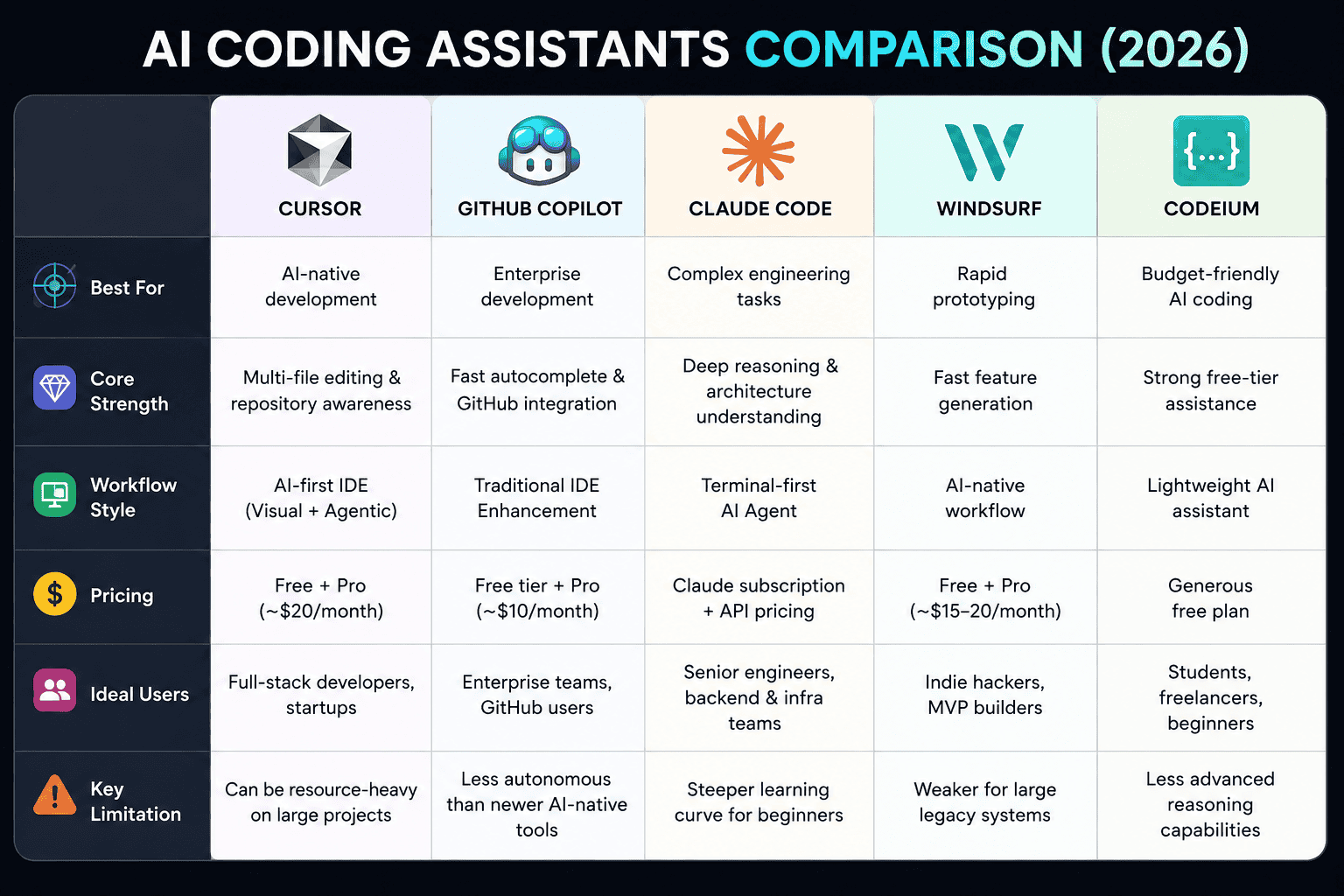
Choosing the best AI coding assistant in 2026 is less about finding a universal winner and more about finding the tool that matches your workflow. The answer depends less on features and more on personality. Not your personality.
Your developer personality.
- If you love structured engineering and deep architectural thinking, Claude Code will probably feel incredible.
- If you want fluid, modern, AI-native development, Cursor is difficult to beat.
- If you work inside enterprise systems all day, Copilot is still the safest choice.
- If you care about shipping products quickly, Windsurf may fit your workflow perfectly.
- And if cost matters most, Codeium remains one of the strongest value options available.
The most interesting trend in 2026 is that developers increasingly combine multiple AI Coding assistant tools. A common stack now looks something like:
- Cursor for implementation,
- Claude Code for deep reasoning,
- Copilot for lightweight completion,
- and specialized AI agents for testing or DevOps.
That hybrid future is probably where software engineering is headed.