





AI is evolving faster than most professionals expected.
A few years ago, understanding AI concepts was enough to stay relevant. Today, that is no longer true.
Companies are increasingly looking for professionals who can design AI systems, build agentic workflows, integrate tools, manage context, and take AI applications from experimentation to production.
And here is the uncomfortable truth:
Knowing how to use an AI chatbot is no longer enough.
The real advantage is knowing how AI systems work behind the scenes and how to architect them for real-world use.
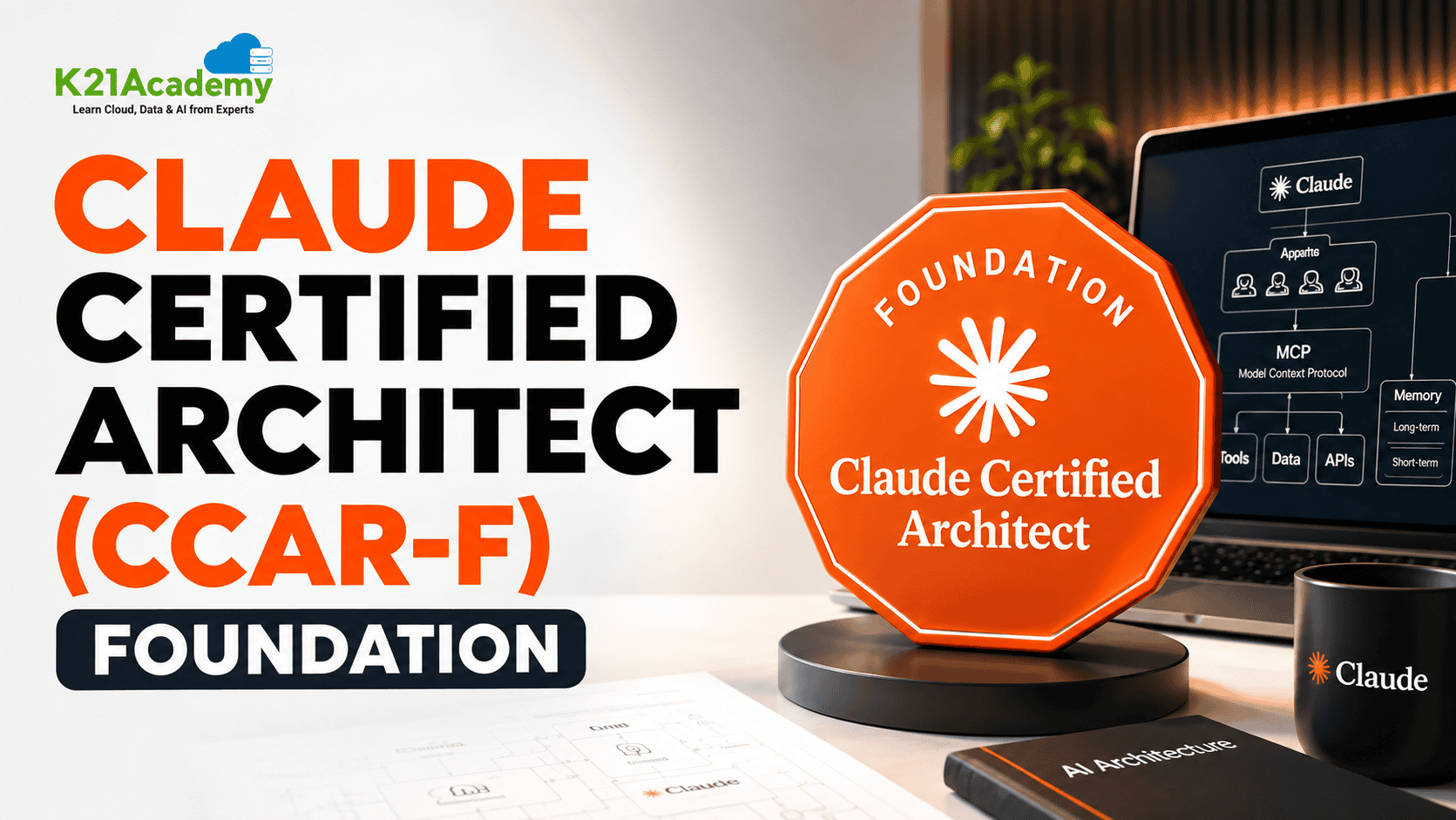
That is exactly where the Claude Certified Architect – Foundations (CCAR-F) certification comes in.
It is not simply about learning Claude.

It is about understanding how to build reliable AI systems using concepts such as:
- AI agent architecture
- Multi-agent systems
- Model Context Protocol (MCP)
- Claude Agent SDK
- Claude Code
- Prompt engineering
- Structured outputs
- Context management
- Reliability and production workflows
If your goal is to move from using AI → building AI systems → architecting AI solutions, this certification can be an important step.
Here you will find a collection of 30+ hands-on labs which will teach you things step by step, develop your skills and be one of the main factors for your success in the Claude Certified Architect – Foundations (CCAR-F) exam.
To start with you should briefly understand what this certification entails and what it offers you.
What is Claude Certified Architect – Foundations?
The Claude Certified Architect – Foundations (CCAR-F) is a technical certification focused on designing and building production-oriented AI systems using Claude.
Unlike certifications that primarily focus on AI concepts or terminology, CCAR-F emphasizes practical AI architecture and implementation.
The certification focuses on areas such as:
- Designing AI agent architectures
- Building and orchestrating AI agents
- Connecting agents to tools through MCP
- Developing applications with the Claude Agent SDK
- Using Claude Code in software development workflows
- Designing effective prompts
- Working with structured outputs
- Managing context across AI workflows
- Building reliable and production-ready AI systems
In simple terms:
Traditional AI learning = Understanding AI
Generative AI development = Building AI applications
Claude Architect = Designing systems that make AI applications work reliably
The certification therefore sits at the intersection of AI engineering, software development, and system architecture.
Claude Certified Architect – Foundations Certification Overview
The certification is particularly relevant for professionals who want to understand how modern Claude-powered systems are designed from the ground up.
The Claude ecosystem can involve multiple layers, including:
- Claude models
- Claude API
- Claude Agent SDK
- Claude Code
- MCP servers
- Tools and external services
- Agent workflows
- Multi-agent architectures
Understanding how these components interact is an important part of becoming an effective AI architect.
One of the foundational hands-on exercises focuses specifically on mapping the Claude production stack and understanding how the API, Agent SDK, Claude Code, and MCP fit together.
Exam Details at a Glance
| Item | Detail |
|---|---|
| Credential | Claude Certified Architect – Foundations |
| Exam code | CCAR-F |
| Number of questions | 60 items |
| Question format | Multiple-choice and multiple-response (each item states how many to select) |
| Exam structure | 4 scenarios presented, drawn at random from a bank of 6 |
| Time limit | 120 minutes |
| Passing score | 720 on a scaled range of 100–1,000 |
| Exam fee | $125 USD (per attempt) |
| Delivery | Pearson VUE, online proctored or at a test centre |
| Validity | 12 months from the date awarded |
| Result reporting | Pass/fail with scaled score, plus percent-correct by domain |
| Guide version | v1.0, effective July 2026 (subject to change – confirm on Anthropic’s page) |
Why Most Candidates Struggle with Claude Certified Architect – Foundations
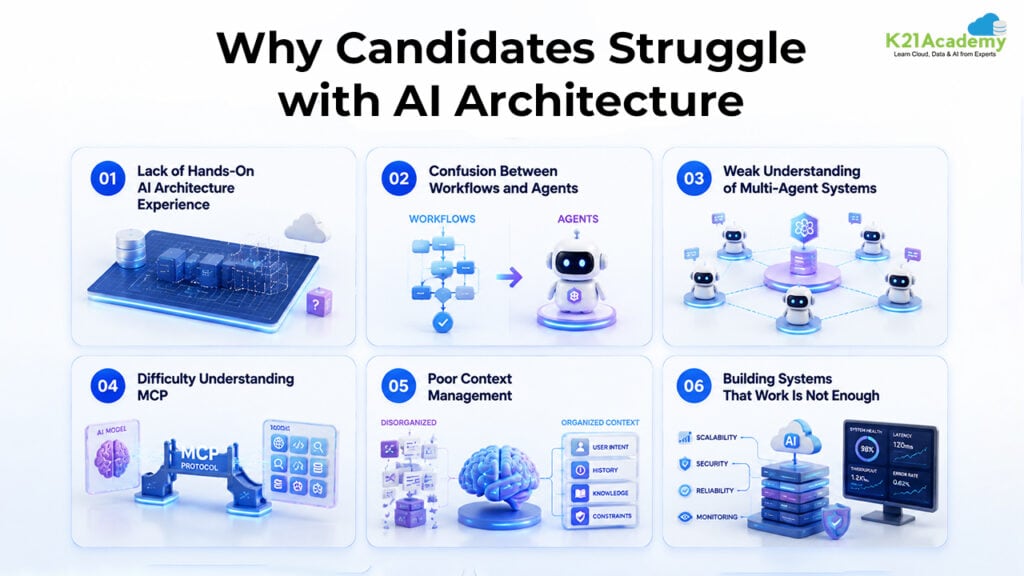
The certification is challenging not because it requires memorizing hundreds of definitions.
It is challenging because it requires architectural thinking.
You need to understand not only what a technology does, but also when, why, and how to use it.
Here are some of the biggest challenges candidates face.
1. Lack of Hands-On AI Architecture Experience
Many professionals understand LLMs at a conceptual level but have never designed a complete AI system.
CCAR-F requires you to think about:
- System architecture
- Agent boundaries
- Tool integration
- Context flow
- Reliability
- Failure handling
- Production workflows
The labs therefore focus heavily on practical architecture rather than isolated concepts.
2. Confusion Between Workflows and Agents
One of the most important architectural decisions is determining whether a problem actually requires an AI agent.
A system may be:
- Conversational
- Workflow-based
- Agentic
A workflow follows predefined steps, while an agent can determine what action to take based on the task and available tools.
The key skill is knowing when to use the simplest architecture that reliably solves the problem.
3. Weak Understanding of Multi-Agent Systems
Modern AI applications increasingly involve multiple specialized agents.
Candidates need to understand:
- Agent specialization
- Agent boundaries
- Orchestration
- Delegation
- Hub-and-spoke architectures
- Context sharing
- Agent handoffs
- Information preservation
The goal is not simply to create multiple agents.
It is to design multiple agents that work together reliably.
4. Difficulty Understanding MCP
Model Context Protocol is another important area.
Candidates need to understand:
- MCP clients
- MCP servers
- Tools
- Resources
- External services
- Tool discovery
- Tool integration
The hands-on curriculum includes building and connecting MCP servers so that Claude applications can access reusable tools and resources.
5. Poor Context Management
Context is one of the biggest challenges in production AI systems.
As conversations and workflows become longer, systems must decide:
- What information should remain?
- What should be removed?
- What should be summarized?
- What should be stored externally?
- What information should move between agents?
The curriculum therefore includes persistent memory, context boundaries, information preservation, and context-efficient multi-agent designs.
6. Building Systems That Work Is Not Enough
A prototype may work perfectly during development.
Production systems are different.
They must handle:
- Timeouts
- Tool failures
- Retries
- Invalid outputs
- Context pressure
- Partial failures
- Unexpected inputs
- Degraded service conditions
The CCAR-F lab curriculum specifically addresses production configuration, structured logging, retry mechanisms, failure handling, and graceful degradation.
Who Should Take Claude Certified Architect – Foundations?
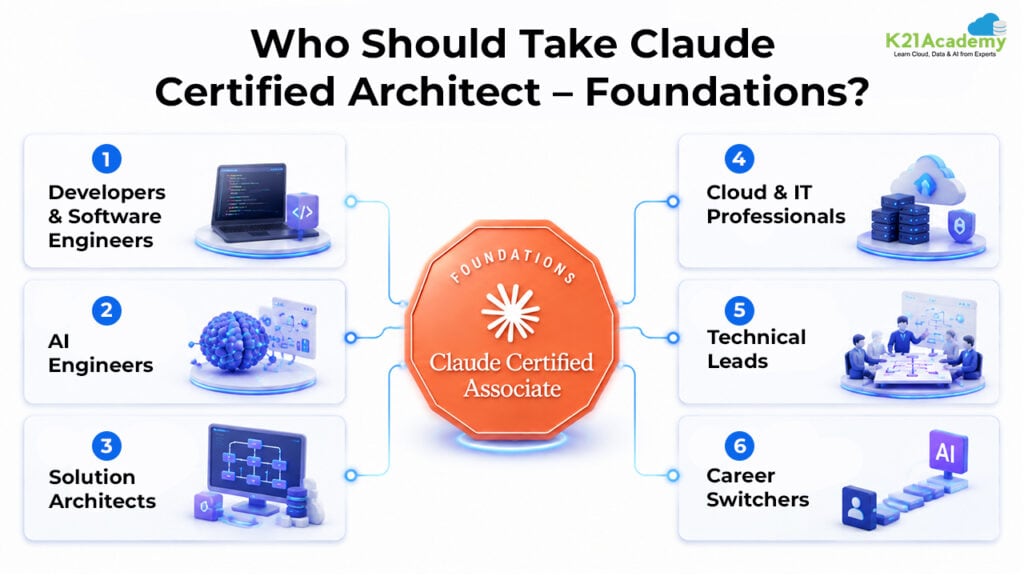
Claude Certified Architect – Foundations is designed for professionals who want to move beyond simply using AI tools and start designing and building AI-powered systems.
Ideal Candidates
- Developers & Software Engineers
- AI Engineers
- Solution Architects
- Cloud & IT Professionals
- Technical Leads
- Career Switchers
Prerequisites for Claude Certified Architect – Foundations
You do not need to be an AI researcher to start learning these concepts.
A practical foundation is more important.
Recommended prerequisites:
- Basic Python knowledge
- Variables, loops, functions, and basic programming concepts
- Basic command-line/terminal knowledge
- Familiarity with software development concepts
- Basic understanding of APIs
You do NOT necessarily need:
- Advanced mathematics
- Machine learning research experience
- Prior Claude architecture experience
- Advanced cloud knowledge
- Previous experience building multi-agent systems
The most important prerequisite is a willingness to learn by building.
Claude Certified Architect – Foundations Hands-On Labs
Hands-on practice is one of the most important parts of preparing for CCAR-F.
Instead of learning architecture only from diagrams and definitions, you should practice designing and implementing AI systems.
The complete learning path can be organized across all the 30+ Labs, covering the major certification concepts from foundational architecture to advanced reliability and production workflows.
Lab 1.1: Claude Stack Architecture Mapping
Claude provides multiple components that can be used together to build production-ready AI applications and agents. In this lab, you’ll explore the Claude production stack to understand how the Claude API, Claude Agent SDK, Claude Code, and Model Context Protocol (MCP) work together. You’ll map the responsibilities of each layer and understand how information, models, agents, and tools connect within a production architecture.
Key Concepts
- Claude API: Provides programmatic access to Claude models, allowing applications to send prompts, provide context, and receive AI-generated responses.
- Claude Agent SDK: Enables developers to build AI agents that can reason, manage tasks, and interact with tools and external systems.
- Claude Code: An AI-powered coding environment that helps developers understand, modify, and work with software projects using Claude.
- Model Context Protocol (MCP): A standardized way for AI applications and agents to connect with external tools, data sources, and services.
- Claude Stack Architecture: A layered approach that shows how Claude’s different components work together to support real-world AI applications and production workflows.
In this lab, you will create a four-layer Claude stack inventory, identify the role and responsibility of each component, and map how the layers interact with one another. You will also create a Mermaid architecture diagram to visualize the flow of information, tools, and requests across the Claude stack. Finally, you will develop a practical decision framework for selecting the appropriate Claude layer for different production scenarios and evaluate your architecture against important considerations such as reliability, context management, and cost.

Estimated Time: 30–40 minutes
Difficulty Level: Intermediate
Exam Relevance Note: Helps build a strong understanding of Claude architecture, agent development, tool integration, MCP, and production design concepts relevant to Claude Certified Architect – Foundations (CCAR-F) preparation.
By completing this lab, you will be able to understand the responsibility of each Claude stack component, explain how the different layers connect, visualize the complete production architecture, and select the appropriate Claude layer for a given business or production requirement.
Lab 2.1: Architecture Decision Making
Choosing the right architecture is an important part of building reliable Claude-powered applications. In this lab, you’ll learn how to select the appropriate system architecture by distinguishing between Conversational, Workflow, and Agentic systems. Instead of starting with implementation, you’ll focus on understanding what controls the next step in a system and use that deciding signal to choose the simplest architecture that can reliably meet the business requirement.
Key Concepts
- Conversational Systems: Systems where a human primarily controls the interaction by asking questions, providing input, and deciding what to do next.
- Workflow Systems: Systems that follow a predefined sequence of steps, with the process determining what happens next.
- Agentic Systems: Systems where the model can determine the next action, use tools, and adapt its approach based on the task and available information.
- Architecture Decision Making: The process of selecting an appropriate system design based on the business requirement, control flow, reliability needs, and complexity.
- Architecture Decision Record (ADR): A structured record that captures the selected architecture, the deciding signal, the reasoning behind the decision, and simpler alternatives that were considered.
- Over-Engineering and Under-Engineering: Avoiding architectures that are unnecessarily complex or too simple to reliably satisfy the intended requirement.
In this lab, you will analyze four practical scenarios and classify each one as Conversational, Workflow, or Agentic. You will identify the deciding signal behind each choice, justify your architecture decision, and challenge agentic choices by considering whether they could be simplified into a workflow or conversational system. You will then create a reusable Architecture Decision Record documenting the selected system shape, deciding signal, justification, and simpler alternatives considered.
You will also use an architecture decision path to visualize how a business requirement can lead to a Conversational, Workflow, or Agentic architecture and understand how to choose the simplest reliable design for a given use case.

Estimated Time: 30–40 minutes
Difficulty Level: Intermediate
Exam Relevance Note: Helps develop core architecture decision-making skills for Claude Certified Architect – Foundations (CCAR-F) preparation, particularly around conversational systems, workflows, agentic architectures, system control flow, and avoiding unnecessary architectural complexity.
By completing this lab, you will be able to recognize whether a human, a predefined process, or the model should control the next step, justify your architecture choice, identify over-engineering and under-engineering, and select the simplest reliable architecture that meets the business requirement.
Lab 2.2: Agent Task Decomposition Design
Designing an effective agentic system requires breaking complex business processes into smaller, well-defined tasks and assigning the right level of autonomy to each component. In this lab, you’ll learn how to decompose a complex process into Agents, Tools, and Fixed Steps, using the least powerful mechanism that can perform each task reliably. This approach helps create agentic architectures that are easier to test, debug, maintain, and scale.
Key Concepts
- Agent: An autonomous component that can reason about a task, make decisions, and determine the appropriate actions to take.
- Tool: A specific capability or function that an agent can invoke to perform a well-defined operation, such as retrieving information or updating a system.
- Fixed Step: A predefined process step that follows a known sequence and does not require autonomous decision-making.
- Task Decomposition: The process of breaking a complex business process into smaller, focused subtasks with clearly defined responsibilities.
- Component Boundaries and Interfaces: Clear definitions of what each component receives as input, what it produces as output, and how components communicate with one another.
- Orchestration: The process of coordinating different agents, tools, and fixed steps and determining where work should be delegated.
- Architecture Validation: Evaluating a design using Completeness, Scope, Coupling, and Testability to ensure that the resulting architecture is modular and reliable.
In this lab, you will take a realistic insurance claim intake process and break it into clearly defined subtasks. For each task, you will specify its inputs and outputs and classify it as an Agent, Tool, or Fixed Step. You will then define component boundaries and interfaces, identify where the orchestrator should delegate work, and evaluate the architecture using four key tests: Completeness, Scope, Coupling, and Testability.
You will also create a decomposition architecture diagram showing how the different components interact and how work flows through the overall agentic system.

Estimated Time: 30–40 minutes
Difficulty Level: Intermediate
Exam Relevance Note: Helps develop practical agent architecture and task decomposition skills for Claude Certified Architect – Foundations (CCAR-F) preparation, particularly around agent boundaries, tool selection, orchestration, modularity, and designing reliable agentic systems.
By completing this lab, you will be able to decompose complex business processes into focused subtasks, assign the appropriate level of autonomy to each component, define clear contracts between agents and tools, and design modular, testable, and reliable agentic systems.
Lab 2.3: Persistent Memory Implementation
Persistent memory allows Claude-powered agents to retain useful information across separate sessions instead of starting from scratch each time. In this lab, you’ll learn how in-context memory differs from external memory and how information can be stored outside the model so that it remains available after a session ends. You’ll implement the Load → Work → Persist pattern to create a stateful agent that can remember and update important information across conversations.
Key Concepts
- In-Context Memory: Information available within the current context window that can be used during an active conversation but does not automatically persist across separate sessions.
- External Memory: Information stored outside the model, allowing useful state and facts to remain available across sessions and application restarts.
- Persistent Memory: A mechanism for storing and retrieving information so an agent can maintain continuity across multiple sessions.
- Load → Work → Persist: A memory pattern where the agent loads existing memory at startup, uses and updates it during the session, and persists changes when the session ends.
- Memory Store: An external location used to store information that the agent needs to remember, such as a local JSON file.
- Memory Hygiene: Keeping stored information accurate, compact, relevant, and up to date to prevent unnecessary or outdated information from accumulating.
In this lab, you will use Claude Code, the Claude Agent SDK, Python, and a local JSON file to build a command-line agent with persistent memory. You will implement functions to load, save, and update memory, connect these functions to the agent, and use the stored information during conversations. You will then restart the agent and verify that information from the previous session has been successfully retained.
You will also apply memory hygiene principles to ensure that the agent stores only useful and relevant information while maintaining a clean and reliable external-memory store.

Estimated Time: 30–40 minutes
Difficulty Level: Intermediate
Exam Relevance Note: Helps develop practical understanding of persistent state, external memory, context management, and stateful agent design for Claude Certified Architect – Foundations (CCAR-F) preparation, particularly around designing reliable Claude-powered agents that maintain information across sessions.
By completing this lab, you will be able to design a durable external-memory store, implement read-on-start and write-on-finish memory flows, maintain state across sessions, and apply memory hygiene practices to build reliable stateful Claude agents.
Lab 3.1: Hub-and-Spoke Agent Architecture
Multi-agent systems can divide complex tasks among specialized agents to improve reliability, maintainability, and clarity. In this lab, you’ll learn how to build a Hub-and-Spoke architecture, where a central orchestrator (the hub) coordinates multiple specialized subagents (the spokes). Instead of relying on a single agent to perform searching, analysis, fact-checking, and synthesis, you’ll learn how to separate these responsibilities into focused agents that can work independently.
Key Concepts
- Hub-and-Spoke Architecture: A multi-agent design where a central hub coordinates and delegates work to multiple specialized agents.
- Orchestrator: The central component responsible for understanding the overall task, delegating subtasks, collecting results, and coordinating the final response.
- Specialized Subagents: Focused agents designed to perform specific responsibilities, such as searching, analysis, or fact-checking.
- Context Isolation: Keeping each subagent’s context separate and providing it only with the information required to perform its assigned task.
- Delegation: The process of assigning specific subtasks to the appropriate specialized agent.
- Result Synthesis: Combining the outputs from multiple subagents into a single coherent and reliable final response.
In this lab, you will use Claude Code, the Claude Agent SDK, and Python to build a research orchestrator that accepts a question, breaks it into focused subtasks, and delegates those tasks to three specialized subagents: Search, Analysis, and Fact-check. Each subagent will operate in an isolated context, receive only the information needed for its task, and return a structured result to the orchestrator. The hub will then collect these results and synthesize them into a final answer.
You will also define clean delegation and result flows and structure the orchestrator so that it remains thin and focused on coordination, while specialized agents handle their respective responsibilities.

Estimated Time: 40–50 minutes
Difficulty Level: Intermediate
Exam Relevance Note: Helps develop practical multi-agent architecture skills for Claude Certified Architect – Foundations (CCAR-F) preparation, particularly around orchestration, delegation, context isolation, agent specialization, and coordinating multiple agents.
By completing this lab, you will be able to design a thin orchestrator, create narrowly scoped specialist agents, isolate context between agents, define clean delegation and result flows, and combine multiple agent outputs into a reliable final response.
Lab 3.2: Multi-Agent Pipeline Implementation
A multi-agent pipeline allows complex work to move through a structured sequence of stages, where each stage builds on the output of the previous one. In this lab, you’ll learn how to implement a sequential multi-agent pipeline using shared state and clearly defined stage boundaries. You’ll also understand when a pipeline architecture is more appropriate than a Hub-and-Spoke design, particularly when each stage depends on the result produced by the previous stage.
Key Concepts
- Multi-Agent Pipeline: An architecture where multiple specialized agents process a task through a predefined sequence of stages.
- Sequential Processing: A workflow where each stage begins after the previous stage has completed and uses its output as input.
- Shared State: A structured object that carries information and results from one pipeline stage to the next.
- Stage-to-Stage Handoff: The process of passing updated state between agents while ensuring that each stage receives the information it needs.
- Handoff Validation: Checking the output of each stage immediately to detect missing, empty, or invalid results before continuing.
- Pipeline vs. Hub-and-Spoke: Understanding when sequential dependencies make a pipeline more suitable than independent parallel delegation to specialized agents.
In this lab, you will use Claude Code, the Claude Agent SDK, and Python to build a multi-stage pipeline using the Extract → Enrich → Report pattern and then extend it with a Validate stage. Each stage will read only the fields it requires, perform its assigned task, write its contribution back into the shared state, and pass the updated state to the next stage.
You will also implement handoff validation after every stage so that missing or empty outputs are detected immediately rather than causing failures later in the pipeline. Through this exercise, you will learn how to manage structured state, define clear stage boundaries, and build reliable sequential agent workflows.

Estimated Time: 40–50 minutes
Difficulty Level: Intermediate
Exam Relevance Note: Helps develop practical multi-agent architecture skills for Claude Certified Architect – Foundations (CCAR-F) preparation, particularly around sequential pipelines, shared state, agent handoffs, validation, stage dependencies, and selecting the appropriate multi-agent architecture.
By completing this lab, you will be able to design structured state for a sequential multi-agent system, implement reliable stage-to-stage handoffs, detect failures locally, manage transformations of shared state, and determine when a pipeline architecture is more appropriate than a Hub-and-Spoke architecture.
Lab 3.3: Agent Error Handling Framework
Production-ready AI agents need to handle failures safely instead of treating every error in the same way. In this lab, you’ll learn how to build an error-handling framework for Claude agents that detects and classifies different types of failures and applies an appropriate recovery strategy. You’ll distinguish between Tool Errors, Reasoning Errors, and Environment Errors and understand why each type requires a different approach.
Key Concepts
- Tool Errors: Failures caused by a tool or external operation, which can often be handled using bounded retries or fallback options.
- Reasoning Errors: Failures where the agent produces an incorrect approach or cannot successfully complete a task, requiring corrective prompting, a different approach, or human escalation.
- Environment Errors: Failures caused by external conditions such as unavailable services or temporary infrastructure issues, which may require backoff, pausing, or alerts.
- Error Classification: Identifying the type and likely cause of a failure so the system can select the appropriate recovery strategy.
- Recovery Strategies: Techniques used to safely recover from failures, including bounded retries, fallback options, corrective re-prompting, changed approaches, exponential backoff, and human escalation.
- Safe Failure Handling: Designing systems that avoid uncontrolled retry loops and fail in a predictable and manageable way.
In this lab, you will use Claude Code, the Claude Agent SDK, and Python to implement an error classifier that detects failures at runtime and routes them to separate recovery paths. Tool errors will use bounded retries and fallback options, reasoning errors will use corrective re-prompting, alternative approaches, or human escalation, while environment errors will use exponential backoff, pauses, and alert mechanisms.
You will also deliberately inject all three types of failures into the system and verify that the framework correctly identifies each error and applies the appropriate recovery strategy. This will help you understand how production agents can remain reliable even when individual components fail.

Estimated Time: 40–50 minutes
Difficulty Level: Intermediate
Exam Relevance Note: Helps develop practical reliability and error-handling skills for Claude Certified Architect – Foundations (CCAR-F) preparation, particularly around failure classification, recovery strategies, bounded retries, escalation, and designing agents that fail safely and predictably.
By completing this lab, you will be able to identify the root cause of agent failures, classify errors accurately, implement appropriate recovery strategies, prevent uncontrolled retry loops, escalate unresolved reasoning problems, and design Claude agents that fail safely and predictably.
Lab 3.4: Human Escalation Workflow
AI agents should not attempt to handle every situation autonomously, especially when the cost of making an incorrect decision is high. In this lab, you’ll learn how to build a human-in-the-loop escalation workflow for Claude agents that determines when an agent can act independently and when it should pause, request human review, and safely resume afterward. You’ll use confidence, risk, missing information, and conflicting evidence to make reliable escalation decisions.
Key Concepts
- Human-in-the-Loop (HITL): A design where humans can review, approve, or make decisions when an agent cannot safely proceed autonomously.
- Confidence Signals: Indicators used to measure how confident an agent is in its proposed decision or action.
- Risk Thresholds: Defined limits that determine when a situation is too risky for autonomous handling and should be escalated.
- Missing Information: Identifying incomplete information that prevents the agent from making a reliable decision.
- Conflicting Evidence: Detecting situations where available information disagrees or produces uncertainty, requiring additional human judgment.
- Human Review Handoff: Providing a reviewer with a concise and structured summary containing the information required to make a decision.
- Audit Trail: Recording automated and human decisions so that interventions can be reviewed and traced later.
In this lab, you will use Claude Code, the Claude Agent SDK, and Python to build a support-refund agent that evaluates each request and produces a structured confidence assessment. Based on confidence and risk, the agent will decide whether to auto-handle or escalate the request.
Low-confidence, high-value, incomplete, or conflicting cases will be routed to a human reviewer with a structured review payload containing the request summary, tentative decision, confidence level, escalation reason, and the exact question requiring human input. After the human provides a decision, the workflow will resume, apply the decision, and record the human intervention for auditability.

Estimated Time: 40–50 minutes
Difficulty Level: Intermediate
Exam Relevance Note: Helps develop practical human-in-the-loop and agent reliability skills for Claude Certified Architect – Foundations (CCAR-F) preparation, particularly around confidence assessment, escalation thresholds, human review, workflow resumption, risk management, and auditability.
By completing this lab, you will be able to design calibrated confidence signals, configure escalation thresholds, create clear human-review handoffs, pause and resume agent workflows, and maintain an audit trail of automated versus human decisions.
Lab 4.1: Multi-Step Agent SDK Implementation
The Claude Agent SDK provides the building blocks needed to create and control agentic systems that can perform multiple actions, observe results, and adapt their approach. In this lab, you’ll learn how to build a multi-step Claude agent and understand the complete Plan → Act → Observe → Replan cycle. You’ll also learn how lifecycle hooks can provide control over tool execution, results, and failures without mixing operational logic into the agent’s core reasoning.
Key Concepts
- Claude Agent SDK: A development framework for building Claude-powered agents that can reason, use tools, and perform multi-step tasks.
- Agentic Loop: The iterative Plan → Act → Observe → Replan cycle through which an agent determines actions, executes tools, evaluates results, and adjusts its approach.
- Lifecycle Hooks: Control points that allow developers to execute operational logic at specific stages of the agent lifecycle.
- Pre-Tool Hook: Runs before a tool is executed to validate arguments, enforce guardrails, and record intended actions.
- Post-Tool Hook: Runs after a tool returns to inspect and validate results and track information such as latency or cost.
- On-Error Hook: Handles failures by classifying errors and applying an appropriate recovery strategy.
In this lab, you will use Claude Code, the Claude Agent SDK, and Python to create a multi-step agent that performs several tool calls in sequence. You will implement three lifecycle hooks: a Pre-Tool Hook for argument validation, guardrails, and logging; a Post-Tool Hook for result validation and performance tracking; and an On-Error Hook for failure classification and recovery.
You will then run the agent end-to-end and observe how each hook is triggered throughout the agentic loop. This will help you understand how operational controls can be separated from the agent’s reasoning while maintaining visibility and control over tool execution.

Estimated Time: 40–50 minutes
Difficulty Level: Intermediate
Exam Relevance Note: Helps develop practical Claude Agent SDK skills for Claude Certified Architect – Foundations (CCAR-F) preparation, particularly around multi-step agents, agentic loops, lifecycle hooks, tool safety, output validation, error handling, and production reliability.
By completing this lab, you will be able to build a multi-step agent using the Claude Agent SDK, apply lifecycle hooks at the appropriate points, prevent unsafe or invalid tool execution, validate tool outputs, and recover from failures in a structured and reliable way.
Lab 4.2: Agent Context Isolation
Context isolation is important in multi-agent systems because each agent should have access only to the information it needs to perform its task. In this lab, you’ll learn how to implement context isolation between multiple Claude subagents, keeping private conversation history, intermediate reasoning, and tool activity separate while allowing agents to collaborate through a controlled shared result space.
Key Concepts
- Context Isolation: Keeping each agent’s private conversation history, reasoning context, and tool activity separate from other agents.
- Private Working Context: Information available only to a specific agent while it performs its assigned task.
- Shared Result Space: A controlled communication area where agents publish only the information that other agents intentionally need.
- Agent Boundaries: Clear limits that define what information can enter or leave an agent’s context.
- Context Contamination: Unnecessary information crossing agent boundaries and affecting reasoning, increasing token usage, or creating unwanted dependencies.
- Minimal Shared Interfaces: Sharing only the required outputs between agents rather than exposing complete histories or internal reasoning.
In this lab, you will use Claude Code, the Claude Agent SDK, and Python to build two specialized subagents: Agent A (Drafter) and Agent B (Critic). Each agent will operate within its own isolated context, while communication will occur through a structured shared space. Agent A will publish a completed draft, and Agent B will use that intentionally shared draft to provide its critique.
You will also test the isolation boundary by placing private information inside Agent A’s context and verifying that Agent B cannot access it, while confirming that Agent B can still work with the intentionally shared draft. This exercise will demonstrate how agents can collaborate without unnecessarily sharing private context, reasoning, or conversation history.

Estimated Time: 30–40 minutes
Difficulty Level: Intermediate
Exam Relevance Note: Helps develop practical context-management and multi-agent architecture skills for Claude Certified Architect – Foundations (CCAR-F) preparation, particularly around context isolation, agent boundaries, controlled information sharing, context efficiency, and designing reliable multi-agent systems.
By completing this lab, you will be able to create isolated subagent contexts, design minimal shared-result interfaces, control what information crosses agent boundaries, verify that private context does not leak, and enable effective collaboration without sharing unnecessary reasoning or conversation history.
Lab 4.3: Production Agent Configuration
A production-ready Claude agent needs more than just functional logic. It must be able to handle slow or failing external calls, recover from temporary problems, and provide sufficient operational visibility for troubleshooting. In this lab, you’ll learn how to harden a Claude Agent SDK agent for production using timeout handling, structured logging, retry mechanisms, and centralized configuration.
Key Concepts
- Timeout Handling: Setting limits on external and tool calls so an agent does not remain stuck waiting indefinitely.
- Structured Logging: Recording machine-readable lifecycle events that make agent behavior easier to search, monitor, and troubleshoot.
- Retry with Backoff: Automatically retrying transient failures using increasing wait times while limiting the number of attempts.
- Transient vs. Permanent Failures: Distinguishing temporary problems that may succeed after retrying from failures that should not be retried.
- Centralized Configuration: Managing operational settings such as timeouts, retry limits, backoff values, and log levels in one place.
- Production Hardening: Adding reliability and operational controls that make an agent more dependable and deployment-ready.
- Stress Testing: Deliberately testing failure and performance conditions to verify that production controls behave as expected.
In this lab, you will use Claude Code, the Claude Agent SDK, and Python to enhance an existing agent with three important production controls: configurable timeouts around external and tool calls, machine-readable structured logging across the agent lifecycle, and capped exponential-backoff retries for transient failures.
You will also move operational settings such as timeout duration, maximum retries, backoff values, and log level into a central configuration so these settings can be changed without modifying the agent’s core logic. Finally, you will test the hardened agent under deliberate stress conditions to verify that it can handle failures and recover safely.

Estimated Time: 40–50 minutes
Difficulty Level: Intermediate
Exam Relevance Note: Helps develop practical production-readiness and reliability skills for Claude Certified Architect – Foundations (CCAR-F) preparation, particularly around timeout management, structured logging, retries, failure handling, centralized configuration, and agent observability.
By completing this lab, you will be able to prevent agents from hanging indefinitely, distinguish transient from permanent failures, recover safely using bounded retries, capture searchable lifecycle logs, centralize operational configuration, and validate Claude agents under realistic stress conditions.
Lab 5.1: Tool Schema Design & Testing
Tools allow Claude-powered agents to interact with external systems and perform specific actions beyond generating responses. In this lab, you’ll learn how to design, structure, and validate tool schemas so that Claude can use tools reliably within agent workflows. You’ll understand how schemas define a tool’s capabilities, inputs, outputs, constraints, and interaction patterns with external systems.
Key Concepts
- Tool Schema: A structured definition that describes a tool’s capabilities, expected inputs, outputs, parameters, and constraints.
- Input and Output Contracts: Clear specifications that define what information a tool accepts and what it should return.
- Tool Invocation: The process through which Claude identifies and calls an appropriate tool during an agent workflow.
- Parameter Validation: Ensuring that tool inputs meet the required types, formats, and constraints before execution.
- Error Handling: Designing tools to handle invalid inputs, execution failures, and unexpected conditions safely.
- Tool Testing: Verifying that tools behave correctly across expected, invalid, and edge-case inputs.
- Production Tool Design: Applying reliability, security, clarity, and maintainability principles when creating tools for real-world agent systems.
In this lab, you will design structured tool schemas with clearly defined input and output contracts. You will test tool behavior using different inputs, validate parameters and responses, and observe how Claude interprets and invokes tools during an agent workflow.
You will also explore schema-design best practices, including clear parameter descriptions, validation rules, error handling, and production considerations. Through testing and troubleshooting, you will identify common integration issues and refine your tool definitions to make them more predictable and reliable.

Estimated Time: 30–40 minutes
Difficulty Level: Intermediate
Exam Relevance Note: Helps develop practical tool integration and schema-design skills for Claude Certified Architect – Foundations (CCAR-F) preparation, particularly around tool definitions, input/output contracts, validation, error handling, tool invocation, and reliable agent-tool communication.
By completing this lab, you will be able to design effective tool schemas, define clear input and output contracts, test tool interactions, troubleshoot integration issues, and apply production-ready patterns for building reliable tools for Claude-powered agentic systems.
Lab 5.2: Tool Boundary Optimization
Giving an AI agent too many tools can make it harder for Claude to select the right action and can increase reasoning complexity. In this lab, you’ll learn how to design a scalable and well-organized tool architecture by reducing unnecessary tool choices and creating clear boundaries between capabilities. You’ll explore how tool consolidation, pruning, grouping, and context-based scoping can improve agent reliability and decision-making.
Key Concepts
- Tool Sprawl: A situation where an agent has too many tools, including overlapping or redundant capabilities, making tool selection more difficult.
- Reasoning Overload: Increased decision complexity caused by excessive or poorly organized tool choices.
- Tool Consolidation: Combining overlapping or closely related tools into a single, more capable tool to simplify the tool ecosystem.
- Tool Pruning: Removing unnecessary, redundant, or rarely useful tools to reduce complexity.
- Capability Grouping: Organizing related functions into logical tool groups so Claude can identify and use capabilities more effectively.
- Context-Based Tool Scoping: Providing an agent with only the tools relevant to its current task or context.
- Tool Boundaries: Defining clear responsibilities for each tool to minimize overlap and make tool selection more predictable.
In this lab, you will start with a 12-tool customer operations agent containing overlapping, redundant, and overly granular tools. You will evaluate how tool sprawl affects Claude’s tool-selection accuracy, identify patterns of confusion, and redesign the tool ecosystem using tool consolidation, pruning, capability grouping, and context-based tool scoping.
You will compare the original and optimized tool architectures and observe how reducing unnecessary choices can improve clarity and reliability. Through this exercise, you’ll learn how to balance the number of available capabilities with the need for simple, well-defined tool boundaries.

Estimated Time: 30–40 minutes
Difficulty Level: Intermediate
Exam Relevance Note: Helps develop practical tool-architecture and agent-design skills for Claude Certified Architect – Foundations (CCAR-F) preparation, particularly around tool boundaries, tool sprawl, capability organization, context scoping, reasoning complexity, and designing scalable Claude agent systems.
By completing this lab, you will be able to identify reasoning overload, optimize tool boundaries, reduce unnecessary tool choices, and design production-ready tool architectures with the right balance between capability and clarity.
Lab 5.3: Tool Selection Decision Framework
Claude-powered applications can use different types of tools depending on the capability required, how widely it needs to be reused, and how it will be maintained over time. In this lab, you’ll learn how to choose between Built-in Tools, Custom Tools, and MCP Tools based on the requirements of a production system. You’ll develop a practical decision-making approach instead of treating every new capability as a custom integration.
Key Concepts
- Built-in Tools: Existing capabilities that can be used directly when they already provide the functionality required by the application.
- Custom Tools: Application-specific functions created to handle business logic or capabilities unique to a particular application.
- MCP Tools: Reusable integrations provided through the Model Context Protocol (MCP) that can allow capabilities to be shared across multiple systems, applications, or teams.
- Tool Reusability: Considering whether a capability needs to be used beyond a single application or workflow.
- Maintenance Considerations: Evaluating the long-term effort required to operate, update, and maintain a tool or integration.
- Tool Selection Decision Framework: A structured approach for choosing the most appropriate tool type based on production requirements, reuse, ownership, and architectural needs.
In this lab, you will analyze multiple real-world scenarios and determine whether each requirement should use a Built-in Tool, Custom Tool, or MCP Tool. You will build a reusable tool-selection decision framework and compare the trade-offs between built-in capabilities, application-specific functions, and reusable MCP-based integrations.
You will also apply a simple production decision model: use built-in capabilities when they already solve the problem, create custom tools for application-specific logic, and use MCP when capabilities need to be shared across multiple systems or teams.

Estimated Time: 30–40 minutes
Difficulty Level: Intermediate
Exam Relevance Note: Helps develop practical tool-selection and architecture decision-making skills for Claude Certified Architect – Foundations (CCAR-F) preparation, particularly around built-in tools, custom tools, MCP integrations, reusability, maintenance, and production architecture decisions.
By completing this lab, you will be able to identify the appropriate tool type for different business scenarios, justify architectural choices, recognize when MCP is the better long-term approach, and apply a reusable decision framework when designing Claude-powered agent systems.
Lab 6.1: Build & Connect MCP Server
The Model Context Protocol (MCP) provides a standardized way for Claude applications to connect with external tools and data sources. In this lab, you’ll learn how to build an MCP server that exposes reusable capabilities to MCP-aware clients, allowing applications to access data and perform actions without requiring separate custom integrations for every client.
Key Concepts
- Model Context Protocol (MCP): A standardized protocol that enables AI applications to connect with external tools, data sources, and services.
- MCP Client: An application that connects to an MCP server and uses the capabilities it exposes.
- MCP Server: A service that provides reusable resources and tools to MCP clients.
- Resources: Data or information that Claude can read through an MCP server.
- Tools: Actions or functions that Claude can execute through an MCP server.
- Protocol and Transport: The communication mechanisms that define how MCP clients and servers exchange requests, responses, and capability information.
- Reusable Integration Layer: An architecture where capabilities can be exposed once through MCP and consumed by multiple MCP-aware applications.
In this lab, you will create a working MCP server and expose its capabilities through the two core primitives: Resources and Tools. You will then connect the server with Claude Code and validate the complete client-server communication flow.
You will also explore the complete MCP architecture by understanding how the MCP Client, MCP Server, Protocol, and Transport layer work together. Through this exercise, you’ll see how MCP can provide reusable capabilities without requiring a separate custom integration for every application.

Estimated Time: 40–50 minutes
Difficulty Level: Intermediate
Exam Relevance Note: Helps develop practical MCP architecture and integration skills for Claude Certified Architect – Foundations (CCAR-F) preparation, particularly around MCP clients and servers, resources, tools, communication flows, transport, and reusable AI integrations.
By completing this lab, you will be able to design an MCP server, create resources and tools, connect Claude as an MCP client, test end-to-end communication, and understand how MCP can serve as a reusable integration layer for production AI systems.
Lab 6.2: MCP Authentication Implementation
Security is an important consideration when exposing MCP servers to applications and external clients. In this lab, you’ll learn how to secure an MCP server by implementing authentication controls that verify incoming requests before allowing access to server resources and tools. You’ll also understand how authentication acts as a security gateway between MCP clients and enterprise capabilities.
Key Concepts
- MCP Authentication: A security mechanism that verifies the identity or credentials of a client before allowing access to an MCP server.
- API-Key Authentication: A simple authentication approach where clients provide a valid API key with each request.
- Authentication vs. Authorization: Authentication verifies who or what is making a request, while authorization determines what that authenticated client is allowed to access.
- Credential Validation: Checking incoming credentials and rejecting requests that contain missing or invalid authentication information.
- Secret Management: Keeping sensitive credentials outside source code by using secure configuration mechanisms or environment variables.
- Safe Access Logging: Recording useful authentication and access events without exposing sensitive credentials or other confidential information.
- Non-Leaky Error Responses: Returning clear security-related errors without revealing sensitive implementation details that could help an attacker.
In this lab, you will add API-key authentication to the MCP server created in the previous lab. You will configure the authentication layer, validate incoming API keys, handle missing or invalid credentials with appropriate error responses, and ensure that sensitive information is not exposed.
You will also apply important production security practices such as keeping secrets outside source code, using configuration or environment variables for credentials, implementing safe access logging, and designing clear but non-leaky error responses. Finally, you will test both successful and failed authentication scenarios to verify that the MCP server properly protects its resources and tools.
Estimated Time: 30–40 minutes
Difficulty Level: Intermediate
Exam Relevance Note: Helps develop practical MCP security skills for Claude Certified Architect – Foundations (CCAR-F) preparation, particularly around authentication, authorization, credential validation, secret management, secure logging, and protecting MCP server capabilities.
By completing this lab, you will be able to design an MCP authentication layer, protect server resources and tools, distinguish authentication from authorization, test successful and failed access scenarios, and apply enterprise security practices when preparing MCP servers for production deployment.
Lab 6.3: MCP Transport Comparison
MCP servers can communicate with clients through different transport mechanisms depending on how and where the system is deployed. In this lab, you’ll learn how MCP messages travel between clients and servers and how transport selection affects production architecture decisions. You’ll compare local and network-based communication while keeping the underlying MCP server capabilities unchanged.
Key Concepts
- MCP Transport: The communication mechanism used to exchange MCP messages between a client and server.
- stdio: A transport mechanism that enables local communication between an MCP client and server through standard input and output, typically using a local subprocess.
- SSE (Server-Sent Events): A network-based transport mechanism that enables clients to communicate with an MCP server running as a shared service.
- Transport Layer: The communication layer that can be separated from the core MCP server logic, allowing the same capabilities to operate through different transports.
- Local vs. Shared Deployment: Understanding when an MCP server should run locally for a single client versus as a network-accessible service for multiple clients.
- Transport Trade-offs: Evaluating scalability, connectivity, lifecycle management, setup complexity, and security when selecting an MCP transport.
- Transport-Independent Architecture: Designing MCP server logic separately from its communication mechanism so transport options can be changed without rewriting core capabilities.
In this lab, you will implement the same MCP server using two transport options: stdio and SSE. You will separate the server logic from the transport layer, run the server through both approaches, connect clients using each transport, and observe the practical differences in how the server is deployed and accessed.
You will then compare stdio (local subprocess communication) and SSE (network-based service communication) across factors such as scalability, client connectivity, lifecycle management, setup complexity, and security. This will help you understand how transport selection influences the architecture and deployment model of an MCP-based system.

Estimated Time: 30–40 minutes
Difficulty Level: Intermediate
Exam Relevance Note: Helps develop practical MCP architecture skills for Claude Certified Architect – Foundations (CCAR-F) preparation, particularly around transport mechanisms, stdio, SSE, client-server communication, deployment models, scalability, lifecycle management, and transport selection.
By completing this lab, you will be able to choose the appropriate MCP transport for a production scenario, design transport-independent MCP servers, understand when to use local versus shared deployments, and apply a practical transport decision framework when designing enterprise AI architectures.
Lab 7.1: CLAUDE.md Configuration & Precedence
CLAUDE.md files allow you to provide instructions that guide Claude Code’s behavior within different development environments. In this lab, you’ll learn how configuration rules can be applied at different levels, from personal defaults to project-wide standards and directory-specific exceptions. You’ll also understand how instruction precedence determines which rules Claude Code follows when multiple configuration files apply.
Key Concepts
- CLAUDE.md: A configuration file used to provide instructions, conventions, and guidance that influence Claude Code’s behavior.
- User-Level Configuration: Personal instructions and preferences that can serve as general defaults across projects.
- Project-Level Configuration: Shared instructions and development standards that apply across a specific project or repository.
- Path-Specific Configuration: More targeted instructions that apply to a particular directory or path within a project.
- Instruction Precedence: The mechanism used to determine which instructions take priority when multiple configuration levels apply.
- Configuration Hierarchy: The relationship between different configuration levels, where path-specific > project > user when their scopes overlap.
- Configuration Conflicts: Situations where instructions from different levels provide different guidance and require precedence rules to determine the applicable instruction.
In this lab, you will create a three-level CLAUDE.md hierarchy consisting of user-level, project-level, and path-specific configuration files. You will define instructions at each level, introduce deliberate conflicts, predict which instructions should apply, and verify how Claude Code resolves them when working in different project locations.
You will also explore how more specific instructions override general instructions only where their scopes overlap. Through this exercise, you’ll learn how to organize personal preferences, shared repository conventions, and local exceptions without creating confusing or contradictory configuration rules.

Estimated Time: 30–40 minutes
Difficulty Level: Intermediate
Exam Relevance Note: Helps develop practical Claude Code configuration skills for Claude Certified Architect – Foundations (CCAR-F) preparation, particularly around CLAUDE.md files, configuration hierarchy, instruction precedence, project conventions, path-specific rules, and maintaining consistent development environments.
By completing this lab, you will be able to configure Claude Code consistently, predict and verify instruction precedence, design maintainable CLAUDE.md hierarchies, prevent configuration conflicts, and establish clear authoring guidelines for production development environments.
Lab 7.2: Custom Code Review Command
Custom slash commands allow Claude Code to turn repeated development instructions into reusable and consistent workflows. In this lab, you’ll learn how to create a project-level custom /review command that applies standardized architecture and code-quality checks, helping teams perform consistent reviews through a single command.
Key Concepts
- Custom Slash Command: A reusable Claude Code command that packages specific instructions and workflows into a simple invocation.
- Project-Level Command: A command stored within a project so that it can be used consistently by developers working on the same repository.
- Architecture Checklist: A defined set of criteria used to evaluate code, including error handling, naming, input validation, security, single responsibility, and test coverage.
- Severity Classification: Categorizing review findings according to their importance, such as Blocker, Should-Fix, and Nitpick.
- Actionable Feedback: Providing specific findings that clearly explain what needs to be improved rather than producing vague review comments.
- Command Testing: Evaluating a custom command against both compliant and deliberately flawed code to identify missed issues and false positives.
- Version-Controlled Workflows: Storing custom commands in a repository so they can be reviewed, maintained, and shared consistently across a development team.
In this lab, you will build a project-level /review slash command that accepts a current file, Git diff, or specified path as its review target. The command will evaluate the selected code against an embedded architecture checklist covering error handling, naming, input validation, security, single responsibility, and test coverage.
You will configure the command to generate specific and actionable findings grouped by severity: Blocker, Should-Fix, and Nitpick. You will then test the command against both compliant and deliberately flawed code, identify false positives and missed issues, refine its severity assignments, and verify the improved review results.

Estimated Time: 30–40 minutes
Difficulty Level: Intermediate
Exam Relevance Note: Helps develop practical Claude Code workflow skills for Claude Certified Architect – Foundations (CCAR-F) preparation, particularly around custom commands, reusable development workflows, architecture standards, automated code review, consistency, and team-wide engineering practices.
By completing this lab, you will be able to create reusable Claude Code commands, automate architecture reviews, produce consistent and prioritized feedback, version-control custom commands, and share standardized engineering workflows across an entire development team.
Lab 7.3: Plan Mode Refactoring Workflow
Complex code changes can introduce unexpected issues when they involve multiple files, dependencies, interfaces, or shared application behavior. In this lab, you’ll learn how Claude Code’s Plan Mode supports safe and deliberate execution of high-risk refactoring tasks by allowing you to understand and review the proposed changes before modifying the codebase.
Key Concepts
- Plan Mode: A Claude Code workflow that allows you to analyze a task, inspect the codebase, and create an implementation plan before making changes.
- Multi-File Refactoring: Restructuring code across multiple files while preserving existing application behavior and dependencies.
- Impact Analysis: Identifying the files, components, dependencies, and interfaces that may be affected by a proposed change.
- Change Sequencing: Defining the correct order in which changes should be implemented to reduce risks and maintain system stability.
- Risk Assessment: Identifying potential problems, overlooked dependencies, and behavioral changes before implementation begins.
- Plan Review and Approval: Reviewing the proposed implementation approach before allowing Claude Code to modify the codebase.
- Verification: Confirming after implementation that the application remains functional and that the intended behavior has been preserved.
In this lab, you will identify a meaningful multi-file refactoring and use Plan Mode to inspect the codebase, identify affected files, design the new structure, determine the order of changes, and document potential risks and verification steps. No files will be modified until the proposed plan has been reviewed and approved.
You will then stress-test the plan by checking its sequencing, identifying overlooked risks, considering simpler alternatives, and defining how existing behavior will be preserved. After approval, Claude Code will execute the refactoring step by step, verify that the project remains functional, and stop for review if the implementation begins to diverge from the approved plan.

Estimated Time: 40–50 minutes
Difficulty Level: Intermediate
Exam Relevance Note: Helps develop practical Claude Code development and architectural planning skills for Claude Certified Architect – Foundations (CCAR-F) preparation, particularly around Plan Mode, impact analysis, multi-file refactoring, risk management, change sequencing, verification, and safe code modification.
By completing this lab, you will be able to plan complex refactorings, review architectural changes before execution, identify and manage implementation risks, preserve application behavior, handle deviations safely, and determine when Plan Mode is more appropriate than direct execution in production development workflows.
Lab 8.1: Build Custom Agent Skill
Agent Skills extend Claude Code with reusable capabilities that can handle complete development and architecture tasks. In this lab, you’ll learn how to create a custom Agent Skill and understand how it differs from a slash command by packaging instructions, checklists, standards, and examples into a structured, self-contained capability.
Key Concepts
- Agent Skill: A reusable capability that extends Claude Code with specialized instructions, workflows, standards, and supporting resources.
- SKILL.md: The primary entry point for an Agent Skill that describes when the Skill should be used and provides the core instructions for executing it.
- Supporting Files: Additional files that contain detailed checklists, standards, examples, and other information required by the Skill.
- Progressive Disclosure: A context-management approach where Claude loads the main Skill instructions first and accesses supporting files only when they are needed.
- Context Management: Controlling how much information is loaded into the model’s context to improve efficiency and avoid unnecessary token usage.
- Skill vs. Slash Command: Understanding how a Skill can package a more complete, multi-file capability, while a slash command typically provides a more direct reusable instruction or workflow.
- Portable Capabilities: Designing Skills that can be reused across different projects and shared with development teams.
In this lab, you will build an architecture-review Agent Skill containing a lean SKILL.md entry point and separate supporting files for the detailed review checklist, architecture standards, and example output. The SKILL.md description will help Claude determine when the Skill should be loaded and provide guidance on how the architecture review should be performed.
You will implement progressive disclosure by having Claude read SKILL.md first and access supporting files only when required during the review. The checklist will be loaded during evaluation, the architecture standards will provide additional rationale, and the example review will guide the final output format without loading all supporting information into the context upfront.

Estimated Time: 40–50 minutes
Difficulty Level: Intermediate
Exam Relevance Note: Helps develop practical Claude Code and Agent Skills, skills for Claude Certified Architect – Foundations (CCAR-F) preparation, particularly around custom Skills, SKILL.md design, progressive disclosure, context management, reusable capabilities, and structured development workflows.
By completing this lab, you will be able to design multi-file Agent Skills, write effective SKILL.md entry points, manage context through progressive disclosure, produce complete architecture reviews, refine Skills through real-project testing, and package portable capabilities for reuse across projects and teams.
Lab 8.2: Claude Code CI/CD Integration
Integrating Claude Code into CI/CD pipelines allows teams to automate development checks without requiring developers to run them manually. In this lab, you’ll learn how to use headless Claude Code as an automated component of a software delivery workflow, enabling standards-based code reviews whenever a pull request is created or updated.
Key Concepts
- CI/CD Integration: Connecting Claude Code with automated software development and delivery pipelines so reviews can run consistently without manual execution.
- Headless Claude Code: Running Claude Code non-interactively so it can operate as part of an automated workflow or CI/CD pipeline.
- GitHub Actions: An automation platform used to trigger workflows based on repository events such as pull requests.
- Pull Request Review: Automatically analyzing changed code and providing feedback before changes are merged into the project.
- GitHub Repository Secrets: A secure mechanism for storing CI credentials and other sensitive configuration required by automated workflows.
- Scoped Code Review: Limiting the review to the files and changes included in a pull request to keep analysis focused and efficient.
- Structured Findings: Producing consistent review results grouped by severity, such as Blocker, Should-Fix, and Nitpick.
- Graceful Failure: Designing automated AI workflows so temporary failures do not unnecessarily block the software delivery process.
In this lab, you will configure a GitHub Actions workflow that runs whenever a pull request is opened or updated. The workflow will check out the pull-request branch, identify the changed files, load your architecture-review Agent Skill or /review command, and run Claude Code non-interactively against the pull-request diff.
You will securely provide the required CI credential through GitHub repository secrets, capture Claude Code’s structured findings, and post the results back to the pull request as a concise comment grouped by Blocker, Should-Fix, and Nitpick severity. You will then validate the complete pipeline by creating a test pull request containing a deliberate issue and confirming that Claude Code identifies it.

Estimated Time: 40–50 minutes
Difficulty Level: Intermediate
Exam Relevance Note: Helps develop practical Claude Code automation and CI/CD skills for Claude Certified Architect – Foundations (CCAR-F) preparation, particularly around headless execution, automated code reviews, GitHub Actions, secure credential management, scoped analysis, structured findings, and reliable AI-assisted development workflows.
By completing this lab, you will be able to run Claude Code headlessly, automate standards-based pull-request reviews, manage CI credentials securely, scope reviews to changed files, post actionable findings into GitHub, and build gracefully failing AI-assisted CI/CD workflows that support software delivery without unnecessarily blocking it.
Lab 8.3: Headless Automation Workflow
Claude Code can perform recurring engineering tasks automatically without requiring a developer to start each task manually. In this lab, you’ll learn how to build scheduled headless automation workflows for recurring activities such as dependency audits, architecture-drift reports, and repository summaries. You’ll also understand how scheduled automation differs from event-driven CI/CD workflows.
Key Concepts
- Headless Automation: Running Claude Code non-interactively so tasks can execute automatically without human involvement.
- Scheduled Automation: Running an AI-powered task at predefined times or intervals for recurring engineering activities.
- Event-Driven vs. Scheduled Workflows: Understanding the difference between workflows triggered by repository events and workflows that execute according to a time-based schedule.
- Cron Scheduling: Using cron expressions to define when an automated workflow should run.
- Structured Reports: Producing consistent reports containing summaries, findings, severity levels, recommended actions, and execution details.
- Secure Authentication: Providing credentials to automated workflows through secure repository secrets rather than embedding sensitive information in code.
- Duplicate Notification Suppression: Preventing repeated reports or notifications when the same scheduled task produces duplicate results.
- Execution History and Observability: Recording when tasks run, what they produced, and whether they succeeded or failed so unattended workflows remain traceable.
In this lab, you will design a self-contained and precisely scoped recurring task, such as a nightly dependency audit or weekly architecture-drift report. You will implement it as a headless Claude Code command that runs non-interactively and generates a structured report containing a summary, findings, severity levels, recommended actions, and execution details.
You will then configure a cron-based GitHub Actions workflow, provide authentication securely through repository secrets, and deliver the generated report to a useful destination such as a GitHub issue, reports folder, or chat webhook. Before enabling automatic scheduling, you will manually trigger and test the complete workflow to verify that the automation behaves as expected.

Estimated Time: 40–50 minutes
Difficulty Level: Intermediate
Exam Relevance Note: Helps develop practical Claude Code automation and production workflow skills for Claude Certified Architect – Foundations (CCAR-F) preparation, particularly around headless execution, scheduled automation, cron workflows, secure authentication, structured reporting, observability, failure handling, and unattended AI workflows.
By completing this lab, you will be able to design scheduled AI tasks, run Claude Code headlessly, configure cron-based automation, deliver reports reliably, prevent duplicate notifications, record execution history, handle failures visibly, and build observable unattended workflows that teams can trust.
Lab 9.1: System Prompt Stress Testing
System prompts play an important role in controlling how Claude behaves, but they should be tested and hardened like production code before deployment. In this lab, you’ll learn how adversarial testing can reveal weaknesses that may not appear during normal interactions, including instruction overrides, ambiguous requests, malformed inputs, and attempts to break expected output formats.
Key Concepts
- System Prompt: A set of high-level instructions that guides an AI assistant’s behavior, responsibilities, constraints, and response format.
- Adversarial Testing: Deliberately using challenging or hostile inputs to identify weaknesses in system prompt instructions.
- Instruction Override: An attempt to make the model ignore, replace, or conflict with the instructions defined by the system prompt.
- Edge Cases: Unusual, unexpected, or boundary-condition inputs that may expose gaps in the prompt’s instructions.
- Ambiguity Testing: Evaluating how the assistant behaves when a request does not provide enough information or has multiple possible interpretations.
- Scope Boundaries: Rules that define what the assistant should and should not handle.
- Format Validation: Testing whether the model consistently follows required output structures, such as JSON.
- Regression Testing: Re-running an established test suite after prompt changes to ensure previously working behaviors remain intact.
- Quality Gates: Measurable criteria that a system prompt must satisfy before it is considered ready for production.
In this lab, you will create a first-draft system prompt for a customer-support triage assistant and generate 20 adversarial test inputs across five categories: instruction overrides, edge cases, ambiguity, out-of-scope requests, and format-breaking attempts. Each test will include a clearly defined expected behavior so that the prompt can be evaluated objectively.
You will run every test against the system prompt, compare the actual response with the expected result, and mark each case as Pass or Fail. For failed tests, you will identify the root cause, such as missing rules, ambiguous instructions, weak scope boundaries, unanchored JSON formatting, or inadequate edge-case handling.
You will then refine the system prompt based on the failures and run the complete test suite again. This iterative process will help you understand how prompt changes affect behavior and why systematic regression testing is important when maintaining production prompts.

Estimated Time: 40–50 minutes
Difficulty Level: Intermediate
Exam Relevance Note: Helps develop practical prompt engineering and reliability skills for Claude Certified Architect – Foundations (CCAR-F) preparation, particularly around system prompts, adversarial testing, instruction conflicts, scope boundaries, output constraints, regression testing, and production prompt hardening.
By completing this lab, you will be able to design adversarial prompt tests, establish measurable quality gates, diagnose instruction-level failures, version and improve system prompts, perform regression testing after prompt changes, and produce a production-hardened system prompt that passes all 20 test cases.
Lab 9.2: Few-Shot Prompt Optimization
Few-shot prompting can improve the accuracy and consistency of Claude when handling complex tasks such as structured information extraction. In this lab, you’ll learn how example selection, quality, variety, quantity, and ordering can directly influence prompt performance and how these factors can be optimized through measurable experiments rather than guesswork.
Key Concepts
- Zero-Shot Prompting: Asking Claude to perform a task without providing examples of the expected input and output.
- Few-Shot Prompting: Providing Claude with a small number of input-output examples to demonstrate the expected behavior and response format.
- Ground-Truth Test Set: A collection of representative test inputs paired with verified correct outputs used to objectively measure prompt performance.
- Field-Level Accuracy: Measuring how accurately individual fields in a structured output match the expected values.
- Example Selection: Choosing examples that provide useful coverage of different input patterns, edge cases, and common failure scenarios.
- Example Ordering: Arranging few-shot examples in different sequences to evaluate how ordering affects model performance.
- Context Consumption: The amount of model context used by prompts and examples, which should be balanced against improvements in accuracy.
- Performance Plateau: The point where adding additional examples produces little or no meaningful improvement in measured performance.
- Prompt Optimization: Systematically testing and refining a prompt to achieve the best balance between accuracy, consistency, and context usage.
In this lab, you will create a zero-shot prompt for extracting structured event information from messy emails and build a labeled test set containing approximately 15 representative inputs with correct JSON outputs. The test set will include complete emails, missing fields, relative dates, unusual formats, and difficult or ambiguous cases.
You will first establish a field-level accuracy baseline for the zero-shot prompt. You will then introduce carefully selected worked examples to create a few-shot prompt and measure the resulting improvement.
Through controlled experiments, you will replace typical examples with harder cases, remove redundant examples, add examples that target observed failures, and compare different example orderings such as simple-to-complex, complex-to-simple, and grouped by case type.
You will continue refining the example set until you identify the smallest configuration that provides the best measured performance while avoiding unnecessary context consumption.

Estimated Time: 40–50 minutes
Difficulty Level: Intermediate
Exam Relevance Note: Helps develop practical prompt engineering and evaluation skills for Claude Certified Architect – Foundations (CCAR-F) preparation, particularly around zero-shot and few-shot prompting, example selection, structured extraction, evaluation datasets, accuracy measurement, context optimization, and prompt performance testing.
By completing this lab, you will be able to measure zero-shot and few-shot performance, build reliable ground-truth test sets, select high-value examples, optimize example ordering, balance accuracy against context consumption, identify performance plateaus, and lock in the smallest few-shot configuration that delivers the best measured accuracy.
Lab 9.3: Production Prompt Evaluation
A prompt should not be considered production-ready based only on subjective judgment or a few successful examples. In this lab, you’ll learn how to evaluate prompts using measurable evidence, objective scoring criteria, representative test cases, and clearly defined launch requirements. This approach helps ensure that a prompt behaves reliably before it is deployed.
Key Concepts
- Prompt Correctness: Defining the observable properties that a response must satisfy to be considered correct.
- Pass/Fail Criteria: Reproducible rules used to objectively determine whether a model response meets the required expectations.
- Blocker Criteria: Must-pass requirements such as valid formatting, safety, scope compliance, and instruction protection that can prevent a prompt from being released.
- Evaluation Dataset: A representative collection of test cases used to measure prompt performance across typical, edge, and adversarial scenarios.
- Category-Level Scoring: Measuring performance separately across different categories to identify where a prompt performs well or poorly.
- Root-Cause Analysis: Examining failed cases to identify the underlying reason for incorrect behavior.
- Launch Bar: A predefined set of performance requirements that must be satisfied before a prompt can be considered ready for production.
- Regression Suite: A reusable evaluation dataset and scoring process that can be run again after future prompt changes.
In this lab, you will select a hardened or optimized production prompt and define the observable properties of a correct response. You will convert these requirements into reproducible pass/fail criteria, separating must-pass blockers such as formatting, safety, scope compliance, and instruction protection from softer quality criteria.
You will then build a 50-case evaluation dataset containing 30 typical cases, 12 edge cases, and 8 adversarial cases. The prompt will be executed against every case and scored consistently to produce overall and category-level pass rates, blocker counts, and a detailed record of failed cases and the criteria they violated.
You will analyze the results to identify recurring failure patterns and determine whether the prompt meets the predefined launch requirements. Finally, you will package the evaluation process as a reusable regression suite that can be applied whenever the prompt is modified.

Estimated Time: 45–60 minutes
Difficulty Level: Intermediate
Exam Relevance Note: Helps develop practical prompt evaluation and production-readiness skills for Claude Certified Architect – Foundations (CCAR-F) preparation, particularly around evaluation datasets, correctness criteria, objective scoring, blocker requirements, failure analysis, launch decisions, and regression testing.
By completing this lab, you will be able to define prompt correctness, build representative evaluation datasets, apply consistent scoring, analyze failures by root cause, establish zero-tolerance launch requirements, make evidence-based release decisions, and maintain a reusable regression suite for future prompt changes.
Lab 10.1: Advanced Schema Design
Structured outputs are often used as contracts between Claude and downstream applications, so schema design must be precise and reliable. In this lab, you’ll learn how to create complex JSON schemas that Claude can follow consistently, including nested objects, arrays, required fields, data types, and controlled enum values.
Key Concepts
- JSON Schema: A formal structure that defines the expected fields, data types, constraints, and relationships within a JSON output.
- Structured Output: Model-generated information that follows a predefined schema so downstream applications can process it reliably.
- Nested Objects: JSON objects contained within other objects to represent related or hierarchical information.
- Arrays: Collections of structured items, such as multiple products or line items within an order.
- Required vs. Optional Properties: Defining which fields must always be present and which fields may be omitted when not applicable.
- Data Types: Explicitly defining whether a field should contain a string, number, boolean, array, object, or another supported type.
- Enum Values: Restricting a field to a predefined set of valid values.
- Schema Validation: Programmatically checking whether generated output conforms to the defined schema.
- Schema Compliance: Measuring how consistently Claude produces outputs that satisfy all structural and validation requirements.
- Regression Testing: Re-running a defined test set after schema or prompt changes to verify that improvements do not introduce new failures.
In this lab, you will design a nested product-order JSON schema containing customer information, line-item arrays, shipping details, order-level fields, required and optional properties, strict data types, and controlled enum values. You will also create approximately 30 varied order scenarios to establish a baseline for schema compliance.
You will generate outputs with Claude and validate each response programmatically against the schema. Failed outputs will be classified into categories such as deep-nesting errors, type mismatches, missing required fields, invalid enum values, formatting problems, and incorrect handling of optional fields.
Based on the validation results, you will refine both the schema and prompt by clarifying field definitions, simplifying unnecessary nesting, tightening enum constraints, emphasizing data types, and providing a correct example output. You will then repeat the validation process to measure improvement and verify that the changes produce more reliable structured outputs.

Estimated Time: 45–60 minutes
Difficulty Level: Advanced
Exam Relevance Note: Helps develop practical structured-output and schema-design skills for Claude Certified Architect – Foundations (CCAR-F) preparation, particularly around JSON schemas, nested structures, validation, data types, enums, required and optional fields, prompt-schema alignment, compliance measurement, and regression testing.
By completing this lab, you will be able to design advanced nested schemas, build strict programmatic validators, calculate schema compliance rates, diagnose structural failures, improve schema and prompt design, run repeatable regression tests, and iterate toward at least 99% fully schema-compliant output.
Lab 10.2: Output Validation Workflow
Structured model output needs to be validated before it reaches downstream applications. In this lab, you’ll learn how to build an automatic validation and retry workflow that detects malformed or invalid output, provides precise corrective feedback, and safely retries generation without allowing incorrect data to pass through as valid.
Key Concepts
- Output Validation: Programmatically checking model-generated output against defined structural and content requirements.
- JSON Validation: Verifying that the generated response is valid JSON and can be parsed successfully.
- Schema Validation: Checking required fields, data types, nesting, enum values, and unexpected fields against a predefined schema.
- Validation Errors: Structured information describing what failed, including field paths, expected values, received values, and error types.
- Correction Prompt: A targeted prompt that provides the model with the original request, invalid output, schema, and specific validation failures so it can correct the response.
- Bounded Retry Loop: A retry mechanism with a configurable maximum number of attempts to prevent uncontrolled model calls.
- Safe Fallback: A defined response when validation continues to fail, such as returning a structured error, escalating to human review, or marking the result with
needs_review: true. - Attempt Logging: Recording each generation and validation attempt for debugging, monitoring, and production analysis.
- Reliability vs. Cost: Balancing additional model calls and retries against improved output reliability, latency, and operational cost.
In this lab, you will wrap your structured-output prompt and JSON schema inside a programmatic validation workflow. Every generated response will be checked for valid JSON, required fields, correct types, proper nesting, allowed enum values, and unexpected fields.
When validation fails, the workflow will capture detailed error information, including specific field paths, expected values, received values, and error types. You will then transform these validation errors into targeted correction prompts containing the original request, invalid output, schema, and exact failure details.
The corrected output will be generated and validated again through a configurable, capped retry loop. If the retry limit is exhausted, the workflow will safely handle the failure by returning a structured error, escalating for human review, or producing a result marked with needs_review: true.

Estimated Time: 40–50 minutes
Difficulty Level: Advanced
Exam Relevance Note: Helps develop practical structured-output reliability skills for Claude Certified Architect – Foundations (CCAR-F) preparation, particularly around output validation, JSON schemas, error handling, correction prompts, bounded retries, fallback strategies, observability, and production reliability.
By completing this lab, you will be able to build strict output validators, create targeted correction prompts, implement bounded retry loops, log every generation attempt, design safe fallback behavior, prevent invalid data from being treated as valid, and balance reliability, latency, and cost when designing production structured-output workflows.
Lab 10.3: Document Extraction Pipeline
Real-world documents often contain inconsistent formatting, missing information, ambiguous content, and unstructured text. In this lab, you’ll learn how to build a reliable document extraction pipeline that transforms varied source documents into validated structured data while preventing fabricated or unsupported information from entering downstream systems.
Key Concepts
- Document Extraction: Using Claude to identify and extract relevant information from unstructured or semi-structured documents.
- Structured Data: Representing extracted information in a consistent format, such as JSON, so it can be processed by downstream applications.
- Shared JSON Schema: A common schema that defines the expected fields, data types, required and optional properties, enum values, and missing-value behavior.
- Programmatic Validation: Automatically checking extracted results against the target schema before accepting them.
- Targeted Retry: Regenerating invalid output using specific validation errors to correct only the identified problems.
- Missing-Value Handling: Ensuring unavailable information is represented according to a defined policy, such as
nullor an omitted field, rather than being invented. - Confidence Calculation: Estimating how reliable an extracted value is based on the available evidence in the source document.
- Hallucination Prevention: Ensuring Claude does not create information that is not supported by the source document.
- Human Review Routing: Sending ambiguous, incomplete, or unparseable documents to a human when automated extraction cannot be trusted.
- Failure Isolation: Preventing a problem with one document from disrupting the processing of other documents.
In this lab, you will create five different source documents representing common real-world document conditions: a clean document, messy free text, an incomplete document, an unusual layout, and an ambiguous document. Each document will be processed independently using a shared target JSON schema containing defined fields, strict data types, required and optional properties, enum values, and a clear missing-value policy.
The pipeline will ingest each document, use Claude to extract the required information, validate the resulting JSON, and apply targeted correction retries whenever schema violations occur. Extracted values will also be compared against the source document to ensure that missing information is represented appropriately and unsupported values are never fabricated.
You will also calculate confidence for extracted information and flag ambiguous or uncertain fields. Documents that cannot be reliably processed will be isolated and routed for human review rather than allowing potentially incorrect information to continue downstream.

Estimated Time: 50–60 minutes
Difficulty Level: Advanced
Exam Relevance Note: Helps develop practical document-processing and structured-output skills for Claude Certified Architect – Foundations (CCAR-F) preparation, particularly around document extraction, schema validation, retries, confidence assessment, hallucination prevention, failure isolation, and human-review workflows.
By completing this lab, you will be able to build isolated document-processing workers, extract structured data from inconsistent formats, validate and correct outputs, prevent hallucinated values, calculate evidence-based confidence, report missing and uncertain fields, isolate individual document failures, and route high-confidence results downstream while escalating risky extractions for human review.
Lab 11.1: Context Window Audit
AI workflows operate within a finite context window, and excessive context can affect reliability, efficiency, and cost. In this lab, you’ll learn how conversation history, tool outputs, retrieved documents, repeated information, and outdated details compete for available context and how context pressure can build as a workflow progresses.
Key Concepts
- Context Window: The amount of information, measured in tokens, that a model can process as part of a single interaction or workflow.
- Context Pressure: The increasing demand placed on the available context by accumulated instructions, history, tool results, documents, and other information.
- Token Budget: The finite amount of context available for processing inputs and generating outputs.
- Context Mapping: Tracking the different sources of information occupying the context at each stage of a workflow.
- Context Growth: The increase in context size as conversations, tool calls, retrieved information, and intermediate results accumulate.
- Running Summary: A compact representation of important previous information used to reduce the amount of raw history carried forward.
- Selective Retrieval: Retrieving only the information relevant to the current task instead of loading entire documents or knowledge sources.
- Context Pruning: Removing redundant, obsolete, or low-value information while preserving facts and constraints required for correct execution.
- Post-Tool Compression: Summarizing or compressing tool results after they have been used so unnecessary details do not continue consuming context.
- Smallest-Sufficient Context: Providing the minimum amount of relevant information required for the model to complete a task correctly and reliably.
In this lab, you will select a context-heavy multi-turn or multi-agent workflow and create a stage-by-stage context map. You will estimate how much context is consumed by system instructions, accumulated history, tool results, retrieved documents, and the current request as the workflow progresses.
You will identify and rank the largest sources of context pressure based on factors such as token volume, growth rate, relevance, information value, and quality risk. You will then redesign the workflow using techniques such as running summaries, selective retrieval, selective inclusion, pruning, and post-tool compression.
Throughout the redesign, you will ensure that important facts, constraints, and information required for correct execution are preserved. Finally, you will compare the original and optimized workflows to measure the reduction in context usage and verify that important information has not been lost.

Estimated Time: 40–50 minutes
Difficulty Level: Advanced
Exam Relevance Note: Helps develop practical context-management skills for Claude Certified Architect – Foundations (CCAR-F) preparation, particularly around context windows, token budgets, context growth, summarization, retrieval, pruning, compression, information preservation, and reliable production AI architecture.
By completing this lab, you will be able to measure context growth, identify early warning signs of a context wall, rank optimization opportunities, design a smallest-sufficient-context pipeline, prevent information loss, compare before-and-after context usage, and create a reusable context-budget checklist for reliable production AI systems.
Lab 11.2: Agent Handoff Design
When multiple agents collaborate, the handoff between them must preserve the information needed for the next step without transferring unnecessary context. In this lab, you’ll learn how to design reliable and efficient context handoffs using explicit schemas while keeping private reasoning, scratch work, and conversation history isolated.
Key Concepts
- Agent Handoff: The controlled transfer of information from one agent to another so the receiving agent can continue the workflow effectively.
- Handoff Schema: A structured contract that defines exactly what information should be transferred between agents.
- Context Boundary: The separation point between agents where information is intentionally selected for sharing rather than transferring the entire context.
- Information Preservation: Ensuring that essential findings, uncertainties, open questions, and constraints are not lost during a handoff.
- Context Leakage: Unintentionally transferring private reasoning, scratch work, conversation history, or other unnecessary information across agent boundaries.
- Uncertainty Preservation: Explicitly carrying uncertain findings or incomplete information forward so the receiving agent does not treat them as confirmed facts.
- Lean Handoff Contract: Sharing only the information required by the receiving agent, reducing unnecessary context and token consumption.
- Information-Loss Testing: Testing a handoff to verify that all required information survives the transfer between agents.
- Receiver Input Validation: Checking that the receiving agent has all required fields and information before beginning its task.
In this lab, you will build a research-agent-to-writer-agent workflow using an explicit handoff schema. The schema will transfer key findings, sources, open questions, uncertainties, completeness status, and the writing brief while keeping raw reasoning, scratch work, and conversation history isolated.
You will implement the handoff and test whether essential information is preserved across the boundary. You will deliberately introduce incomplete findings, uncertainty, and missing receiver inputs to identify schema gaps and improve the handoff contract.
You will also compare the information that should cross the agent boundary with information that should remain inside the sender’s private context. This will help you understand how carefully designed handoffs can improve reliability while reducing unnecessary context transfer.

Estimated Time: 40–50 minutes
Difficulty Level: Advanced
Exam Relevance Note: Helps develop practical multi-agent context-management skills for Claude Certified Architect – Foundations (CCAR-F) preparation, particularly around agent handoffs, context boundaries, structured contracts, information preservation, uncertainty handling, context isolation, validation, and efficient multi-agent architecture.
By completing this lab, you will be able to design complete but lean handoff contracts, preserve uncertainty across agent boundaries, prevent context leakage, test handoffs for information loss, validate receiver inputs, and apply a reusable agent handoff design pattern to production multi-agent architectures.
Lab 11.3: Reliability & Degradation Handling
Production AI systems can encounter context pressure, tool failures, timeouts, and exhausted retries. In this lab, you’ll learn how graceful degradation allows a Claude system to continue providing reduced but useful functionality instead of crashing, hanging, or producing unreliable results.
Key Concepts
- System Stress Detection: Monitoring signals such as context usage, tool failures, timeouts, and exhausted retries to identify when an AI system is under operational stress.
- Graceful Degradation: Reducing system functionality in a controlled way while continuing to provide useful and safe results.
- Reduced Context: Removing or compressing low-value information when context usage becomes too high.
- Task Scope Reduction: Narrowing the requested task when the full operation cannot be completed reliably.
- Fallback Strategy: An alternative method used when the primary tool, service, or workflow fails.
- Cached Results: Previously retrieved information that can be safely reused when a live tool or service is temporarily unavailable.
- Best-Effort Response: A response generated with limited capabilities that clearly communicates its reduced reliability or coverage.
- Safe Unavailable Response: A transparent response indicating that the requested capability cannot currently be completed instead of fabricating an answer.
- Degraded-State Communication: Clearly informing users when a response was produced under reduced capabilities and explaining relevant limitations.
- Recovery: Restoring normal system capabilities once context pressure, tool failures, or other operational problems have been resolved.
In this lab, you will add a stress-detection and degradation layer to a context-heavy, tool-using Claude system. The system will monitor context-window usage, tool errors, timeouts, and exhausted retries and use these signals to determine the appropriate operating mode.
When context pressure increases, you will implement reduced-context strategies such as summarising conversation history, removing low-value information, and narrowing the task scope. When tools fail, you will introduce fallback approaches including cached results, alternative methods, clearly marked best-effort responses, and safe unavailable responses.
Every degraded response will clearly communicate its status and limitations, ensuring users understand when the system is operating below its normal capability. You will deliberately trigger stress and failure conditions, verify the degradation behavior, and then confirm that the system can return to full operation after recovery.

Estimated Time: 40–50 minutes
Difficulty Level: Advanced
Exam Relevance Note: Helps develop practical reliability and resilience skills for Claude Certified Architect – Foundations (CCAR-F) preparation, particularly around graceful degradation, failure detection, fallback strategies, context management, tool failures, timeouts, retries, recovery, and production reliability.
By completing this lab, you will be able to detect system stress, implement safe fallback paths, preserve core functionality under failure, communicate degraded states clearly, test reliability scenarios deliberately, restore full capability after recovery, and create a reusable reliability playbook for production Claude architectures.
By Completing These Hands-On Labs
You will develop practical experience in:
- Designing Claude application architectures
- Building AI agents
- Integrating MCP tools
- Using the Claude Agent SDK
- Working with Claude Code
- Designing Agent Skills
- Automating AI development workflows
- Engineering production prompts
- Creating structured outputs
- Validating AI-generated data
- Managing context
- Handling failures
- Creating multi-agent systems
- Building reliable AI systems
The goal is simple:
Move from understanding AI architecture → building AI systems → designing production-ready AI architectures.

Claude Certified Architect – Foundations Exam Domains
The certification can be understood through five major skill areas.
1. Agentic Architecture & Orchestration
This area focuses on:
- Agent loops
- Agent responsibilities
- Multi-agent systems
- Orchestration
- Task decomposition
- Agent handoffs
- Architecture patterns
2. Tool Design & MCP Integration
You should understand:
- Tool schemas
- Tool boundaries
- Built-in tools
- Custom tools
- MCP tools
- MCP servers
- MCP clients
- Error handling
3. Claude Code & Development Workflows
This includes:
- Claude Code
- Agent Skills
- CLAUDE.md
- Development workflows
- Automation
- CI/CD
- Headless execution
4. Prompt Engineering & Structured Output
You should understand:
- Prompt Engineering
- System prompts
- Few-shot prompting
- Prompt optimization
- Structured outputs
- JSON schemas
- Validation
- Regression testing
5. Context Management & Reliability
This area includes:
- Context optimization
- Persistent memory
- Context boundaries
- Information preservation
- Error handling
- Retries
- Timeouts
- Graceful degradation
Career Opportunities After Claude Certified Architect – Foundations
The growth of Generative AI and Agentic AI is creating new opportunities for professionals who understand both software engineering and AI architecture.
Some relevant roles include:
- AI Engineer – Build and deploy AI applications and agent workflows
- Generative AI Engineer – Develop LLM-powered applications and automation
- AI Architect – Design enterprise AI systems and architecture
- AI Platform Engineer – Build infrastructure and platforms for AI development
- Solution Architect – AI – Design AI solutions for enterprise requirements
- Machine Learning Engineer – Develop and productionize AI and ML systems
- AI Application Developer – Build applications powered by LLMs and agents
- Agentic AI Expert – Design and implement agent-based workflows
- Software Engineer with AI Skills – Integrate AI capabilities into traditional applications
The certification itself does not guarantee a job.
However, the skills developed while preparing for it can strengthen your profile, especially when combined with practical projects and software development experience.
Career and Salary Impact
The market is increasingly rewarding professionals who can combine software engineering with AI capabilities.
However, salary should not be treated as a guaranteed outcome of certification.
Actual compensation depends on:
- Experience
- Location
- Technical skills
- Company
- Industry
- Role
- Interview performance
- Portfolio quality
Illustrative Global Salary Ranges
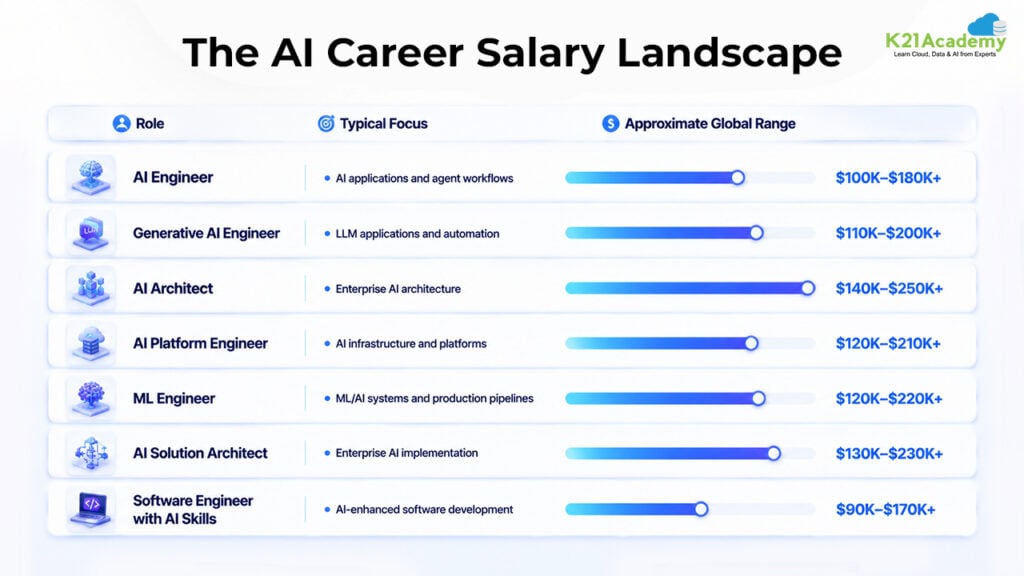
These figures are illustrative market ranges, not guaranteed salaries. Actual compensation varies significantly by geography, experience, employer, and specialization.
8-Week Study Plan for Claude Certified Architect – Foundations
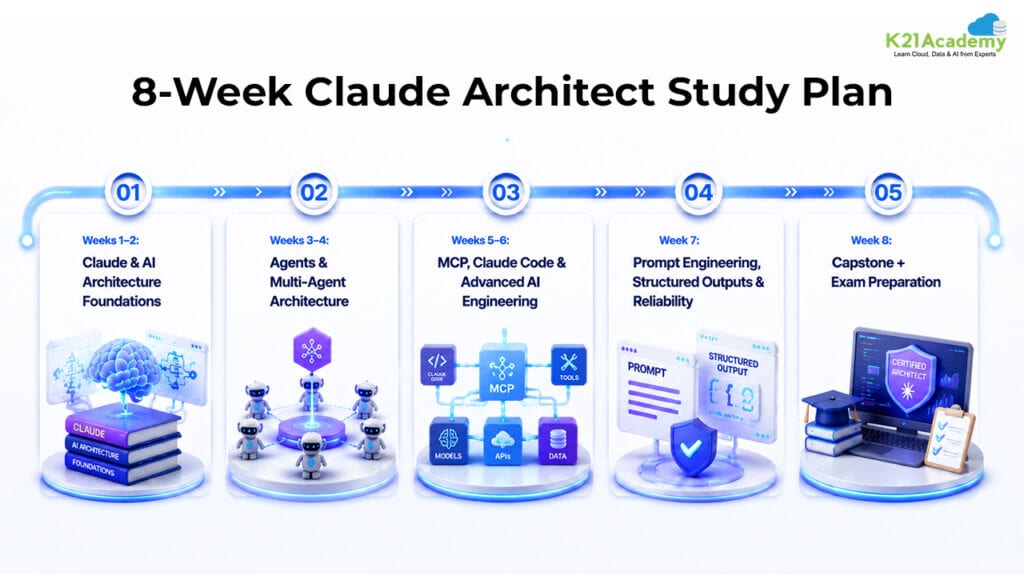
A structured learning plan can help you move from fundamentals to production-level AI architecture.
Weeks 1–2: Claude & AI Architecture Foundations
Goal:
Understand the Claude ecosystem and fundamental AI application architecture.
Topics:
- Claude fundamentals
- Claude API
- Claude Agent SDK
- Claude Code
- AI application architecture
- Conversational vs workflow vs agentic systems
- Basic prompt engineering
Hands-On:
- Explore the Claude stack
- Build a basic Claude application
- Create your first agent
- Document architecture decisions
Weeks 3–4: Agents & Multi-Agent Architecture
Goal:
Learn how to design agentic systems.
Topics:
- Agent loops
- Agent boundaries
- Task decomposition
- Hub-and-spoke architectures
- Multi-agent systems
- Agent handoffs
- Context boundaries
- Persistent memory
Hands-On:
- Build a multi-agent workflow
- Implement persistent memory
- Design agent handoffs
- Create an architecture diagram
Weeks 5–6: MCP, Claude Code & Advanced AI Engineering
Goal:
Connect AI systems to tools and integrate AI into software development workflows.
Topics:
- MCP fundamentals
- MCP servers
- MCP tools
- Tool selection
- Claude Code
- Agent Skills
- Headless automation
- CI/CD integration
Hands-On:
- Build an MCP server
- Connect tools to Claude
- Create an Agent Skill
- Build a Claude Code automation workflow
Week 7: Prompt Engineering, Structured Outputs & Reliability
Goal:
Build AI systems that are predictable and production-ready.
Topics:
- System prompts
- Few-shot prompting
- Prompt evaluation
- JSON schemas
- Structured outputs
- Validation
- Retry mechanisms
- Error handling
- Context optimization
Hands-On:
- Stress-test prompts
- Optimize few-shot examples
- Build schema validators
- Implement validation and retry workflows
- Test failure scenarios
Week 8: Capstone + Exam Preparation
Goal:
Consolidate everything and prepare for scenario-based certification questions.
Activities:
- Complete the capstone project
- Review all certification domains
- Revisit weak areas
- Complete hands-on labs
- Practice architecture scenarios
- Take mock exams
- Review common failure patterns
Final Checklist
Before attempting the certification, make sure you can:
✓ Explain Claude application architecture
✓ Design agent loops
✓ Choose between workflows and agents
✓ Design multi-agent systems
✓ Build and integrate MCP tools
✓ Use Claude Agent SDK concepts
✓ Work with Claude Code
✓ Design effective prompts
✓ Create structured outputs
✓ Validate AI-generated data
✓ Manage context and memory
✓ Handle failures and retries
✓ Design reliable production AI systems
Why Claude Certified Architect – Foundations Matters in 2026
AI development is moving beyond simply interacting with models.
The bigger challenge is now:
How do you build AI systems that actually work?
A production AI application needs more than an LLM.
It needs:
- Architecture
- Agents
- Tools
- Context
- Memory
- Data
- Validation
- Security
- Reliability
- Monitoring
- Deployment workflows
This is where AI architecture becomes important.
The professionals who understand these layers can contribute to building AI systems rather than simply consuming AI tools.
That is the real value of learning Claude architecture.
What You Get at the End
By completing a structured CCAR-F preparation path, you can build:
- Strong Claude architecture fundamentals
- Practical agent development skills
- Multi-agent architecture knowledge
- MCP integration experience
- Claude Code workflow experience
- Prompt engineering skills
- Structured-output expertise
- Context management skills
- Reliability engineering knowledge
- A portfolio-ready AI project
- Hands-on experience across Lab 1.1 through Lab 11.3
Most importantly, you move from:
Learning AI → Building AI → Architecting AI Systems
Claude Certified Architect – Foundations vs Traditional AI Learning
The biggest difference is the mindset.
Traditional AI learning often asks:
“What is this technology?”
Architect-level AI learning asks:
“Where should I use it, how should I integrate it, and how do I make it reliable?”
For example:
Learning MCP means understanding what MCP is.
Architecting with MCP means deciding:
- Whether MCP is actually required
- What should become a tool
- What should remain application logic
- How tools should be scoped
- How errors should be handled
- How the integration should scale
That shift from technology knowledge to architecture decisions is what makes this certification valuable for aspiring AI architects and engineers.
Final Thoughts
Claude Certified Architect – Foundations is more than another AI certification.
It represents a shift in how professionals should approach AI.
The future of AI will not be defined only by people who know how to prompt an LLM.
It will increasingly be shaped by professionals who can:
- Design AI architectures
- Build intelligent agents
- Orchestrate multiple agents
- Connect AI to real-world tools
- Manage context and memory
- Create structured and reliable outputs
- Automate development workflows
- Handle production failures
- Build systems that can scale
That is the difference between using AI and engineering AI systems.
If you follow a structured roadmap, complete the all hands-on labs, build the capstone project, and practice scenario-based architecture questions, you can develop a much stronger practical foundation for the Claude Certified Architect – Foundations certification.
In short:
Claude Certified Architect – Foundations helps you move from experimenting with AI to thinking like an AI systems architect.
Learn from the Best
In case you really want to master this certification and gain hands-on skills, a well-structured guide could be very significant.
K21 Academy is a famous training platform that concentrates on Cloud, AI, and DevOps career transformation, providing:
- Hands-on labs and real-world projects
- Step-by-step learning paths (beginner → advanced)
- Live sessions with industry experts
- 1:1 career guidance and mentorship
- Job-oriented programs across Claude AI, Agentic AI, Azure, AWS, and AIPM.
They have supported tens of thousands of learners worldwide to move into cloud and AI jobs by equipping them with practical, job-ready skills.
If you are looking for more than just a certificate and desire real career results, this type of structured learning can speed up your path.