




As a developer in 2026, you would have surely used several AI coding assistants already. All of them get boring after some time, but Claude Code is an exception to that trend.
In order to help you determine whether Claude Code actually needs a place in your workflow, we’ll go over what it is, what makes it unique, and what are the use-cases for developers in practical situations.

What is Claude Code?
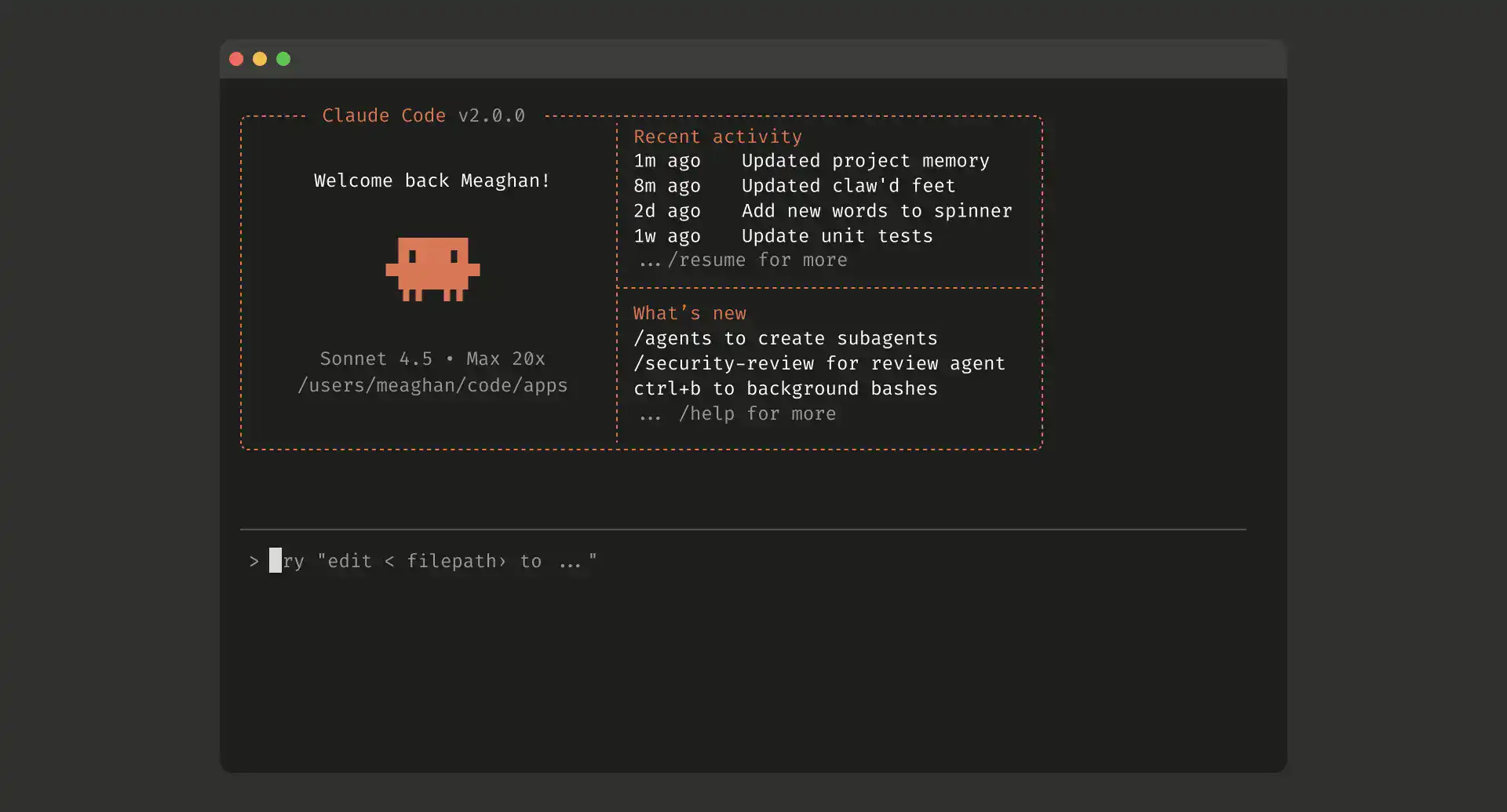
Anthropic created Claude Code, a sophisticated AI-powered coding assistant. It is intended to assist developers in using plain language to write, debug, comprehend, and optimise code.
In contrast to conventional coding tools, Claude Code functions as a context-aware AI collaborator that can:
- Understand big codebases
- Give thorough justifications
- Help with refactoring and debugging
- Encourage judgements made at the architecture level
To put it simply, Claude Code is an AI pair programmer capable of deep reasoning.
Key Features of Claude Code
1. Large Context Window
This is great for the following because it is able to understand and interpret lots of code:
- Business apps
- Multi-file projects
- Complex architecture designs
2. Conversational Coding Interface
Instead of developing convoluted prompts, you could simply ask:
- “Refactor this module to be more scalable.”
- “Elaborate this function.”
3. Debugging Help
Here’s how Claude Code will help you:
- Identify the cause of the problem
- Propose a solution with reasons.
- Prevent recurrence of issues
4. Agentic Task Execution
While other tools may just recommend, Claude Code will perform actions:
- Write and edit code files throughout the project
- Run shell commands and tests
- Stage commits, write commit messages, and open pull requests
- Integrates with external applications such as Jira, Slack, and Google Drive through Model Context Protocol (MCP).
5. Knowledge about the Codebase
Perfect for new hires:
- Understand the architecture of the codebase.
- Identify dependencies
- Understand the flow of data in the codebase
6. Refactoring & Optimization
Helps:
- Increase output
- Reduce technical debts
- Microservices from monoliths
Related Readings: Claude Code vs GitHub Copilot vs Cursor: Which AI Coding Assistant Should You Learn?
How Claude Code Works
Claude Code is fundamentally driven by sophisticated large language models created by Anthropic, yet its strength lies not only in the model but also in the way it interacts with your code and surroundings.
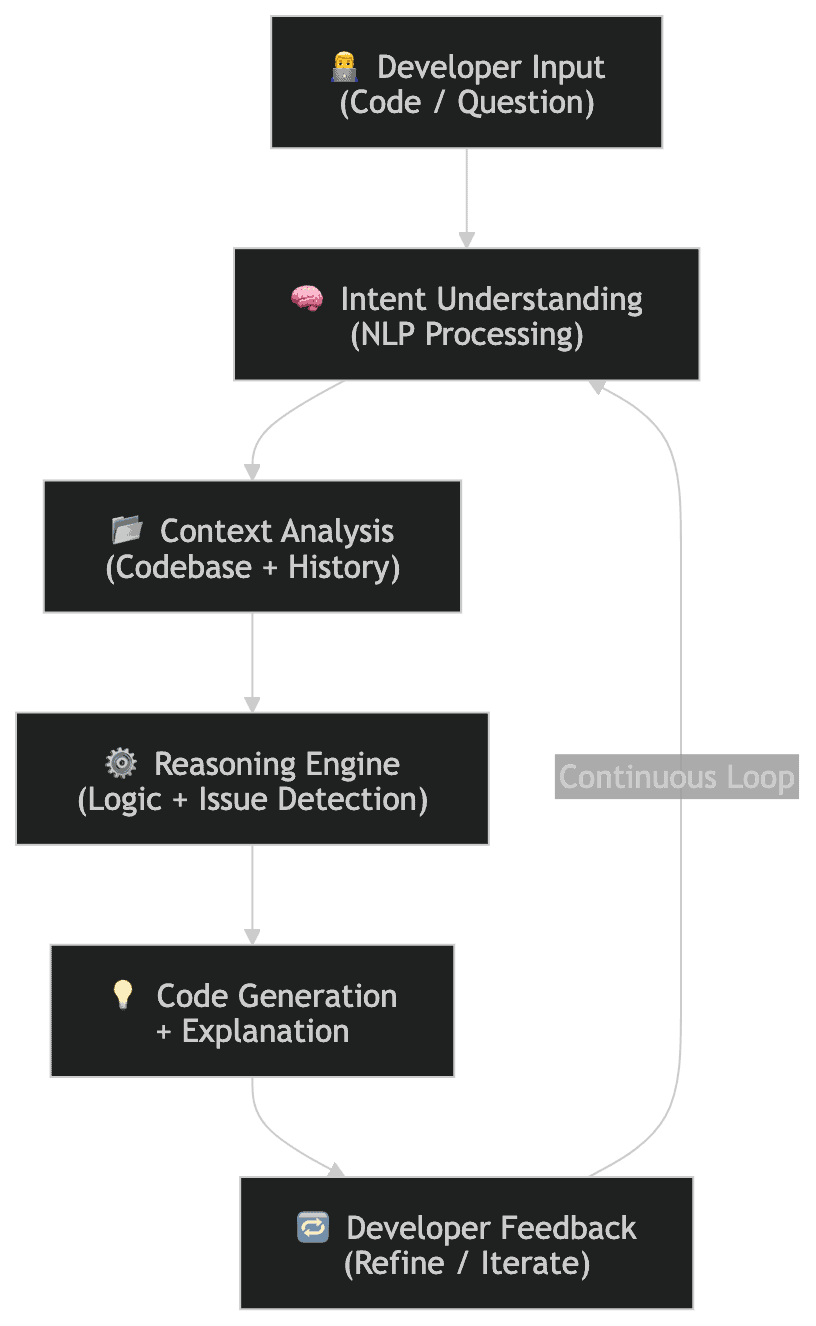
What’s Happening Behind the Scenes?
Claude Code combines three key capabilities:
1) Natural Language Understanding (NLP)
You engage with it in the same manner as you would a teammate:
- “Why is this API not working?”
- “Improve the performance of this function.”
- “Change this to asynchronous code.”
It converts your everyday English into technical meaning.
2) Context-Aware Reasoning
This is where it gets interesting
Rather than focusing on a single file or excerpt, Claude Code can:
- Recognise the connections between several files
- Keep track of dependencies, variables, and functions.
- Recall earlier exchanges within the same session.
This enables it to provide pertinent and well-reasoned responses rather than haphazard recommendations.
3) Code Analysis + Generation
Once it understands your intent and context, it:
- Analyzes the existing code
- Identifies issues or improvements
- Generates updated code
- Explains why the change is needed
Real Example (Quick Scenario)
You ask:
“Why is this function timing out in production?”
Claude Code will:
- Analyze your function logic
- Check for inefficiencies (e.g., nested loops, blocking calls)
- Suggest optimized code
- Explain the root cause
Then you might say:
“Can you make it scalable for high traffic?”
And it builds on the same context & there is no need to start over.
Benefits of Using Claude Code
Here are some benefits of using claude:
- Faster Development: Reduce time spent searching documentation or debugging manually.
- Improved Code Quality: Get suggestions that follow best practices and clean architecture.
- Better Learning Experience: Understand why something works, not just how.
- Enhanced Productivity: Focus more on problem-solving instead of boilerplate coding.
Limitations of Claude Code
Some limitations of Claude Code are the following:
- Could face difficulties with niche or highly specialized models.
- Can perform writing and test execution without human intervention, but human approval will be required to ensure the tests are doing what they should.
- Sometimes solutions are over-engineered for simple tasks.
Before deploying AI-generated code, always review it.

Claude Code vs Other AI Coding Tools
Let’s compare Claude Code with popular alternatives like GitHub Copilot and Cursor:
| Feature | Claude Code | Cursor | GitHub Copilot |
|---|---|---|---|
| Core Type | AI coding agent (CLI + agentic workflows) | AI-first IDE (VS Code fork) | AI assistant (plugin inside IDEs) |
| Interaction Style | Conversational + autonomous tasks | Inline editing + chat | Autocomplete + inline suggestions |
| Context Understanding | Very deep (entire repo, long context) | Strong (project-level indexing) | Moderate (file-level + limited context) |
| Code Editing | Suggests & executes multi-step changes | Direct in-editor edits | Inline suggestions only |
| Debugging Capability | Advanced root-cause analysis | Fast fixes, less reasoning depth | Basic debugging help |
| Refactoring | Large-scale, multi-file refactoring | Multi-file edits via Composer | Limited refactoring |
| Workflow Type | Agentic (can run tasks independently) | Interactive (developer-in-the-loop) | Assistive (suggestions only) |
| IDE Dependency | No – terminal, VS Code, JetBrains (beta), desktop app and web | Yes (custom IDE) | Yes (custom IDE) | Yes (VS Code, JetBrains, etc.) |
| Model Flexibility | Uses Claude models only | Multiple models (Claude, GPT, etc.) | OpenAI models (via GitHub) |
| Best For | Complex systems, deep reasoning | Daily coding, fast iteration | Quick coding, autocomplete |
| Learning Support | High (explains “why”) | Medium | Low |
| Automation Level | High (can execute workflows) | Medium | Low |
There’s no single “best” tool; it depends on your workflow:
- Use Claude Code when you need depth + reasoning
- Use Cursor when you need speed + control in the IDE.
- Use Copilot when you need quick assistance everywhere
Most advanced developers in 2026 are combining all three:
- Copilot → quick suggestions
- Cursor → active development
- Claude Code → complex problem-solving
Conclusion
Claude represents a change in the way development is carried out, not merely an addition to the expanding collection of AI coding tools. AI tools used to mostly aid with speed, autocomplete, snippets, and minor corrections, whereas Claude goes beyond that and concentrates on comprehension. It does more than merely produce code.
- comprehends your whole codebase
- explains choices and compromises.
- aids in problem-solving by encouraging critical thinking.
The gap in 2026 is not going to be between good and great programmers; the gap is going to be between programmers who can leverage AI well and those who cannot. Tools such as Claude Code are not here to replace programmers but rather to define how productive programming should be done.
Related Readings: Top AI Tools for Analyzing Big Data in 2026 | K21 Academy
Next Step: Level Up with Claude Code
Ready to go beyond basics?
Join our Claude Code free class to learn how to build, debug, and optimise code using Claude Code with real examples and expert guidance. Take this opportunity to learn from industry experts and advance your AI career.