



Are you struggling in turning theory into real-world data skills?
Rest assured, you are not the only one. A lot of aspirants gearing up for the DP-600: Microsoft Fabric Analytics Engineer Associate certification get stuck when it comes to applying the concepts without hands-on practice. Of course, knowing the theory is vital, but doing the physical application is what makes you really confident.
Hands-on labs are where magic happens.
They effectively help you make the leap from being just a learner to becoming a practitioner, by teaching you how to design, build, and fine-tune real analytics solutions with Microsoft Fabric. No matter if you are going with a course or self-study, giving yourself some hands-on time with practical tasks can wonderfully prepare you for your exam.
Here you will find a collection of hands-on labs which will teach you things step by step, develop your skills and be one of the main factors for your success in the DP-600 exam.
To start with you should briefly understand what this certification entails and what it offers you.
An Overview of DP-600 [Fabric Analytics Engineer]
| Detail | Information |
|---|---|
| Certification | Microsoft Certified: Fabric Analytics Engineer Associate |
| Exam Code | DP-600 |
| Focus | Designing & implementing analytics solutions using Microsoft Fabric |
| Passing Score | 700 / 1000 |
| Exam Duration | 120 minutes |
| Exam Cost | $165 USD (may vary by region) |
| Renewal | Every 1 year (free renewal assessment) |
What is DP-600?
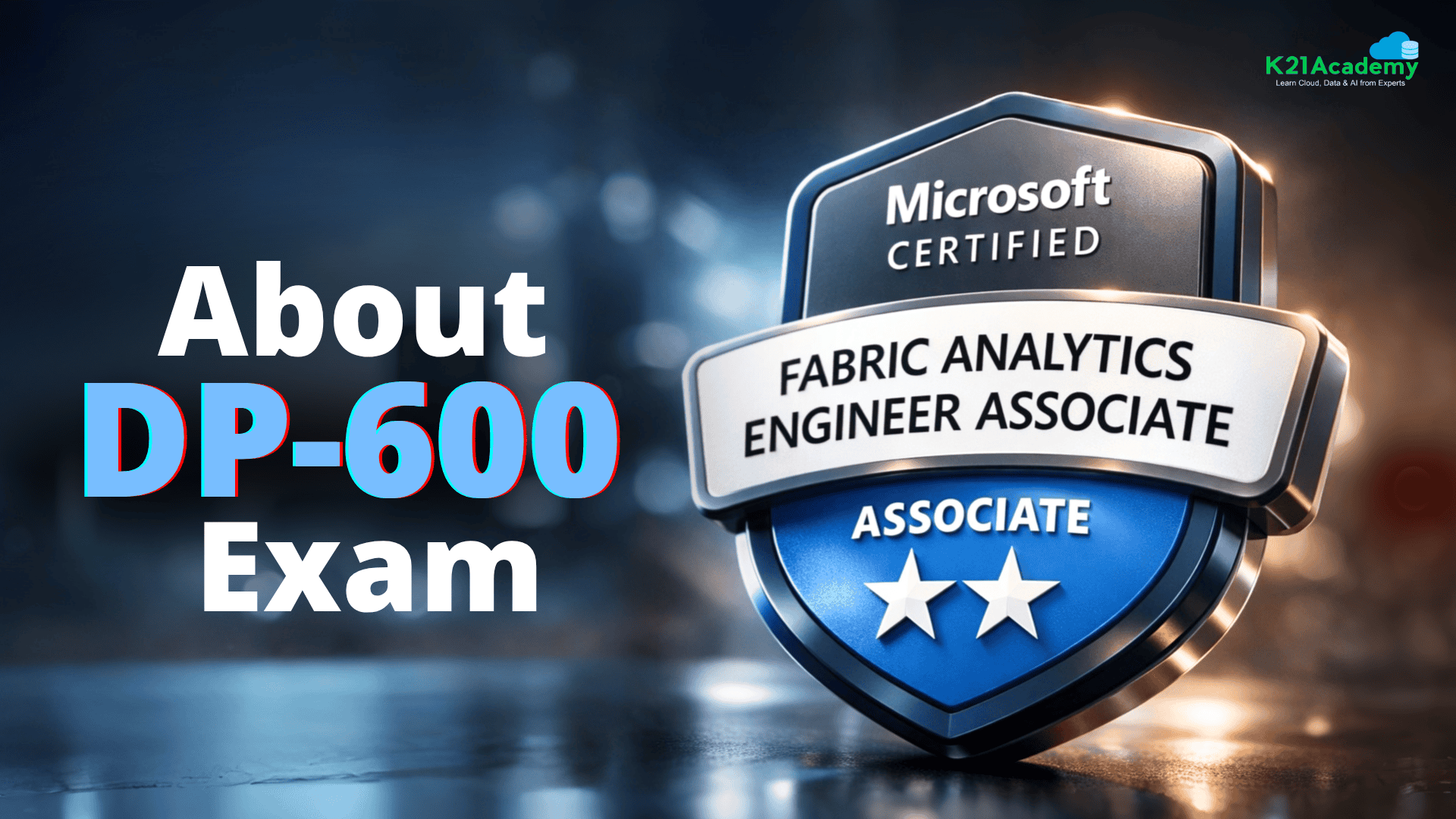
The DP-600 Microsoft Certified: Fabric Analytics Engineer Associate certification is all about proving your skills in designing and implementing analytics solutions using Microsoft Fabric. It’s ideal for data engineers, analysts, and BI professionals who want to work with cutting-edge tools like Apache Spark, Power BI, and Fabric’s lakehouse/warehouse architectures.
In the market, where data-driven decision-making is becoming the norm, this certification can open doors to high-paying jobs in top companies. The DP-600 exam tests your ability to:
- Prepare and enrich data for analysis
- Secure and maintain analytics assets
- Implement and manage semantic models
This certification proves you can design and operate these solutions at scale.
Related Readings: Data Warehouse vs. Data Lake vs. Lakehouse: Choosing the Right Cloud Storage
Why Most Candidates Struggle with DP-600
Most candidates fail DP-600 because they focus only on:
• Reading documentation
• Watching tutorials
• Memorizing theory
But the exam actually evaluates whether you can:
• Build lakehouses
• Configure data pipelines
• Use Apache Spark for transformations
• Implement Power BI semantic models
• Work with real-time analytics
Without hands-on practice, these topics remain abstract.
That’s where these 20 practical labs help bridge the gap.
Who Should Take DP-600?
This certification is ideal for:
• Data Engineers working with analytics pipelines
• BI Developers / Power BI Professionals
• Data Analysts transitioning into engineering roles
• Azure Data Engineers moving to Microsoft Fabric
• Analytics Engineers designing semantic models
Not Ideal For
This certification may not be suitable for beginners who:
• Have no data analytics background
• Have never used SQL or Power BI
• Are completely new to cloud platforms
Key Skills Tested in the DP-600 Exam
To crack the DP-600 exam, you need to be good at:
- Data Engineering: Working with lakehouses, pipelines, and Spark.
- Real-Time Analytics: Using Eventstreams and Real-Time Intelligence.
- Data Warehousing: Loading, querying, and monitoring data warehouses.
- Power BI Integration: Creating DAX calculations and semantic models.
- Security: Implementing role-based access and encryption.
DP-600 vs DP-700 Comparison
| Feature | DP-600 | DP-700 |
|---|---|---|
| Focus | Analytics Engineering | Data Engineering |
| Platform | Microsoft Fabric | Microsoft Fabric |
| Core Skills | Semantic models, BI, analytics | Pipelines, ETL, ingestion |
| Ideal For | BI Engineers / Analysts | Data Engineers |
| Tools | Power BI, Lakehouse, Spark | Data Factory, Pipelines |
Which Should You Take First?
• If your role focuses on analytics & reporting → DP-600
• If your role focuses on data pipelines & ingestion → DP-700
Many professionals eventually pursue both certifications.
Learning Path for Microsoft Certified: Fabric Analytics Engineer [DP-600]
Here’s a quick look at how you can start learning to design, create, and manage analytical assets for DP-600 and clear Microsoft Certified: Fabric Analytics Engineer [DP-600] by doing hands-on.
![Learning Path for Microsoft Certified Fabric Analytics Engineer [DP 600]](https://k21academy.com/wp-content/uploads/2025/03/Learning-Path-for-Microsoft-Certified-Fabric-Analytics-Engineer-DP-600.png)
Top DP-600 Hands-On Labs
Hands-on labs are the most effective way to master the skills required for the DP-600 certification. These labs provide practical experience with real-world scenarios, ensuring you gain the confidence to design and implement analytics solutions in Microsoft Fabric.
Lab 1: Register For A Free Azure Cloud Account
Creating an Azure free account is one way to access Azure services. When you start using Azure with a free account, you get USD200 credit to spend in the first 30 days after you sign up. In addition, you get free monthly amounts of two groups of services: popular services, which are free for 12 months, and more than 25 other services that are free always.

Key Steps:
- Learn how to set up a free Azure account to access the foundational tools and services required for Microsoft Fabric.
- Understand Azure’s subscription models and resource management basics.
Estimated Time: 15–20 minutes
Difficulty Level: Easy
Exam Relevance Note: Helps you understand the Azure environment required to access Microsoft Fabric services and manage cloud resources used in analytics solutions.
By completing this guide, you will be able to create and manage an Azure account for your certification journey.
Lab 2: Create Fabric free trial Account
This lab focuses on helping you activate a free trial account for Microsoft Fabric, unlocking access to its suite of tools for data integration, engineering, and analytics. You’ll explore the setup process step by step, ensuring you can navigate and utilize the Fabric environment efficiently.
 Key Steps:
- Sign up for a free trial of Microsoft Fabric.
- Explore its features and capabilities, including lakehouses, pipelines, and analytics tools.
Estimated Time: 10–15 minutes
Difficulty Level: Easy
Exam Relevance Note: Introduces the Microsoft Fabric platform and prepares you to work with Fabric services required for the DP-600 exam.
By completing this guide, you will be able to explore and activate a Microsoft Fabric free trial to access all key services.

Lab 3: Create a Microsoft Fabric Workspace
In this lab, you will create a Fabric workspace which creates a logical grouping for resources you are creating on Fabric portal. It helps you to organize and manage your data projects effectively. Learn how to set up a workspace to collaborate, manage items like lakehouses and reports, and optimize your analytics workflows.

Key Steps:
- Create a Microsoft Fabric workspace as a logical container for your data assets.
- Configure workspace settings such as name, domain, and advanced options.
Estimated Time: 15–20 minutes
Difficulty Level: Easy
Exam Relevance Note: Understanding workspace creation is important for organizing analytics resources and collaborating within the Fabric environment.
By completing this guide, you will be able to set up a workspace in Microsoft Fabric and manage data analytics projects seamlessly.
Related Readings: How to Create a Microsoft Fabric Workspace
Lab 4: Create and ingest data with a Microsoft Fabric lakehouse
In this lab, you’ll build a lakehouse in Microsoft Fabric and ingest data into it. Learn to work with various data formats and sources to populate your lakehouse, laying the foundation for analytics-ready datasets.

Key Steps:
- Build a lakehouse and ingest data into it.
- Use various data sources and formats for loading structured and unstructured data.
Estimated Time: 30–40 minutes
Difficulty Level: Moderate
Exam Relevance Note: The DP-600 exam tests your ability to create and manage lakehouses and ingest data from multiple sources.
By completing this guide, you will be able to create a lakehouse and seamlessly load data into it.
Lab 5: Create and use a Dataflow Gen2 in Microsoft Fabric
This lab takes you through creating a Dataflow Gen2 for automating data transformation processes. Using Power Query, you’ll learn to cleanse and reshape data for downstream analytics.

Key Steps:
- Connect to a data source (e.g., Excel, SQL Server).
- Use Power Query to cleanse and transform the data.
- Schedule the dataflow for automatic refreshes.
Estimated Time: 25–30 minutes
Difficulty Level: Moderate
Exam Relevance Note: Data transformation using Dataflow Gen2 and Power Query is commonly tested in scenarios related to preparing and enriching data for analytics.
By completing this guide, you will be able to create and leverage Dataflow Gen2 for automating data workflows.
Lab 6: Ingest data with a pipeline
This lab focuses on building and automating data ingestion workflows in Microsoft Fabric using pipelines. You’ll learn to configure triggers, add activities, and ensure seamless data integration.

Key Steps:
- Create a new pipeline in Fabric.
- Add copy activities to ingest data from source to destination.
- Configure triggers to run the pipeline on a schedule.
Estimated Time: 30–40 minutes
Difficulty Level: Moderate
Exam Relevance Note: Data pipelines are a core Fabric capability, and the exam expects you to understand how to automate and orchestrate data ingestion processes.
By completing this guide, you will be able to design and configure pipelines for data ingestion.
Related Readings: Modern Data Warehouse
Lab 7: Analyze data with Apache Spark
This lab introduces you to Apache Spark, a powerful data processing framework in Microsoft Fabric. You’ll learn to transform and analyze data, execute SQL queries, and unlock valuable insights.

Key Steps:
- Write PySpark code to transform and clean data.
- Execute SQL queries on Spark tables for advanced analytics.
- Visualize the results using Fabric’s built-in tools.
Estimated Time: 40–50 minutes
Difficulty Level: High
Exam Relevance Note: Spark-based data processing and analysis is an important skill tested in Fabric analytics solutions.
By completing this guide, you will be able to analyze and transform data using Apache Spark effectively.
Related Readings: Azure Databricks, Apache spark & Azure Databricks Architecture Overview
Lab 8: Explore Real-Time Intelligence in Fabric
This lab focuses on building real-time dashboards for live data monitoring. You’ll learn to connect to streaming data sources and create real-time dashboards using Fabric’s visualization tools.

Key Steps:
- Connect to a streaming data source (e.g., IoT devices or applications).
- Create real-time dashboards using Fabric’s visualization tools.
- Monitor live data streams for instant insights.
Estimated Time: 30–40 minutes
Difficulty Level: Moderate
Exam Relevance Note: Real-time analytics is an emerging capability in Microsoft Fabric, and candidates should understand how to work with streaming data and dashboards.
By completing this guide, you will be able to build real-time dashboards and apply real-time intelligence.
Lab 9: Explore data for data science with notebooks in Microsoft Fabric
This lab focuses on using Fabric notebooks for exploratory data analysis. You’ll learn to clean, preprocess, and visualize data for machine learning workflows.

Key Steps:
- Import Python or R libraries for data manipulation.
- Clean and preprocess data for machine learning.
- Visualize data distributions and trends.
Estimated Time: 35–45 minutes
Difficulty Level: Moderate
Exam Relevance Note: Notebooks are commonly used for exploratory analysis and preparing datasets for advanced analytics within Fabric.
By completing this guide, you will be able to create datasets ready for advanced data science workflows.
Related Learnings: Exploratory Data Analysis With AWS Machine Learning
Lab 10: Analyze data in a data warehouse
This lab focuses on querying and analyzing data stored in a Fabric warehouse. You’ll learn to write T-SQL queries, optimize performance, and generate actionable insights.

Key Steps:
- Write T-SQL queries to aggregate and filter data.
- Optimize query performance using indexing and partitioning.
- Generate actionable insights from warehouse data.
Estimated Time: 30–40 minutes
Difficulty Level: Moderate
Exam Relevance Note: Querying and analyzing data using SQL in Fabric warehouses is a core skill measured in the DP-600 exam.
By completing this guide, you will be able to query and analyze warehouse data for insights.
Lab 11: Load data into a data warehouse in Microsoft Fabric
This lab focuses on efficiently loading large datasets into a Fabric warehouse. You’ll learn to use pipelines or Spark jobs and optimize data loading processes.

Key Steps:
- Use pipelines or Spark jobs to load data.
- Partition data for faster ingestion.
- Validate the loaded data for accuracy.
Estimated Time: 25–35 minutes
Difficulty Level: Moderate
Exam Relevance Note: Efficiently loading large datasets into a warehouse is part of implementing scalable analytics solutions.
By completing this guide, you will be able to load and manage data in a Fabric warehouse.
Lab 12: Query a data warehouse in Microsoft Fabric
This lab focuses on performing advanced SQL analytics on warehouse data. You’ll learn to create stored procedures, use window functions, and optimize query performance.

Key Steps:
- Create stored procedures for reusable queries.
- Use window functions for complex calculations.
- Analyze query performance and optimize it.
Estimated Time: 30–40 minutes
Difficulty Level: High
Exam Relevance Note: Advanced SQL querying techniques, including stored procedures and window functions, are relevant to complex analytical scenarios.
By completing this guide, you will be able to solve complex analytical problems with SQL.
Get real-world practice for the DP-600 exam – start learning now.
Lab 13: Monitor a data warehouse in Microsoft Fabric
This lab focuses on tracking performance and implementing security measures in a fabric warehouse. You’ll learn to set up monitoring alerts, configure RBAC, and encrypt sensitive data.

Key Steps:
- Set up monitoring alerts for resource usage.
- Configure role-based access control (RBAC) for data security.
- Encrypt sensitive data to ensure compliance.
Estimated Time: 25–30 minutes
Difficulty Level: Moderate
Exam Relevance Note: Monitoring performance and configuring alerts ensures analytics environments operate efficiently and securely.
By completing this guide, you will be able to monitor warehouse performance and implement security measures.
Related readings: Difference Between Azure RBAC, Azure Policy, and Azure Blueprints
Lab 14: Secure a Microsoft Fabric data warehouse
Security is critical in data engineering. In this lab, you’ll implement security features such as role-based access control (RBAC) and encryption to protect your data warehouse.

Key Steps:
- Implement security features like role-based access controls (RBAC) and encryption.
- Protect sensitive data from unauthorized access.
Estimated Time: 20–25 minutes
Difficulty Level: Moderate
Exam Relevance Note: Security implementation such as RBAC and encryption is essential for protecting enterprise analytics assets.
By completing this guide, you will be able to secure data in a Fabric warehouse effectively.
Lab 15: Create DAX calculations in Power BI Desktop
This lab focuses on building advanced metrics using DAX in Power BI. You’ll learn to write formulas, use functions like CALCULATE, and test your calculations in reports.

Key Steps:
- Write DAX formulas for measures and calculated columns.
- Use functions like CALCULATE and time intelligence.
- Test your calculations in Power BI reports.
Estimated Time: 35–45 minutes
Difficulty Level: High
Exam Relevance Note: DAX calculations and measures are critical for building semantic models and analytical reports in Fabric.
By completing this guide, you will be able to design interactive, calculation-driven reports.
Lab 16: Design scalable semantic models
This lab focuses on optimizing Power BI datasets for performance. You’ll learn to implement aggregations, configure incremental refreshes, and test the performance of your semantic models.

Key Steps:
- Implement aggregations to reduce dataset size.
- Configure incremental refreshes for large datasets.
- Test the performance of your semantic models.
Estimated Time: 30–40 minutes
Difficulty Level: High
Exam Relevance Note: Optimizing datasets with aggregations and incremental refresh is important for building scalable BI solutions.
By completing this guide, you will be able to balance performance and usability in Power BI.
Lab 17: Create reusable Power BI assets
This lab focuses on creating reusable Power BI assets like templates, themes, and custom visuals. You’ll learn how to standardize reports and dashboards for consistency across projects, saving time and effort in future deployments.

Key Steps:
- Create and save Power BI templates for recurring report structures.
- Design and apply custom themes for consistent branding.
- Build and import custom visuals for enhanced data representation.
Estimated Time: 25–30 minutes
Difficulty Level: Easy
Exam Relevance Note: Creating reusable BI components improves reporting consistency and efficiency across analytics projects.
By completing this guide, you will be able to create reusable Power BI assets that streamline report development and ensure consistency across projects.
Lab 18: Enforce semantic model security
This lab focuses on applying row-level security (RLS) in Power BI. You’ll learn to define user roles, test RLS filters, and audit access logs for compliance.

Key Steps:
- Define user roles and assign permissions.
- Test RLS filters to ensure data is protected.
- Audit access logs for compliance.
Estimated Time: 25–30 minutes
Difficulty Level: Moderate
Exam Relevance Note: Row-level security (RLS) and role management are critical for protecting sensitive business data in reports.
By completing this guide, you will be able to protect sensitive data in Power BI reports.
Lab 19: Get started with Real-Time Intelligence in Microsoft Fabric
This lab introduces you to Real-Time Intelligence in Microsoft Fabric, a powerful feature for analyzing live data streams. You’ll learn how to set up real-time dashboards and monitor live data for instant insights.

Key Steps:
- Connect to a real-time data source (e.g., IoT devices or applications).
- Create a real-time dashboard using Fabric’s visualization tools.
- Monitor live data streams and analyze trends for actionable insights.
Estimated Time: 30–40 minutes
Difficulty Level: Moderate
Exam Relevance Note: Understanding real-time data processing and visualization is important for modern analytics workloads.
By completing this guide, you will be able to build real-time dashboards and leverage Real-Time Intelligence for faster decision-making.
Lab 20: Secure data access in Microsoft Fabric
This lab focuses on configuring fine-grained access controls in Microsoft Fabric. You’ll learn how to assign user roles, implement security policies, and audit access logs to ensure compliance with data protection standards.

Key Steps:
- Assign user roles (Admin, Contributor, Viewer) to workspaces.
- Implement security policies for data access and permissions.
- Audit access logs to monitor and ensure compliance.
Estimated Time: 20–30 minutes
Difficulty Level: Moderate
Exam Relevance Note: Configuring role-based access and auditing permissions ensures secure collaboration within Fabric environments.
By completing this guide, you will be able to implement enterprise-grade security for Fabric resources and protect sensitive data.

Career Opportunities After DP-600
Common roles:
• Fabric Analytics Engineer
• Data Engineer
• BI Developer
• Analytics Engineer
• Data Platform Engineer
Companies Hiring Fabric Skills
Many leading global organizations are actively hiring professionals with Microsoft Fabric and advanced data analytics skills. Companies such as Microsoft, Accenture, Deloitte, Infosys, Tata Consultancy Services (TCS), and Amazon are increasingly looking for data engineers and analytics professionals who can design and manage modern data platforms using Microsoft Fabric. As organizations continue to move toward unified analytics solutions, professionals with Fabric expertise are becoming valuable for building scalable data pipelines, managing lakehouses, and delivering business insights through advanced analytics tools.
Salary Insights
India
₹12 LPA – ₹35 LPA
Global
$95K – $160K
LinkedIn Demand Insight
Demand for Microsoft Fabric professionals has grown rapidly as organizations move toward unified analytics platforms.
8-Week DP-600 Study Plan
Week 1–2
Fabric fundamentals + workspace setup
Week 3–4
Lakehouse + pipelines
Week 5
Apache Spark analytics
Week 6
Data warehouse concepts
Week 7
Power BI semantic models
Week 8
Practice exams + revision
Conclusion
The DP-600 certification is one of the fastest ways to prove your expertise in Microsoft Fabric analytics engineering.
But success in this exam depends heavily on hands-on experience.
These 20 labs help you practice real Fabric scenarios so you can confidently design analytics solutions.
If you want structured guidance and expert mentoring, start with the FREE Microsoft Fabric class from K21 Academy.
FAQ’s
1. Is the DP-600 exam hard?
Answer: If you're new to Microsoft Fabric, data engineering, or cloud services, it may feel difficult at first. If you take the time to go through Microsoft’s learning paths, engage in hands-on practice, and understand the concepts, you should be able to pass the exam.
2. Is Microsoft Fabric certification worth it?
Answer: If you’re looking to advance in the field of data engineering or analytics, particularly within the Microsoft ecosystem, then the Microsoft Certified: Fabric Analytics Engineer Associate certification can be a great investment. It opens up numerous career opportunities, boosts earning potential, and demonstrates your expertise in a rapidly growing technology space.
3. Is DP 600 open book exam?
Answer: The DP-600: Microsoft Certified: Fabric Analytics Engineer Associate exam is not an open-book exam in the traditional sense.
However, during the exam, you are provided with access to the Microsoft Learn website through a secure browser. This feature allows you to reference official documentation to assist with answering questions.
4. What is the pass mark for dp600?
Answer: The passing score for the DP-600: Microsoft Certified: Fabric Analytics Engineer Associate exam is 700 out of 1000
5. What is the difference between DP-600 and DP-700?
Answer:
- DP-600: Best suited for Analytics Engineers and those focused on data visualization and BI solutions.
- DP-700: Targeted at Data Engineers who work on data pipelines, ETL, and data storage solutions within Microsoft Fabric.
Next Task For You
If you want to begin your journey towards becoming a Microsoft Certified: Fabric Analytics Engineer Associate by checking out our FREE CLASS.