



More than 85% of businesses that use AWS for machine learning use SageMaker. However, most beginners get stuck at the same point: which algorithm should I use and how does it work?
Let’s look at the most important built-in algorithms in AWS SageMaker. No too much jargon. When you’re done, you’ll know what Linear Learner, XGBoost, KNN, and Random Cut Forest are, when to use each one, and how hyperparameters and model training work on AWS. This is a good place to start if you’re studying for the AWS ML Associate exam or just starting to learn about machine learning.
What Is AWS SageMaker?
Amazon AWS SageMaker is a fully managed machine learning platform. In short, it’s a cloud-based workspace where you can build, train, and deploy machine learning models without having to set up servers, install software, or manage infrastructure on your own. Think about how you would teach a computer to guess if a customer will cancel their subscription. You would need data, a learning algorithm, a computer to run it, and a place to store the final model. You can get all of that from SageMaker.
Related Readings: AWS Database Services – Amazon RDS, Aurora, DynamoDB, ElastiCache
This is what sets Amazon SageMaker apart from just using raw cloud servers:
- Built-in algorithms: ML algorithms that are already built and optimized for AWS and ready to use right away
- Managed training: Start up powerful computers, train your model, and then they turn off by themselves when they’re done.
- Automatic hyperparameter tuning: SageMaker can try out different settings for you and find the best ones.
- One-click deployment: With just a few lines of code, you can send your trained model to a live API endpoint.
- Deep integration with AWS: works perfectly with S3 (for storage), IAM (for security), and CloudWatch (for monitoring).
Setting everything up by hand on EC2 instances, on the other hand, can take weeks. SageMaker cuts that down to days or even hours. That’s why it has become the default option for machine learning projects on AWS.
Related Readings: Data Engineering With AWS Machine Learning.
Supervised vs Unsupervised vs Reinforcement Learning
You need to know what kind of ML problem you’re trying to solve before you choose an algorithm. You can think of these three types as three different ways to teach.
Supervised Learning: Learning with an answer key
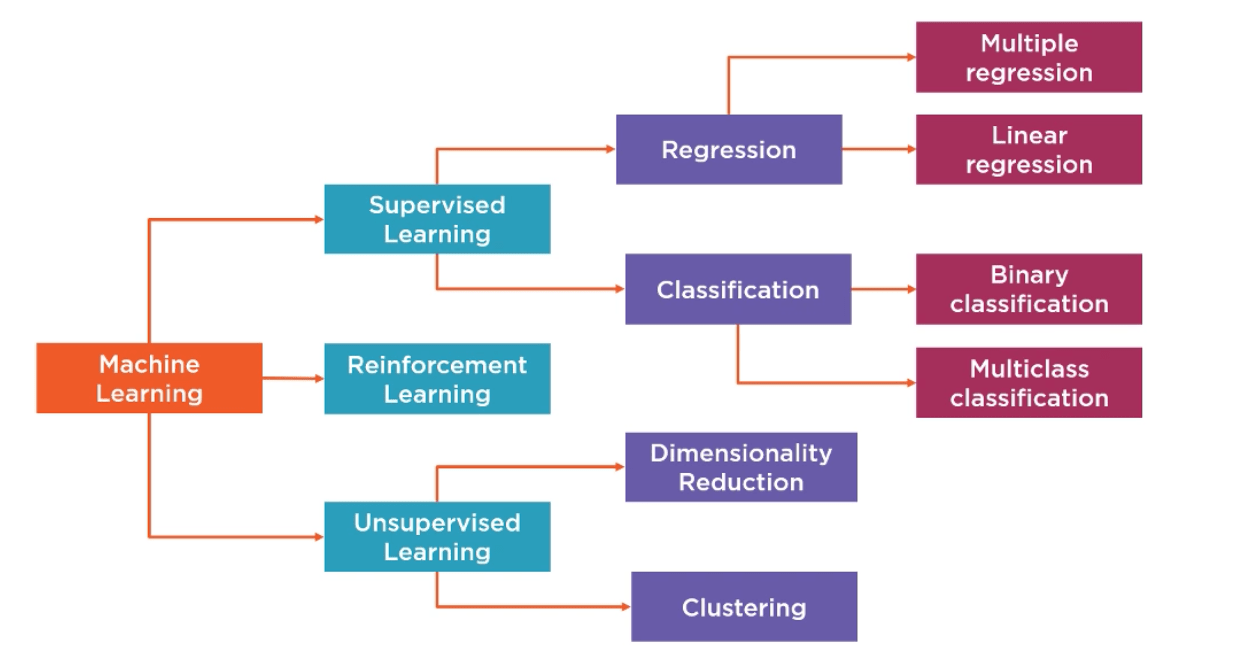
This is the kind that happens the most. You give the model labeled data, which are examples where you already know the right answer. Then it learns to guess the answers for new data that it hasn’t seen before. You have 10,000 past loan applications, and each one is either “approved” or “rejected.” You teach a supervised model to use this data to guess whether new applications will be approved or denied.
Different kinds of supervised learning problems:
- Regression is predicting a number, like the price of a house, the sales forecast, or the temperature.
- Classification is when you guess what kind of thing it is (spam or not spam, churn or no churn).
AWS SageMaker Built-In Algorithms Overview
| Algorithm | Learning Type | Best For | Input Format |
|---|---|---|---|
| Linear Learner | Supervised | Classification & Regression | CSV / RecordIO |
| XGBoost | Supervised | Classification & Regression | CSV / LibSVM |
| KNN | Supervised | Classification & Regression | CSV / RecordIO |
| Random Cut Forest | Unsupervised | Anomaly Detection | CSV / RecordIO |
Linear Learner Algorithm in SageMaker
The Linear Learner is a good place to begin for novices. The term might suggest that the algorithm is only meant for linear problems, but, in reality, it can deal with both classifications (category prediction) and regressions (value predictions). Simplified illustration: Think of yourself drawing a straight line on the graph between two clusters of dots. In simple terms, that is all that Linear Learner will do: try to identify the ideal dividing line between your results.
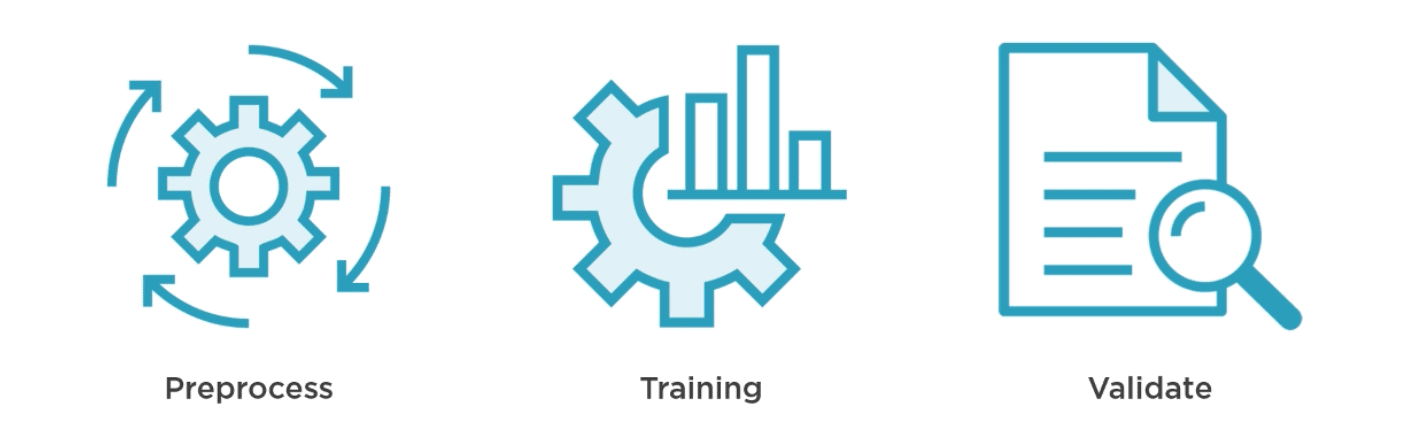
- Preprocess: Normalization occurs at this stage, scaling to make all features comparable. Think about it as transforming Celsius and Fahrenheit temperatures to one measurement scale before making comparisons. You can preprocess your data manually or use SageMaker’s automated process. Remember one thing: shuffle your data! When data is provided in a certain order (for example, all positive answers come first, and then all negative ones), your algorithm learns something wrong.
- Training: A particular type of optimization method, Stochastic Gradient Descent (SGD), is used by Linear Learner during training. You also have Adagrad or Adam as options; they are simply other techniques on how fast and smoothly your algorithm can adjust itself when learning. What makes this step unique, though, is the ability of SageMaker to train several models at once, which means you’ll always receive the optimal one without having to experiment.
- Validation: Every created model is validated using some other dataset. The best performer based on your criteria of success (e.g., accuracy) will win automatically.
Related Readings: Amazon Rekognition.
Key settings (hyperparameters) to know:
| Setting | What It Does | Where to Start |
|---|---|---|
| predictor_type | Tell it: regression, binary classifier, or multiclass | Set based on your problem |
| learning_rate | How many big steps does the model take when learning | Leave on “auto” to start |
| l1 / wd | Prevents overfitting (memorizing training data) | Start at 0; adjust if needed |
| num_models | How many parallel models to train | 32 (default) is fine |
XGBoost on AWS SageMaker
Extreme gradient boosting is an abbreviation of the name “XGBoost”. It is consistently leading ML leaderboards and ranks as one of the most popular algorithms for production ML solutions.
An easy example of how XGBoost works: Think of an expert panel where each successive expert is an improvement over the previous one since he concentrates on errors made by the former. The first expert does his best job, the next one tries to fix the errors of the previous expert, then comes the third one, and so on until they form a highly precise expert group. This is the essence of gradient boosting.
XGBoost in SageMaker benefits from:
- Non-linearity detection and interactions between features that the Linear Learner is unable to handle
- Working with noisy real-life data – with missing values, heterogeneous data, and class imbalance
- Training several metrics concurrently: accuracy, AUC, F1-score, RMSE, etc.
- Important: Choose CPUs (ml.c5), not GPUs. XGBoost needs much memory, not much computing power – GPUs are not efficient here and increase your costs.
Key settings to tune:
| Setting | What It Does | Typical Range |
|---|---|---|
| num_round | Number of trees to build | 50–500 |
| max_depth | How deep each tree grows | 3–10 |
| eta (learning rate) | How much each new tree contributes | 0.01–0.3 |
| subsample | % of data used per tree | 0.5–1.0 |
| objective | Defines what you’re optimizing for | binary: logistic, reg:squarederror |
XGBoost or Linear Learner – when should you use each? Use the Linear Learner in cases where your data is more simply related. Use the XGBoost for more complicated data, or when you are dealing with a lot of data features. A good strategy would be to set the Linear Learner up as a baseline first.
KNN & Random Cut Forest in SageMaker
KNN (K-Nearest Neighbors): KNN could be the most obvious algorithm of the entire SageMaker algorithm library. Suppose you relocate to a new city and want to understand whether a particular neighborhood suits you for a family. You consider five neighboring buildings of a house you’re going to rent. Four of the five neighbors have children in their families. Hence, this neighborhood seems to be family-friendly. This algorithm classifies new objects by looking at their nearest neighbors. K in KNN stands for how many neighbors should be considered for classification, i.e., K=5 implies you consider five neighbors and make a majority vote.
Related Readings: Amazon Kinesis Overview, Features, and Benefits
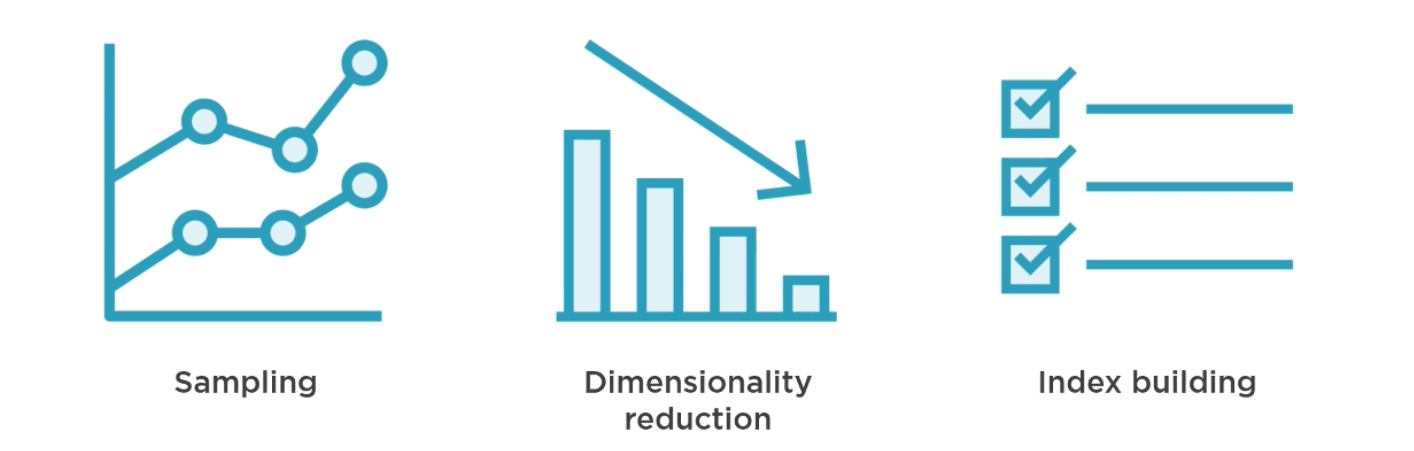
Scaling KNN with SageMaker (three stages). Pure KNN suffers from poor scalability due to inefficiency when comparing a huge number of input vectors. To solve this problem, SageMaker offers the following three steps to scale the algorithm:
- Sampling – brings down the dataset size to be efficient in terms of memory usage without losing representational capacity
- Dimensionality reduction – helps discard noise by eliminating excessive features to make subsequent comparisons more meaningful
- Index building – builds indexes so finding the top K neighbors becomes ultrafast
Use cases: good choice for recommender engines (e.g., finding other users who are similar), image recognition tasks, etc.
Related Readings: How RCF Works in AWS Sagemaker
Random Cut Forest (RCF) – The Secret Weapon of Anomaly Detection in SageMaker
This particular algorithm is exclusive to SageMaker, and it is indeed one of the most practical algorithms for a specific yet very crucial purpose, which is the detection of anomalous data points.
An analogy to help us understand better would be the classic example of an odd one out. Say we have a box with 99 red balls and 1 blue ball; the blue ball is easily identifiable because it stands out from all the others. This is precisely what RCF does mathematically.
How it Works:
- A randomly sampled set from your data is taken via an algorithm known as reservoir sampling, which can even work on streaming data.
- This is further divided into equal partitions, and each partition is assigned a different decision tree.
- These trees recursively partition their partitions and isolate data points.
- Data points that require very few splits in order to be isolated have high anomaly scores and are the outliers.
Related Readings: Amazon SageMaker Built-in Algorithms
Advantages of RCF:
- Detecting sudden increases in website traffic.
- Alerting when fraudulent transactions are occurring in real-time.
- Analyzing IoT sensor values to detect equipment failure.
- Finding anomalies within application logs.
Begin with 100 trees, as they provide a good trade-off between computational cost and accuracy on most datasets. KNN and RCF in one sentence: KNN is supervised and predicts labels based on similar previous instances. RCF is unsupervised and identifies data points that do not resemble any of its previous data points at all.
Hyperparameters and Choosing the Correct Algorithm
Parameters versus Hyperparameters: What’s the Difference?
This is one thing that confuses all beginners, but here is the most straightforward explanation possible:
Parameters are things that the algorithm learns by itself from the training dataset. They are not something you configure manually, but rather, the algorithm determines them. Examples include the weights of a neural network and the coefficients of a linear regression formula.
Hyperparameters are configurable options that need to be determined prior to the training process. They govern the process of learning, but not the end result. The hyperparameters do not change during the training process and are not stored in the trained algorithm itself. Examples include the learning rate, number of trees in XGBoost, and K in KNN.
Hyperparameter tuning on SageMaker: Instead of trying out 50 different combinations of hyperparameters, apply SageMaker AutoML. Set up the range (“test out learning rates between 0.01 and 0.3”), specify a method (a Bayesian optimization approach is advised since it is more intelligent than random search), and SageMaker will conduct several training experiments to determine the optimal combination.
| If your problem is… | Start with |
|---|---|
| Binary classification (yes/no outcomes) | Linear Learner → then try XGBoost |
| Predicting a number (regression) | Linear Learner |
| Complex patterns in structured data | XGBoost |
| Finding similar items/recommendations | KNN |
| Detecting anomalies or outliers | Random Cut Forest |
| Reducing too many features | PCA (another SageMaker built-in) |
Related Readings: Data Engineering With AWS Machine Learning.
In this blog, you have learned the machine learning life cycle, understood the built-in algorithms offered by SageMaker, and the fundamentals of Hyperparameter. These topics are covered in the Modeling with AWS Machine Learning section in the AWS Certified Machine Learning course.
Frequently Asked Questions
What are the built-in algorithms in AWS SageMaker?
AWS SageMaker provides more than 18 built-in algorithms for both supervised and unsupervised learning. Some of the most popular built-in algorithms are Linear Learner, XGBoost, KNN, Random Cut Forest, K-Means, PCA, and DeepAR (time series forecasting). These built-in algorithms are pre-optimized for use with AWS infrastructure.
What is Linear Learner in AWS SageMaker?
Linear Learner is a supervised learning algorithm for classification and regression. This algorithm creates many models in parallel by applying stochastic gradient descent and selecting the best performing model among all models according to your validation metrics. Linear Learner is extremely efficient and scalable. This algorithm is a very good choice for any problem with structured data.
How should I choose between XGBoost and Linear Learner?
If there is a fairly simple relationship between the input features and the output labels, then you should consider Linear Learner. Otherwise, if there is a more complex relationship between the input and the output, then you can try XGBoost. Best practice suggests that you should use Linear Learner as a benchmark.
Is it worthwhile getting AWS Machine Learning Certification?
Yes, especially for those who are working in the field of data science, ML engineering, and cloud architecture. This is one of the more challenging certifications offered by AWS, and those who earn it have a higher chance of job security and better negotiation power in terms of salary.
What is the process of deploying a machine learning model on AWS?
Once the training is complete, you can deploy the model using the deploy() function. This deploys the model into a managed endpoint. It manages the servers automatically along with the scaling and load balancing services. In case of large batch prediction without real-time, you can use the SageMaker Batch Transform.
Next Task For You
Do not miss our FREE training on generative AI on the AWS Cloud!
This training program is ideal for you if you are gearing up to take the AWS Certified AI Practitioner (AIF-C01) exam. In this session, learn about AI, ML, deep learning, and generative AI on AWS through real-life applications.
Reserve your FREE seat now and start your AWS Generative AI journey.