




In this post, will cover Prerequisite and Steps to Deploy Process in Dell Boomi Platform.
Prerequisite:
- One should have an account on Dell Boomi Platform.
- One should have a local/cloud atom configured.
Below are the Steps one need to follow to Deploy your Boomi Process:
Step 1: Login Dell Boomi Platform using below link: https://platform.boomi.com/
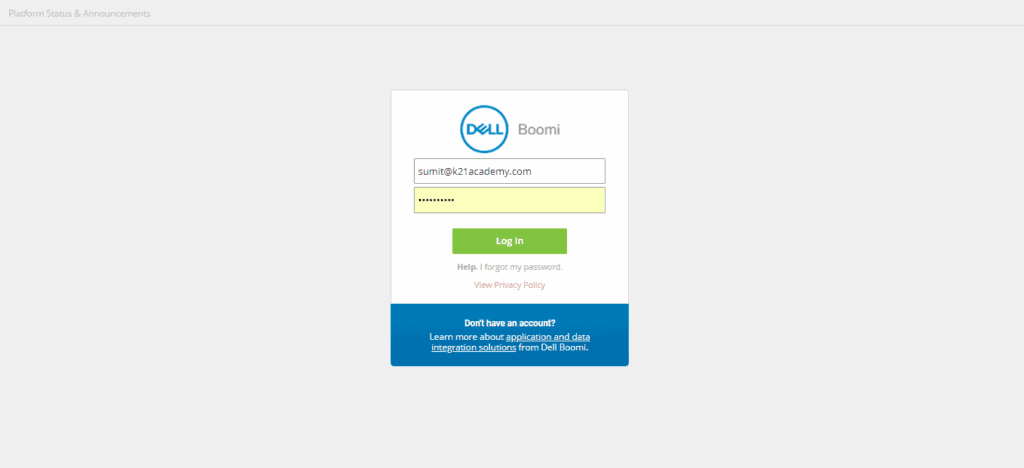
Step 2: Enter valid Credentials and hit login button.
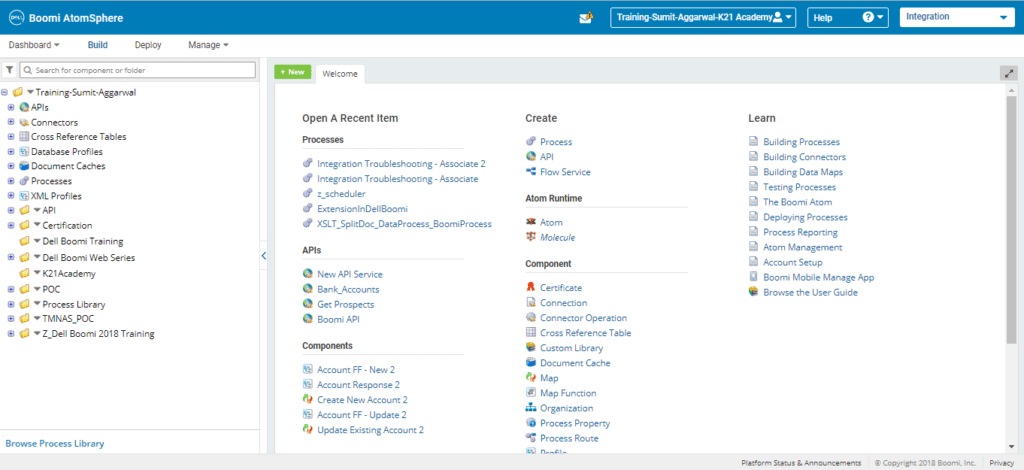
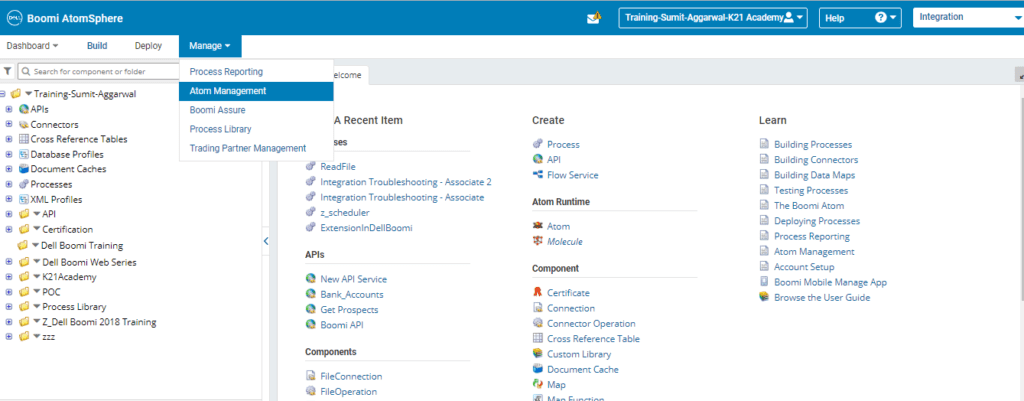
Step 3: Go to the Atom Management under Manage tab.
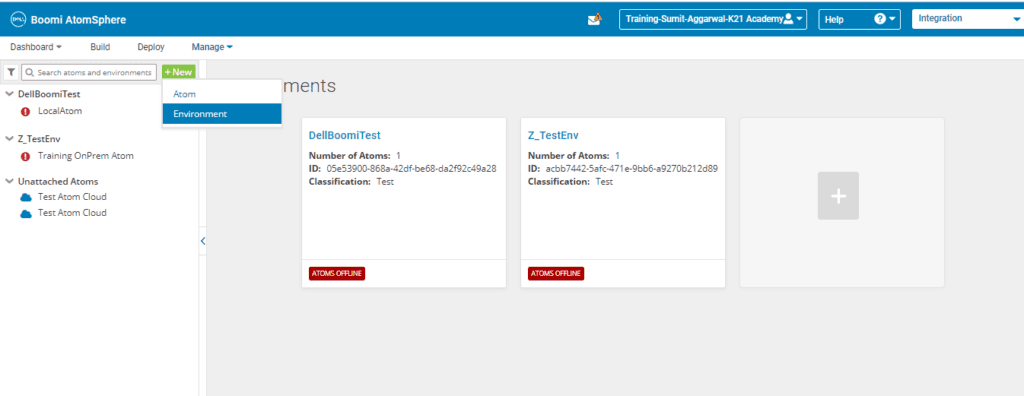
Step 4: Click on the New button and select Environment.
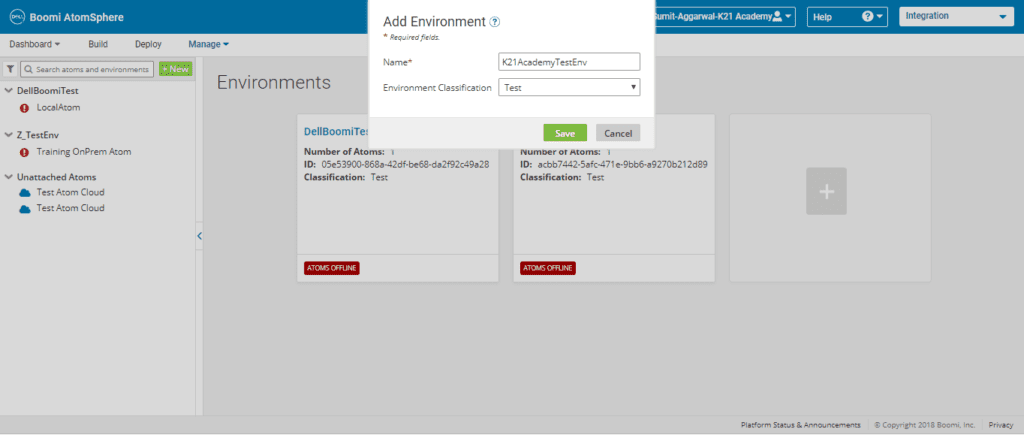
Step 5: Add the relevant name for the Environment Name and select Test in the Environment Classification.
A new environment gets created as highlighted below.
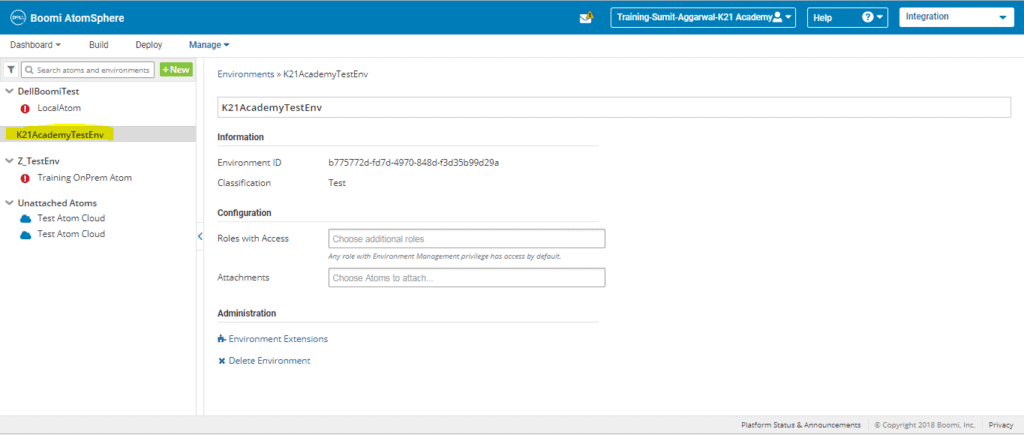
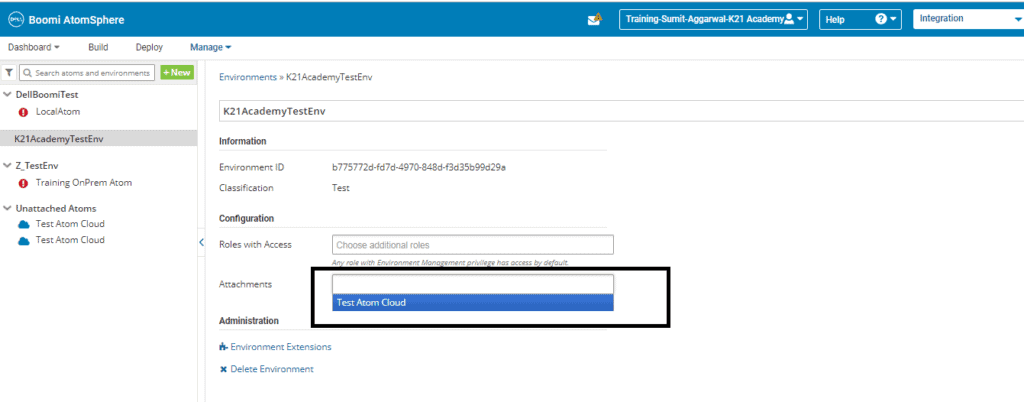
Step 6: In the attachment section highlighted in below screenshot select the atom on which you want to deploy the process.
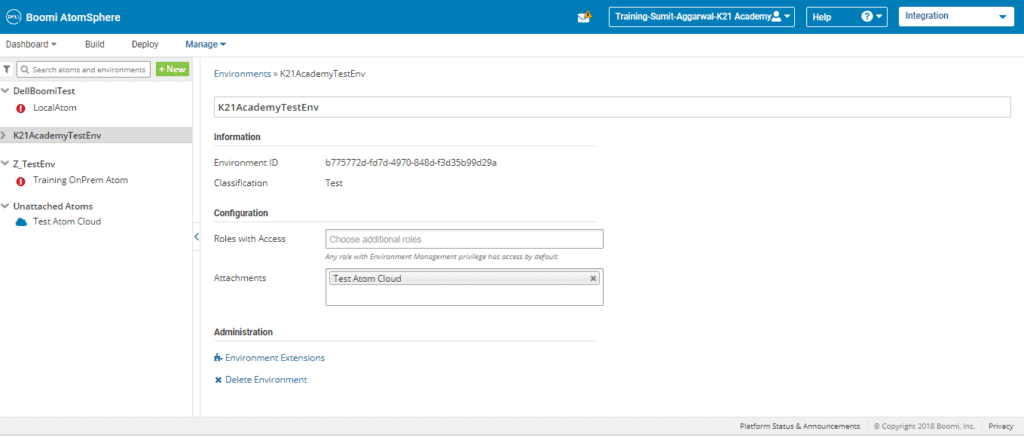
Atom gets attached to the environment as shown below.
Step 7: Switch back to the Build and open the process you want to deploy.
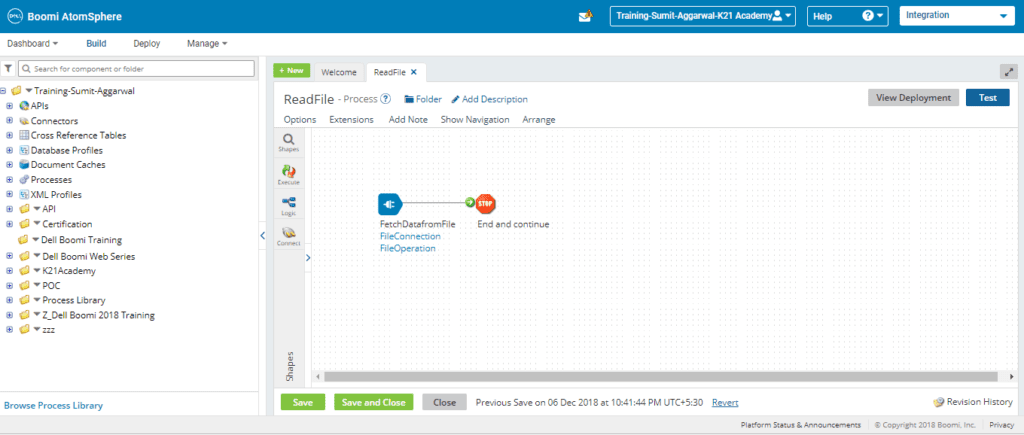
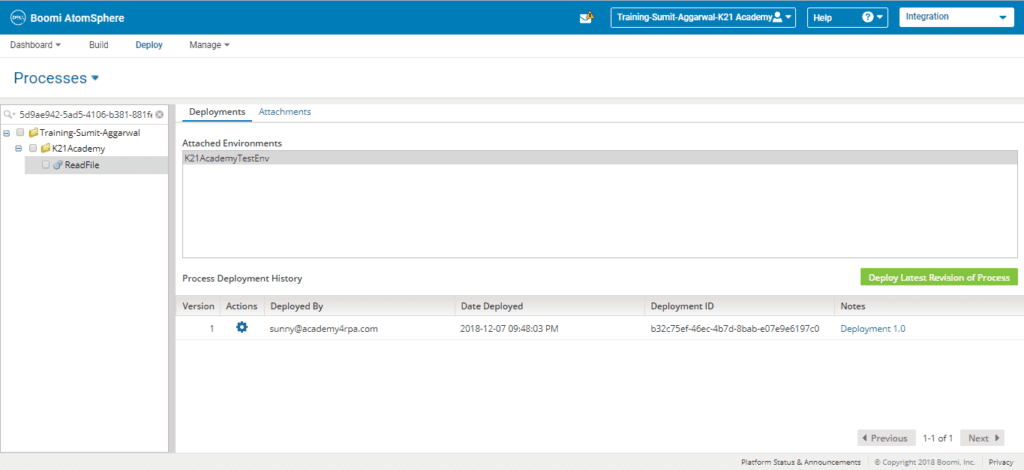
Step 8: Click on the View Deployment button on the top right side. You will be directed to Deploy tab.
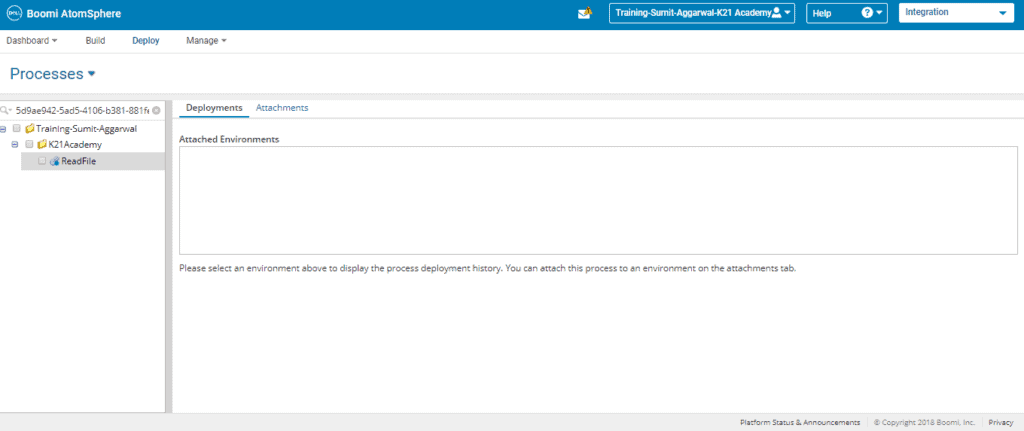
Step 9: Click on the attachments tab.
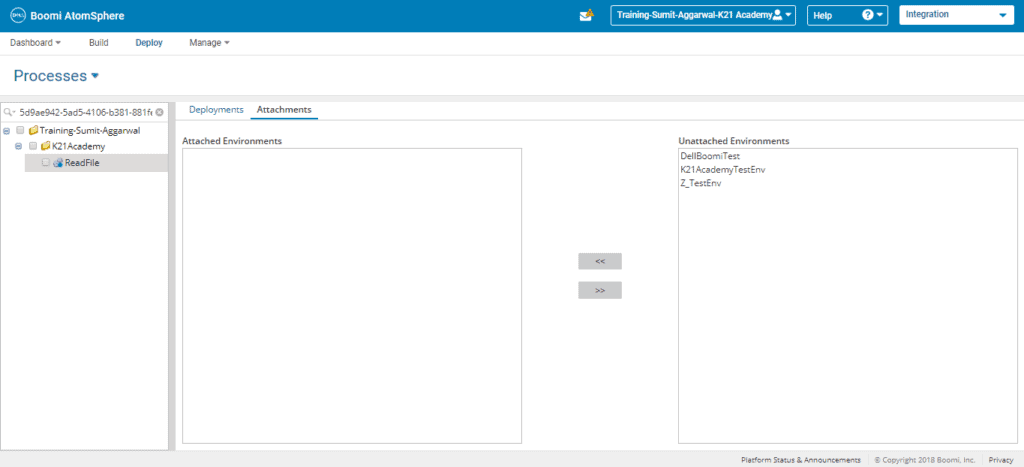
Step 10: Move the environment created in earlier steps to Attached Environments.
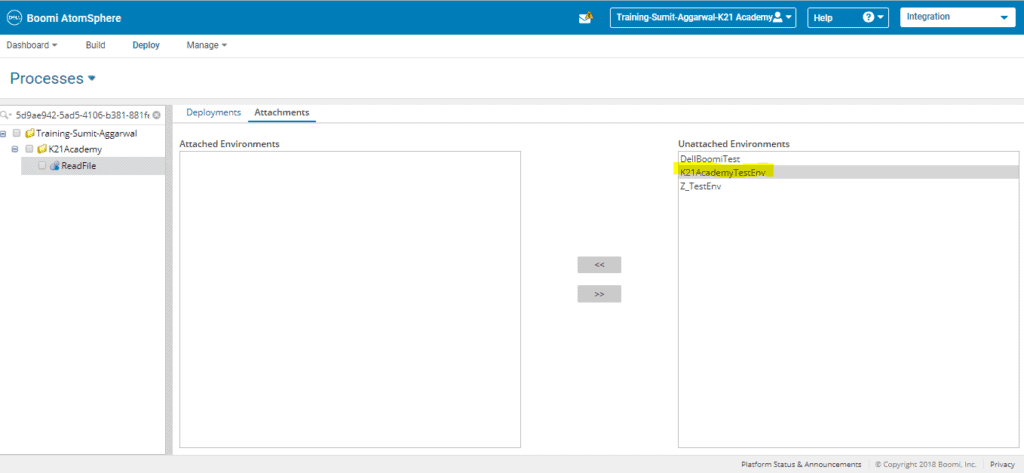
Step 11: Switch back to Deployments tab.
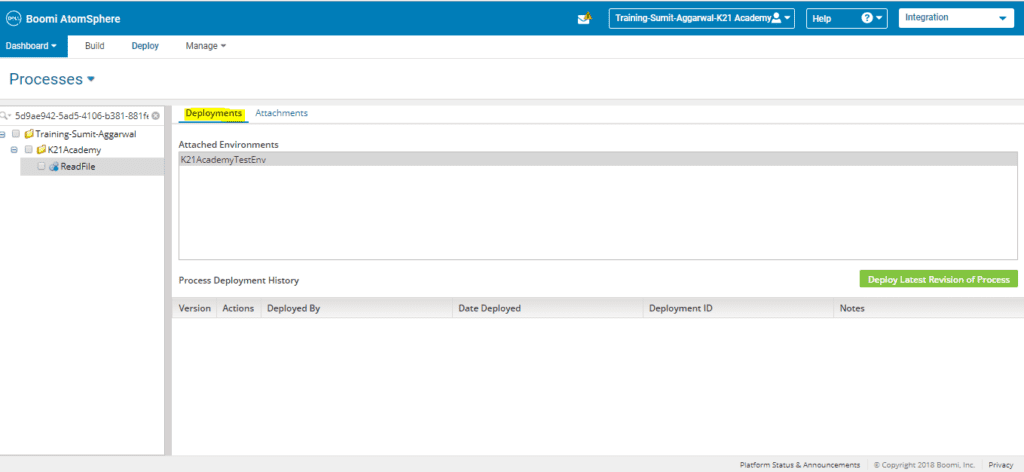
Step 12: Click on the Green colored button Deploy Latest Revision of Process and add relevant Deployment Notes.
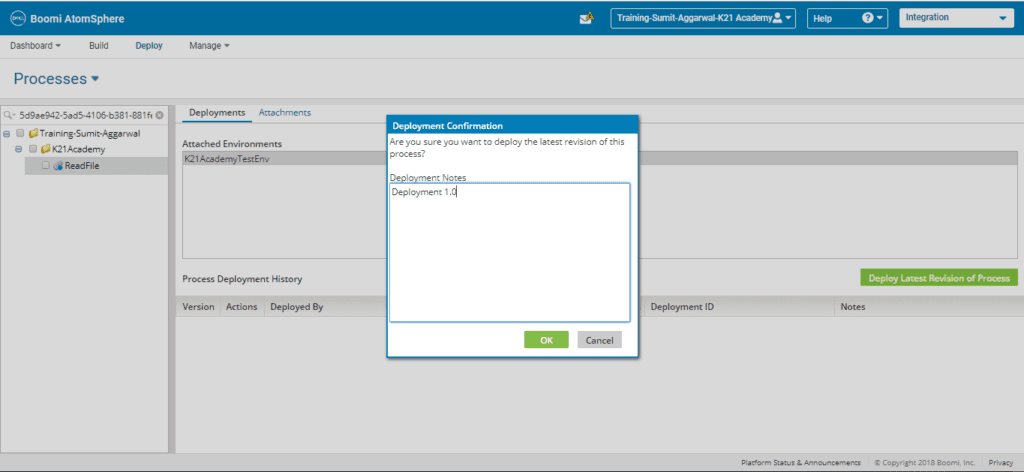
Step 13: Click on Ok and deployment gets finished.
So, this is about the Prerequisite and Steps to Deploy Process in Dell Boomi Platform.
Related Posts:
- Terminologies Every Dell Boomi Developer Must Know , Click Here
- Steps for Local Atom Installation of Dell Boomi Platform , Click Here
- Four Key Points About Dell Boomi AtomSphere Platform , Click Here
- Build your first Dell Boomi Process in 5 min , Click Here
- Unique Features of Dell Boomi Platform , Click Here
If you have not downloaded FREE eBook – 6 Docs Every Dell Boomi Developer Must Read yet, kindly Register and Get a copy in your Email inbox.

Did You Find this Blog useful?
Leave a Comment.

![Microsoft Agentic AI Business Solutions Architect [AB-100] | K21 Academy](https://k21academy.com/wp-content/uploads/2025/11/Microsoft-Agentic-AI-Business-Solutions-Architect-AB-100-Exam-Overview1.png)