




Docker images are essential for deploying modern applications, but they can have security problems. It’s important to know about these issues and how to fix them to keep your DevOps processes safe. This blog explains what security problems can occur in Docker images, why they are important, and how you can use a tool called Trivy to check and secure your Docker images.
- Docker Image
- What is a Vulnerability?
- Docker Image Vulnerabilities
- Scan Docker Image Vulnerabilities
- Trivy Scanner for Docker Image Scanning
- Open-Source Docker Security Tools
- Secure Docker Container Images
- Conclusion
Docker Image
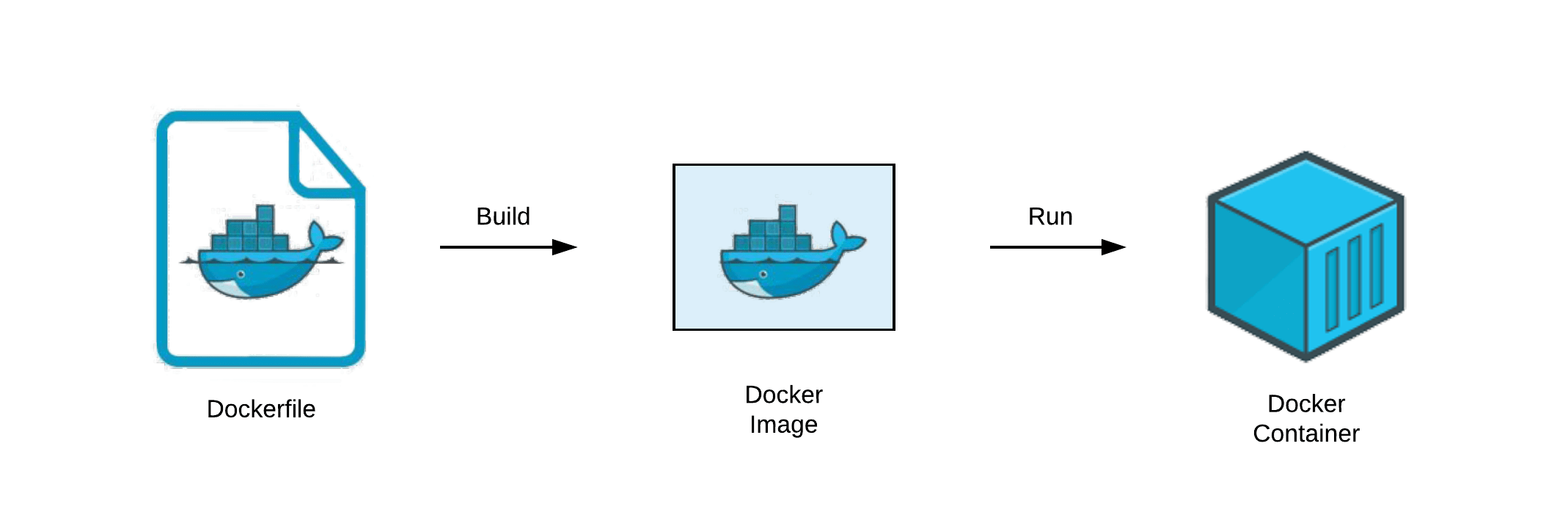 A docker image is like a blueprint used to create a docker container. These images can be built on our own by defining the requirements in a Dockerfile. The images have at least one layer of a base image and other layers are piled up as mentioned in the Dockerfile. Once it is created by running the Docker run command on a Dokerfile, it becomes immutable. It consists of source code, tools, dependencies, libraries, and other files needed for an app to run.
What is a Vulnerability?
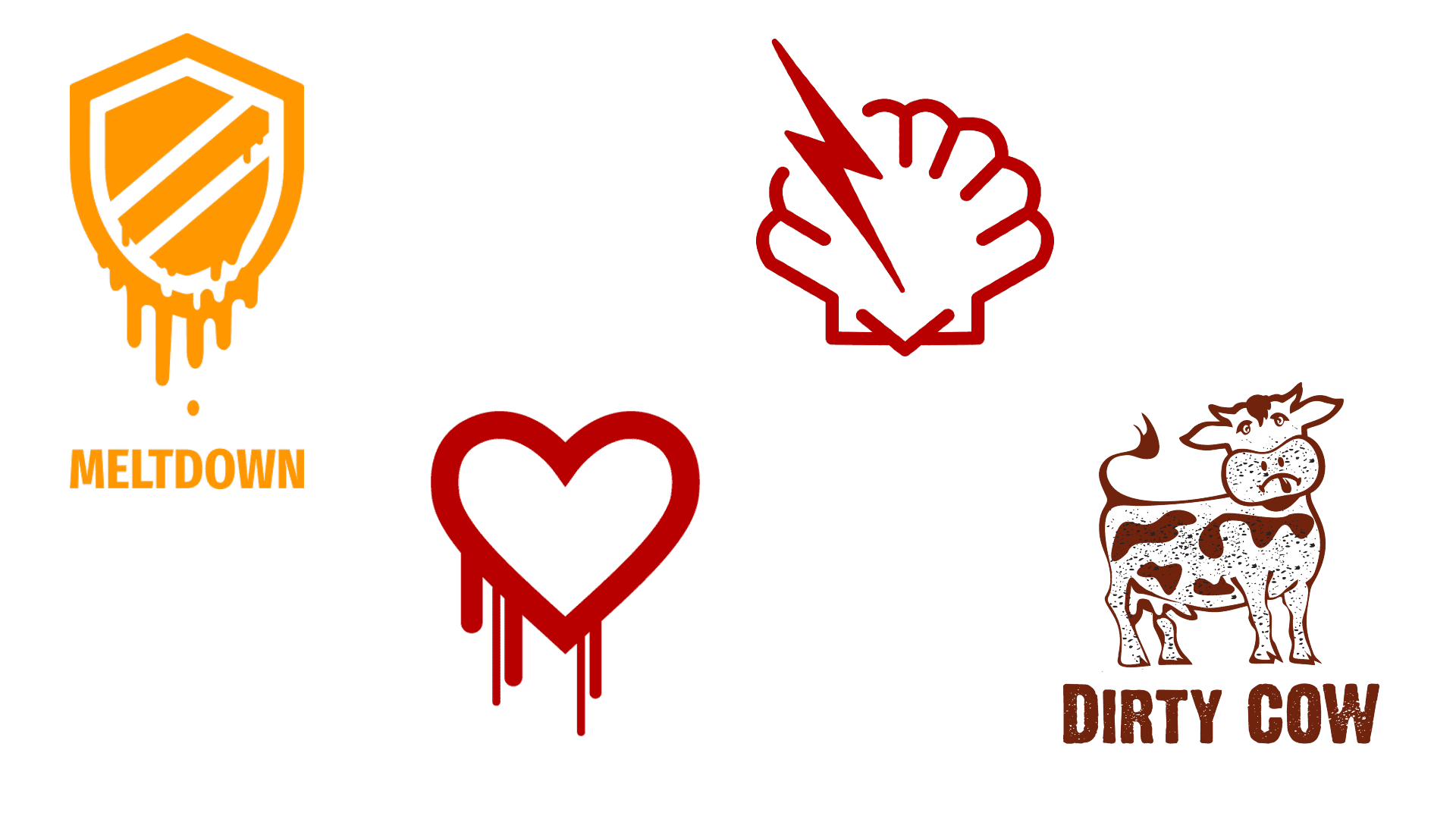 Wikipedia describes Vulnerability as a weakness that can be exploited by a threat actor, such as an attacker, to cross privilege boundaries within a computer system. The most famous vulnerability ID is CVE (Common Vulnerability and Exposure), know everything about it from here. To add to that, some of the names of common vulnerabilities are Meltdown, Heartbleed, Shellshock, and Dirty COW.
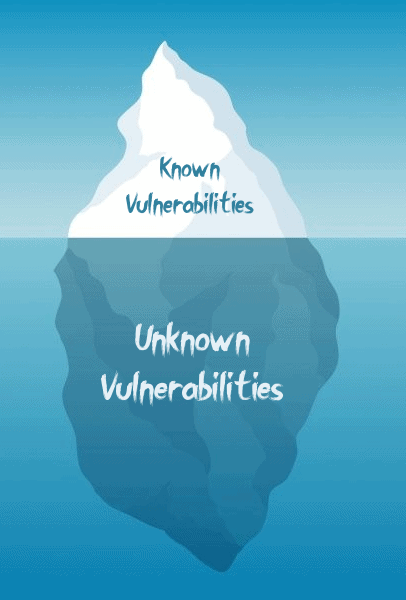 The two types of vulnerabilities are known and unknown. In detail, Known Vulnerabilities are the ones that are already found out and assigned CVE ID. Whereas the Unknown Vulnerability is where it is not disclosed yet. Hence there are two types of scanners, a scanner identifying components with known vulnerabilities. For example Trivy, Clair, Aqua. In addition to that, we also have an unknown vulnerability scanner like OWASP ZAP, OSS-Fuzz.
Also Check: How to Install Docker Compose. Click here
Docker Image Vulnerabilities
 We know containers are bossing a lot of the older technologies in application development. It indeed is exemplary and does it mean it is flawless? Nope, as per the best practices, we never should make assumptions. The Docker images do possess vulnerabilities and are not secure by default. The vulnerabilities might because of the packages installed in the image, libraries used by the user, or even the base image. Nonetheless, most of these issues are easily resolvable.
According to Prevasio, a security startup more than half of the latest images available on DockerHub have critical vulnerabilities. These might be from outdated software, while thousands of images are attack tools or other potentially harmful software. To add on to that according to an analysis of 4 million images published as of 1st of December 2020.
Scan Docker Image Vulnerabilities
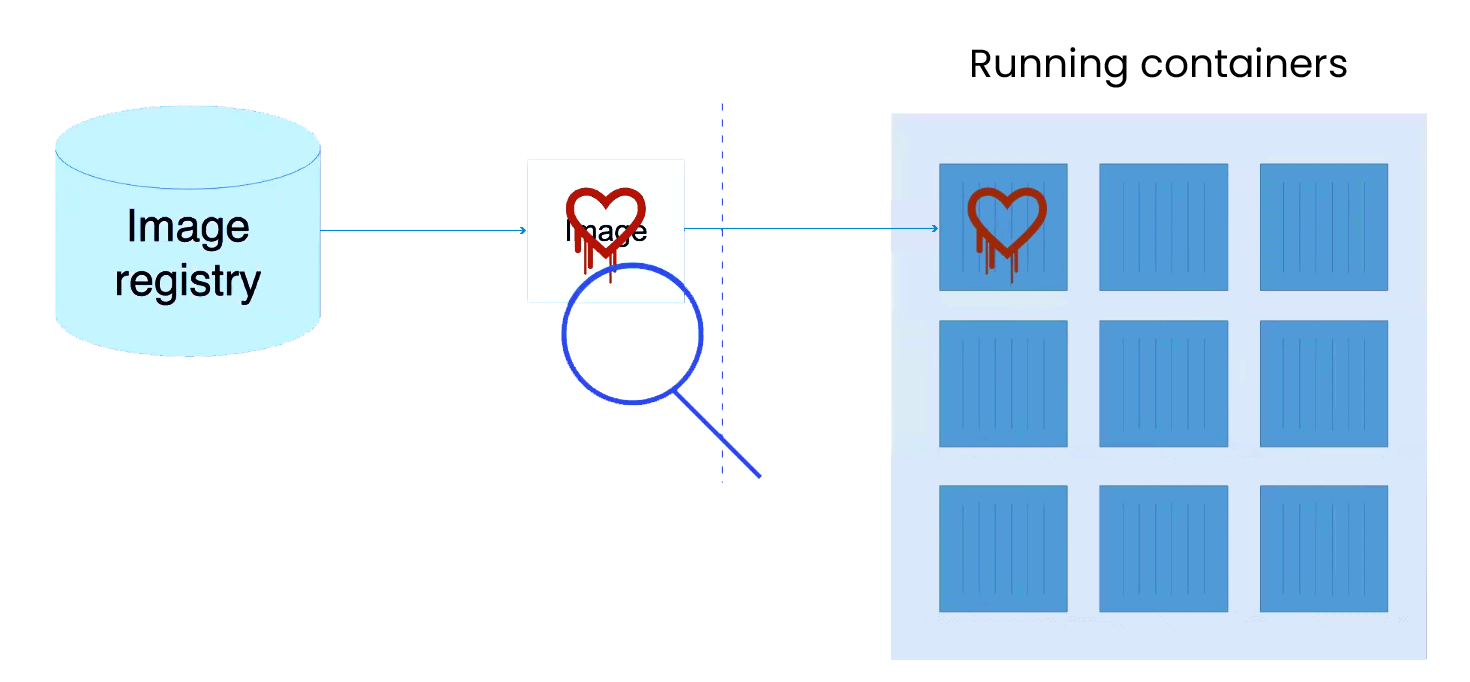 Docker image scanning is a process of identifying known security vulnerabilities in the packages of your Docker image. This gives you the opportunity to find vulnerabilities in container images and fix them before pushing the image to a registry or running them as a container. Docker provides us with a scan command. In addition to that, there are a lot of other open-source tools as well. Let us look at how to scan the Docker Images using a tool called Trivy.
The tools identify the package and version in the image, also cross-references with the vulnerability database. In detail, these vulnerabilities are platform-specific and since there are a lot of image Linux distros it indeed becomes a mammoth task. Not to forget, the vendor’s backport security fixes too.
Trivy Scanner for Docker Image Scanning
 Trivy is an open-source and simple and comprehensive vulnerability Scanner for containers and other artefacts. Trivy was developed in the year 2019 by Aqua Security. It detects vulnerabilities of OS packages and also application dependencies. Before pushing to a container registry or deploying your application, you can scan your local container image and other artefacts easily. Hence, this gives you the confidence that all is well with your application without more stressful configurations to use like other scanners.
Features of Trivy Scanner
Trivy holds the following features that you will enjoy using it:
- Easy installation – apt, yum, apk, Bundler, Composer, pipenv, Poetry, etc.
- Highly Accurate
- Detect comprehensive vulnerabilities
- Simple – Specify only an image name or artefact name
- Quick – The first scan will finish within 10 seconds (depending on your network). As the consequent scans will finish in single seconds
- DevSecOps – Appropriate for CI such as Jenkins, Travis CI, GitLab CI, etc
- Support multiple formats – Including container image, local filesystem, remote git repository
Installation of Trivy Scanner
Trivy can be installed in various ways, we will see how we are going to install it from a script by running the below commands:
$ cd /usr/local/bin
$ curl -sfL https://raw.githubusercontent.com/aquasecurity/trivy/main/contrib/install.sh | sh -s -- -b /usr/local/bin v0.16.0
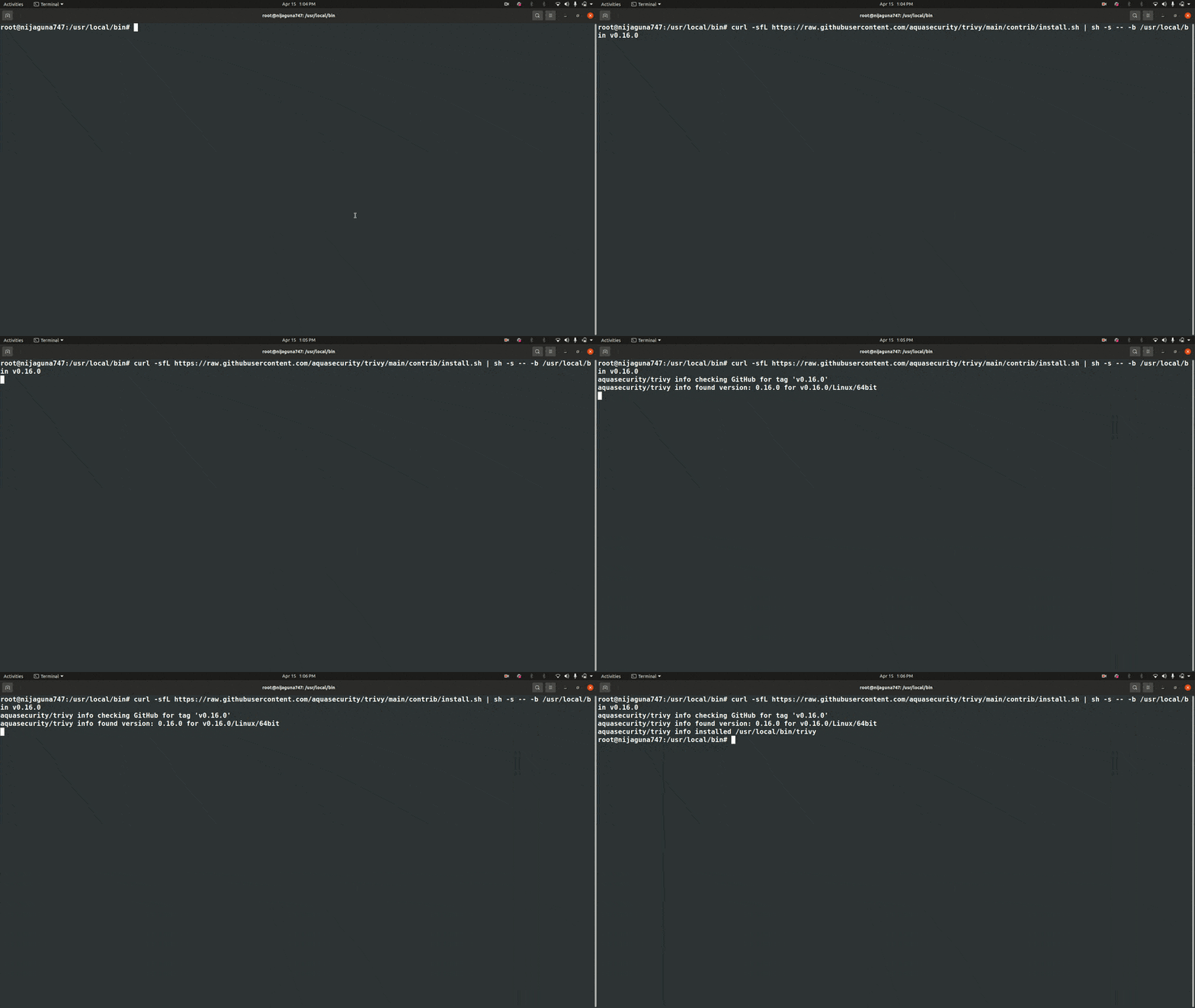
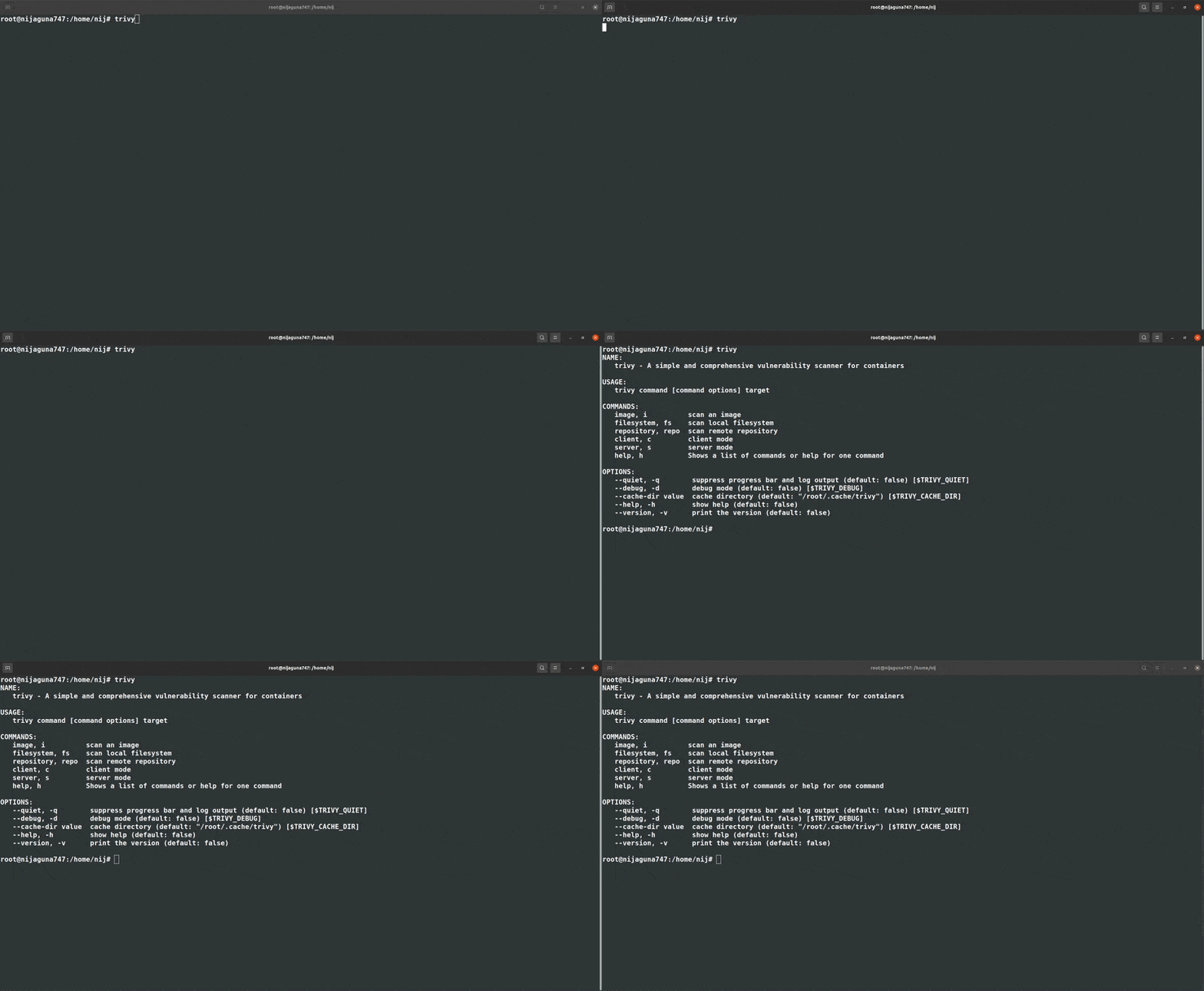
To check run the below command, on successful installation you will get the following output:
$ trivy
Scan Docker Image Using Trivy Scanner
Now let us scan an image for vulnerability in it. In the below scan we are going to scan an nginx image of version 1.19.6. Therefore perform the below command:
$ trivy image nginx:1.19.6
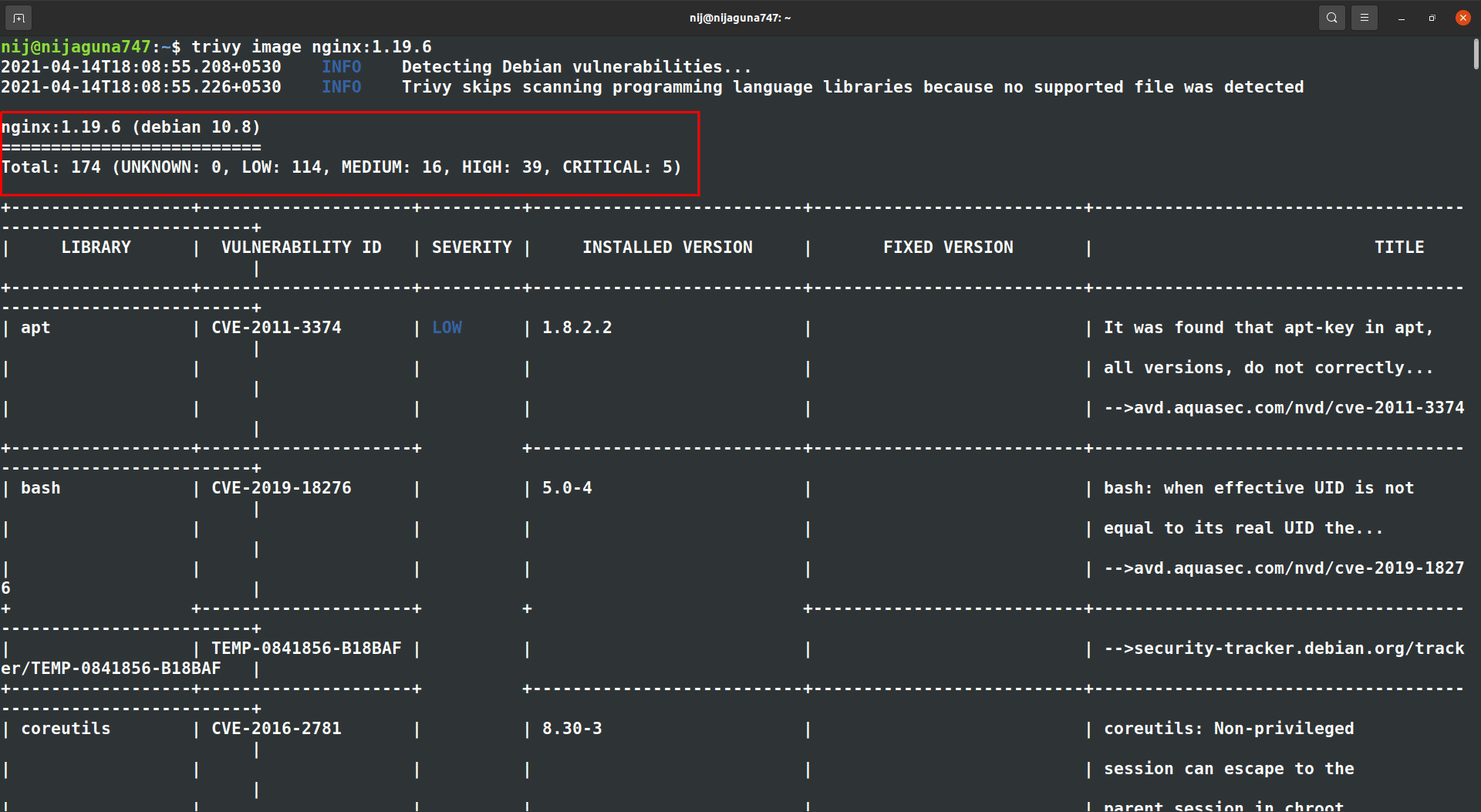
As we can see from the above output, there are a total of 174 vulnerabilities as of the time of scanning (UNKNOWN: 0, LOW: 114, MEDIUM: 16, HIGH: 39, CRITICAL: 5).
Let us now check for a secure image, perform the below command for the nginx image.
$ trivy image nginx:1.19.9-alpine
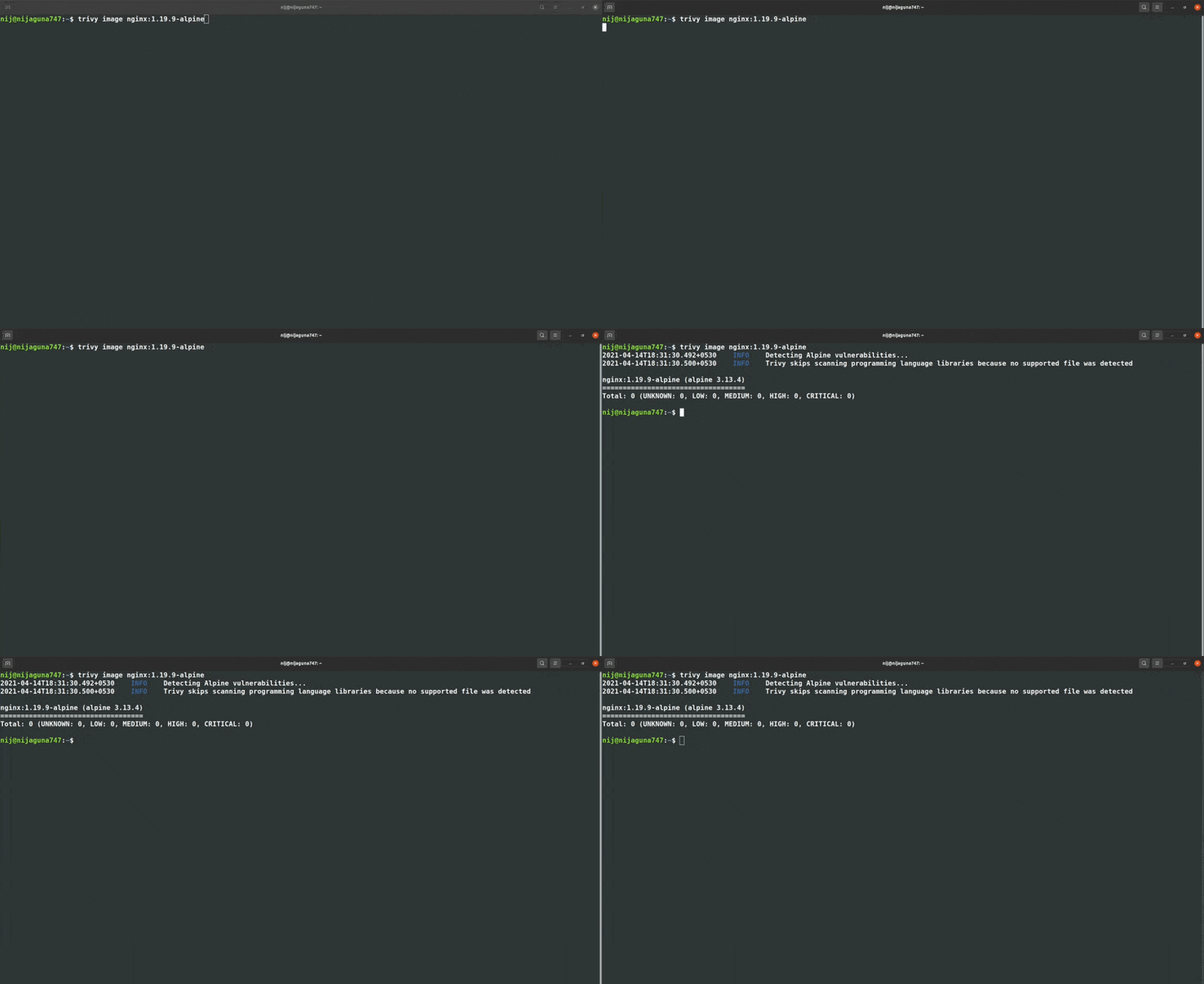
I guess you have figured it by now, in order to scan an image of your choice using the below command:
$ trivy image [YOUR_IMAGE_NAME]
Trivy as a Docker Container
If you were thinking of containerizing Trivy tool, the solution to that is here. Therefore, now we will look at how to run it as a container. Thus, let us pull the image from the repository by using the below command:
$ docker run ghcr.io/aquasecurity/trivy:latest
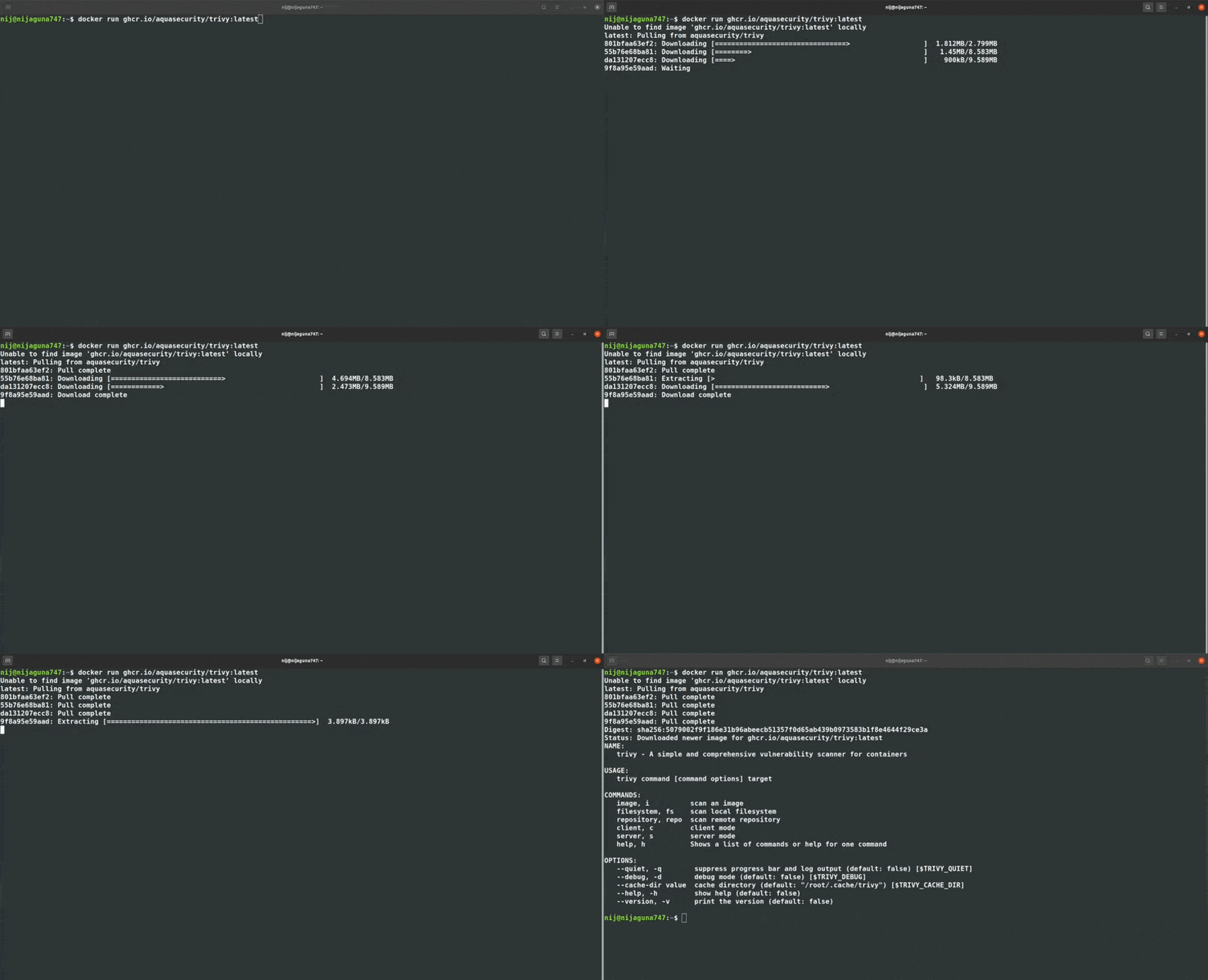
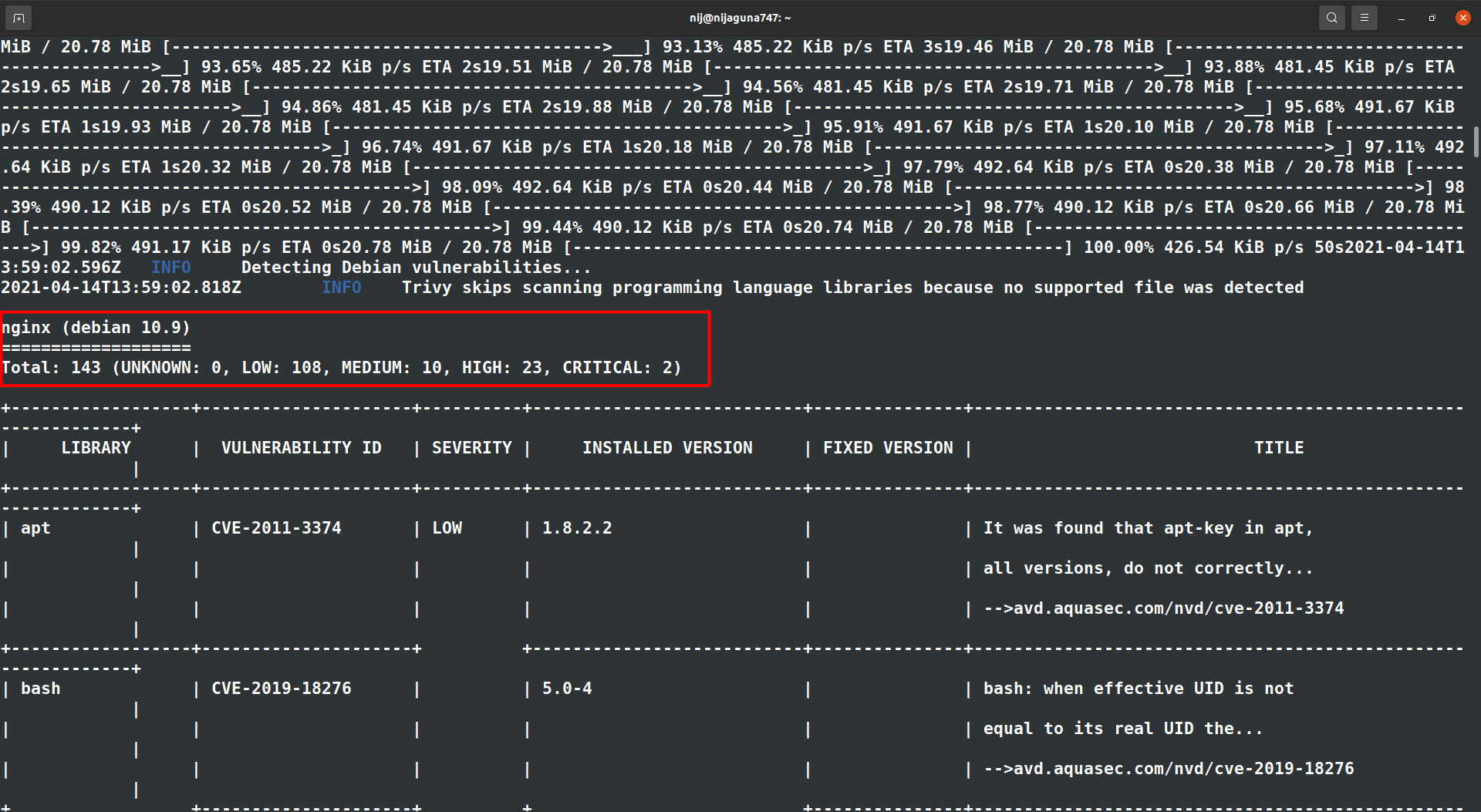
Next, we will scan an image by running the Trivy tool as a docker container and check out the vulnerabilities in the latest nginx image. In order to do so, run the below commands:
$ docker run ghcr.io/aquasecurity/trivy:latest image nginx
Check Out: Docker Tutorial for Beginners. Click here
Open-Source Docker Security Tools
Most of us know how was the Kubernetes Cluster’s security was breached at Tesla! On the other hand in container security, there are a lot of open-source tools available to examine your containers and make them rigid against attacks. But the container security is not as easy as it may sound but is a bit tricky.
Nobody wants to run their application on an insecure container right? There are the commercial ones which are managed by the companies. On the other hand, you are in no short of the open-source tools either. Most of these tools focus on auditing, tracking CVE databases and benchmarks established by CIS, the National Vulnerability Database, and other bodies. Tools then scan the docker image, reveal its contents, and compare the contents against these manifests of known vulnerabilities.
While there are a lot of open-source container security options to choose from, here are the best, most mature ones with the largest user communities.
- Docker Bench for Security
- Clair
- Cilium
- Anchore
- OpenSCAP Workbench
Secure Docker Container Images
Deploying an application in an insecure environment is a big no-no, hence you just cannot ignore the first level of containerizing an application: The Docker Image! Therefore, take a look at some of the best practices and tips that you should follow in order to build a secure and rigid environment for application deployment.
- Choosing the right base image
- Remove Exploitable and Non-Essential Software
- Use multi-stage builds
- Rebuilding images
- Scanning images during development
- Scanning containers during production
- Vulnerability Management
Conclusion
Docker image security issues are a big deal in any DevOps process, but with tools like Trivy, you can easily find and fix these problems. By using Trivy regularly, keeping up with new security threats, and following good security practices, you can keep your containerized applications safe.
Frequently Asked Questions
What are Docker Image vulnerabilities?
Docker Image vulnerabilities are security weaknesses in the software components, libraries, and dependencies packaged within a Docker image. These vulnerabilities can be exploited by attackers to gain unauthorized access, cause service disruptions, or compromise data.
Why is it important to scan Docker Images for vulnerabilities?
Scanning Docker Images for vulnerabilities is crucial to ensure that the images used in your environments are secure and free from known security flaws. This helps in preventing potential security breaches, maintaining compliance with security standards, and protecting the integrity of applications.
What is Trivy?
Trivy is a simple and comprehensive open-source vulnerability scanner for containers. It scans Docker Images for known vulnerabilities in the operating system packages and application dependencies. Trivy can also scan Infrastructure as Code (IaC) files, Kubernetes manifests, and more.
How does Trivy work?
Trivy works by retrieving a database of known vulnerabilities and comparing them against the components within your Docker Images. It checks the operating system packages, libraries, and dependencies for any known issues and provides a detailed report of the findings.
Can Trivy be integrated into CI/CD pipelines?
Yes, Trivy can be integrated into CI/CD pipelines. It supports integrations with popular CI/CD tools like Jenkins, GitLab CI, GitHub Actions, and more, allowing automated vulnerability scanning as part of the build and deployment processes.
Related Post
- Kubernetes for Beginners
- Kubernetes Architecture | An Introduction to Kubernetes Components
- Install Docker on Windows, Ubuntu and Mac: A Complete Step-by-Step Guide
- How To Setup A Three Node Kubernetes Cluster For CKA: Step By Step
- Visit our YouTube channel on “Docker & Kubernetes”
- Certified Kubernetes Administrator (CKA) Certification Exam: Everything You Must Know
- Certified Kubernetes Administrator (CKA) Certification: Step By Step Activity Guides/Hands-On Lab Exercise
Next Task For You
Discover the Power of Kubernetes, Docker & DevOps – Join Our Free Masterclass. Unlock the secrets of Kubernetes, Docker, and DevOps in our exclusive, no-cost masterclass. Take the first step towards building highly sought-after skills and securing lucrative job opportunities. Click on the below image to Register Our FREE Masterclass Now!