14 modules. 60+ labs.
Built for the job.
The curriculum follows how AWS infrastructure is built and run in real companies: identity, storage, compute, networking, databases, automation, security, DevOps, containers and migration.
Every module includes hands-on labs you do in your own AWS account. Open a module to see all its lessons and labs.
FoundationsModule 0: Getting Started on AWS Cloud
A tour of AWS: global infrastructure, the core service families, and how to access AWS. You set up your account, billing alerts and your first Linux and Windows machines.
15 lessons · 8 labs · 1 Q&A
M00Getting Started on AWS Cloud
▼- Module & Cloud Overview
- AWS Overview Comparison
- AWS Global Infrastructure: Regions & AZs
- AWS Services
- IAM Users, Groups, Policies & Roles
- Compute (EC2, Lambda, ECS, EKS, Fargate)
- Storage Services (Block, Object, File: S3, EBS)
- Network Services (VPC, Subnet, Gateway, Load Balancer)
- Database Services (RDS, DynamoDB, ElastiCache)
- Automation & Configuration (CloudFormation)
- Audit & Monitoring (CloudWatch, CloudTrail)
- Application Services (SNS, SES, SQS, SWF)
- DevOps Tools (CodeCommit, CodeBuild)
- AWS Architecture Overview
- Ways to Access AWS
- ⚡ Lab: Create an AWS Cloud Account
- ⚡ Lab: Create CloudWatch Billing Alerts
- ⚡ Lab: Managing AWS Costs (AWS Budgets & Credits)
- ⚡ Lab: Create & Connect a Linux Machine on AWS
- ⚡ Lab: Create a Windows Machine on AWS
- ⚡ Lab: Install & Configure AWS CLI
- ⚡ Lab: Create an Ubuntu EC2 Instance on AWS
- ⚡ Lab: Create an IAM User with Administrator Access
- ❓ Q&A: AWS Services Categorized by Cloud Service Model
SecurityModule 1: Identity & Access Management (IAM)
Manage who can access what in AWS: IAM components, roles, federation and SSO, AWS Organizations, Cognito and KMS.
11 lessons · 3 labs · 2 Q&A
M01Identity & Access Management (IAM)
▼- Identity and Access Management (IAM)
- IAM Components
- IAM Roles
- IAM Federation & SSO
- IAM Best Practices
- IAM Delegation & Audit
- AWS Organizations
- Amazon Cognito
- Accessing Billing
- IAM Roles and Instance Profiles
- AWS Key Management Service
- ⚡ Lab: Working with AWS IAM
- ⚡ Lab: Enable Multi-Factor Authentication
- ⚡ Lab: IAM Power User Setup
- ❓ Q&A: Inline vs customer-managed policies
- ❓ Q&A: Lost your authenticator app? How to reset MFA
StorageModule 2: AWS Storage Services
Store and deliver data with S3, Glacier, EBS, EFS and FSx: bucket policies, versioning, replication, storage classes, CloudFront, Snow Family and DataSync.
15 lessons · 10 labs
- Object Storage Options
- Simple Storage Service (S3)
- S3 Bucket Policy
- Amazon S3 ACL
- S3 Object Versioning
- Cross-Region Replication
- S3 Transfer Acceleration
- Storage Classes
- Requester Pays & Object Lock
- Content Delivery Network
- AWS Snow Family
- AWS Storage Gateway
- S3 Glacier Vault & S3 Object Lock
- S3 Batch Operations
- AWS DataSync
- ⚡ Lab: Create an S3 Bucket, Upload Files & Access
- ⚡ Lab: S3 Cross-Region Replication
- ⚡ Lab: Lifecycle Management on an S3 Bucket
- ⚡ Lab: Deliver Content Faster with Amazon CloudFront
- ⚡ Lab: Enable Data Transfer Acceleration
- ⚡ Lab: Create & Manage EBS Volumes & Snapshots
- ⚡ Lab: Attach & Mount EBS Volumes to Linux EC2
- ⚡ Lab: Attach & Mount EBS Volumes to Windows EC2
- ⚡ Lab: Create & Mount EFS on EC2 Instances
- ⚡ Lab: Create a Windows File System with Amazon FSx
ComputeModule 3: AWS Elastic Compute Cloud (EC2)
Deploy and run EC2 instances: AMIs, key pairs, security groups, purchasing options and placement groups, then make them resilient with load balancing and Auto Scaling.
19 lessons · 3 labs
M03AWS Elastic Compute Cloud (EC2)
▼- Amazon EC2 & Tags
- Metadata & User Data
- Amazon Machine Image (AMI)
- Key Pairs
- AWS Security Groups
- EC2 Hardware Tenancy
- EC2 Purchasing Options
- EC2 Networking Layer
- EC2 Placement Groups
- Load Balancer
- Features of Load Balancer
- Elastic Load Balancer
- Features of Elastic Load Balancer
- Health Checks
- Types of Load Balancer
- Load Balancer Troubleshooting
- Cross-Zone Load Balancing
- Auto Scaling
- Auto Scaling Policies
- ⚡ Lab: Launch EC2 Instances & Configure Security Groups
- ⚡ Lab: Set Up Load Balancers for EC2 Instances
- ⚡ Lab: Implement Auto Scaling for EC2 Instances
NetworkingModule 4: AWS Networking Services
Design cloud networks: VPCs, subnets, route tables, NAT, peering, endpoints, Transit Gateway, VPNs, Direct Connect and Route 53.
20 lessons · 6 labs
M04AWS Networking Services
▼- AWS Default Infrastructure
- IP Addressing
- Virtual Private Cloud (VPC)
- Private & Public Subnets
- Internet Gateway
- Route Table
- Security Groups & NACLs
- Network Address Translation
- NAT Gateway & NAT Instance
- VPC Peering
- Bastion Host
- VPC Endpoint
- VPC Flow Logs
- Transit Gateway
- VPN – Virtual Private Network
- Client VPN
- Site-to-Site VPN
- AWS VPN CloudHub
- AWS Direct Connect
- Amazon Route 53
- ⚡ Lab: Create a Custom Virtual Private Cloud
- ⚡ Lab: Work with VPC Peering Connections
- ⚡ Lab: AWS Elastic IP
- ⚡ Lab: Set Up Client-Side VPN
- ⚡ Lab: Register a GoDaddy Domain & Map It with Route 53
- ⚡ Lab: Working with Transit Gateways
OperationsModule 5: AWS Monitoring Services
Watch your environment with CloudWatch, CloudTrail, AWS Config and Trusted Advisor, and trigger automated actions from events.
8 lessons · 3 labs
M05AWS Monitoring Services
▼- What Are Monitoring Services
- AWS Monitoring Service
- CloudWatch & How It Works
- CloudWatch Terminology
- CloudWatch Logs
- AWS CloudTrail
- Event-Driven Automated Actions
- Trusted Advisor
- ⚡ Lab: Set Up CloudWatch to Notify Changes
- ⚡ Lab: Enable CloudTrail & Store Logs in S3
- ⚡ Lab: Use AWS Config to Assess, Audit & Evaluate
DatabasesModule 6: AWS Database Services
Choose and run the right database: RDS, Aurora, DynamoDB, ElastiCache and Redshift, plus Glue, Athena, Kinesis, QuickSight and OpenSearch.
21 lessons · 4 labs
M06AWS Database Services
▼- Introduction to Databases
- Amazon RDS
- Amazon Aurora
- RDS & Aurora Backups and Security
- Amazon DynamoDB
- DynamoDB APIs
- Read Consistency in DynamoDB
- Throughput Capacity
- DynamoDB Benefits & Use Cases
- Amazon ElastiCache
- Memcached & Redis
- Amazon Redshift
- AWS Glue
- Amazon QuickSight
- Amazon Kinesis
- API Gateway
- Amazon Neptune
- Amazon Keyspaces (Cassandra)
- Amazon Timestream
- Amazon Athena
- Amazon OpenSearch Service
- ⚡ Lab: Create & Query Amazon DynamoDB
- ⚡ Lab: Configure a MySQL DB Instance with RDS
- ⚡ Lab: Create a Redis Cache & Connect to EC2
- ⚡ Lab: Use AWS Glue to Run a Crawler on an S3 Bucket
ServerlessModule 7: Serverless & Analytics Services
Build event-driven, serverless apps with Lambda and connect them with SES, SNS, SQS, Pinpoint and AppFlow.
8 lessons · 3 labs
M07Serverless & Analytics Services
▼- Simple Email Service (SES)
- Simple Notification Service (SNS)
- Simple Queue Service (SQS)
- Types of SQS Queues
- Simple Workflow Service
- Amazon Pinpoint
- Amazon AppFlow
- Serverless Computing: AWS Lambda
- ⚡ Lab: Send Email through Amazon SES
- ⚡ Lab: Event-Driven Architectures with AWS Lambda
- ⚡ Lab: Automate EC2 Start/Stop with Lambda
AutomationModule 8: Automation & Configuration Management
Infrastructure as Code with CloudFormation (templates, stacks, nested stacks and custom resources) and application deployment with Elastic Beanstalk and Docker.
27 lessons · 7 labs
M08Automation & Configuration Management
▼- Infrastructure as Code
- CloudFormation
- CloudFormation Templates
- How CloudFormation Works
- CloudFormation Stacks
- CloudFormation Designer
- Advanced CloudFormation Concepts
- Intrinsic & Conditional Functions
- Nested Stacks & Helper Scripts
- CloudFormation Custom Resources
- Stack Updates & Stack Policies
- CloudFormation Best Practices
- Elastic Beanstalk Overview
- Elastic Beanstalk Permissions
- Application Environment Components
- Elastic Beanstalk Concepts
- Elastic Beanstalk with Docker
- What Docker Is and Why It's Popular
- Docker in Beanstalk
- Elastic Beanstalk Deployment Options
- Blue-Green Deployment in Elastic Beanstalk
- Deployment Comparison: Beanstalk vs CloudFormation
- Classification of Platform Updates
- Configuration Files for Beanstalk
- Alarms & Notifications in Beanstalk
- Troubleshooting Elastic Beanstalk
- Beanstalk vs CloudFormation: Use Cases
- ⚡ Lab: Create & Update Stacks with CloudFormation
- ⚡ Lab: Create an S3 Bucket with CloudFormation
- ⚡ Lab: Create & Configure EC2 with Helper Scripts
- ⚡ Lab: Deploy a Docker Application on Elastic Beanstalk
- ⚡ Lab: Immutable Deployment on Beanstalk
- ⚡ Lab: Blue-Green Deployments with Elastic Beanstalk
- ⚡ Lab: AWS Serverless Application Model (SAM)
SecurityModule 9: AWS Security Services
Protect your cloud infrastructure with Cognito, WAF, Shield, GuardDuty, Firewall Manager, Inspector, KMS and Certificate Manager. Security – Specialty exam prep is self-study.
7 lessons · 3 labs
M09AWS Security Services
▼- Amazon Cognito
- AWS WAF
- AWS Shield
- Amazon GuardDuty & Firewall Manager
- Amazon Inspector
- AWS KMS
- AWS Certificate Manager
- ⚡ Lab: Create & Use AWS KMS Keys
- ⚡ Lab: Block Web Traffic with AWS WAF
- ⚡ Lab: Run Security Assessments with Amazon Inspector
ArchitectureModule 10: HA, DR & Miscellaneous Services
Design for high availability and disaster recovery using the six pillars of the Well-Architected Framework.
11 lessons · 1 lab
M10HA, DR & Miscellaneous Services
▼- Well-Architected Framework
- Security Pillar
- Reliability Pillar
- Performance Efficiency Pillar
- Cost Optimization Pillar
- Operational Excellence Pillar
- Sustainability Pillar
- Designing Resilient Architectures
- Designing Multi-Tier Applications
- Disaster Recovery (DR)
- Designing for Elasticity & Scalability
- ⚡ Lab: Set Up AWS Organizations & Service Control Policies
DevOpsModule 11: AWS DevOps (CI/CD Tools & Pipeline)
Automate software delivery with CodeBuild, CodeDeploy and CodePipeline: continuous integration, continuous delivery and version control.
4 lessons · 4 labs
M11AWS DevOps (CI/CD Tools & Pipeline)
▼- AWS DevOps Tools: CodeBuild, CodeDeploy & CodePipeline
- Continuous Integration & Continuous Delivery
- Version Control
- Automating the Software Delivery Process
- ⚡ Lab: Build an Application with AWS CodeBuild
- ⚡ Lab: Deploy a Sample App with AWS CodeDeploy
- ⚡ Lab: Set Up a Sample CI/CD Pipeline with CodePipeline
- ⚡ Lab: Automate Application Deployment with CodeDeploy
ContainersModule 12: AWS Container Services
Run containerized applications with Docker, Amazon ECR, ECS, EKS and Fargate.
5 lessons · 3 labs
M12AWS Container Services
▼- Introduction to Containers
- Amazon ECS (Elastic Container Service)
- Amazon EKS (Elastic Kubernetes Service)
- Docker Overview & Integration
- AWS Fargate
- ⚡ Lab: Install Docker & Push an Image to Amazon ECR
- ⚡ Lab: Create Task Definitions & Schedule Tasks in ECS
- ⚡ Lab: Set Up an EKS Cluster & Deploy Containers on Kubernetes
MigrationModule 13: AWS Migration
Move applications, databases and workloads to AWS with Database Migration Service, Migration Hub and proven data migration strategies.
5 lessons · 3 labs
- Introduction to AWS Migration Tools
- AWS Database Migration Service (DMS)
- Application Migration
- Data Migration Strategies
- Using AWS Migration Hub
- ⚡ Lab: Migrate Applications to AWS with DMS
- ⚡ Lab: Migrate On-Premises Data to Amazon S3
- ⚡ Lab: Migrate an RDS Database to Amazon Aurora
CareerExam & Interview Prep: 250+ Q&A
Practice questions for each certification, real-world interview questions, mock interviews, and help with your resume and LinkedIn profile.
250+ Q&A · mock interviews · career support
JOBExam & Interview Prep
▼- ☑ 250+ exam & interview Q&A
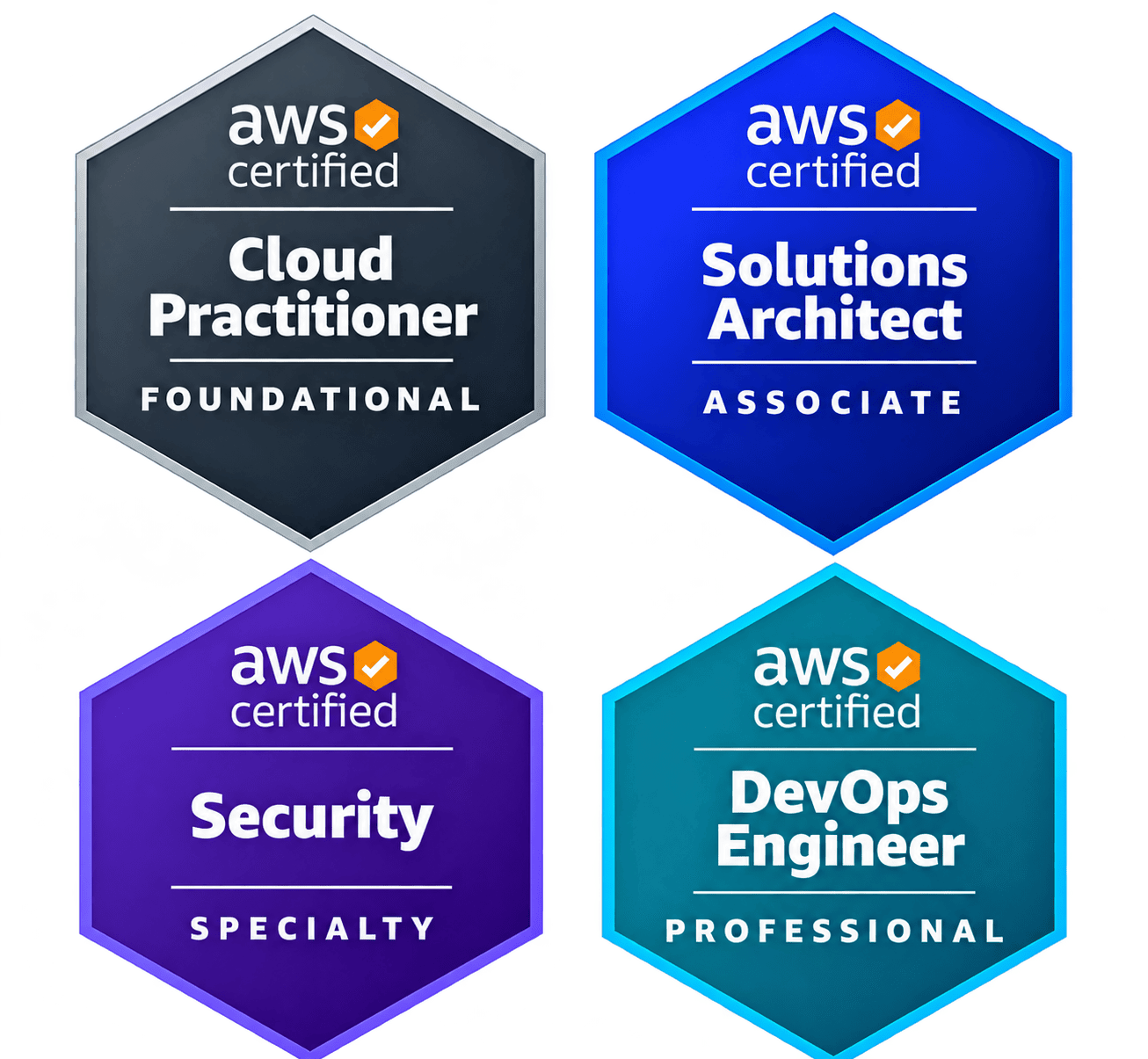
- AWS Certified Cloud Practitioner practice
- AWS Certified Solutions Architect – Associate practice
- AWS Certified Security – Specialty practice
- AWS Certified DevOps Engineer – Professional practice
- ☑ Mock interviews
- Resume review
- LinkedIn profile optimization
- Job application assistance & job search strategy
- How to register for AWS Certification exams